JOB Entry
18
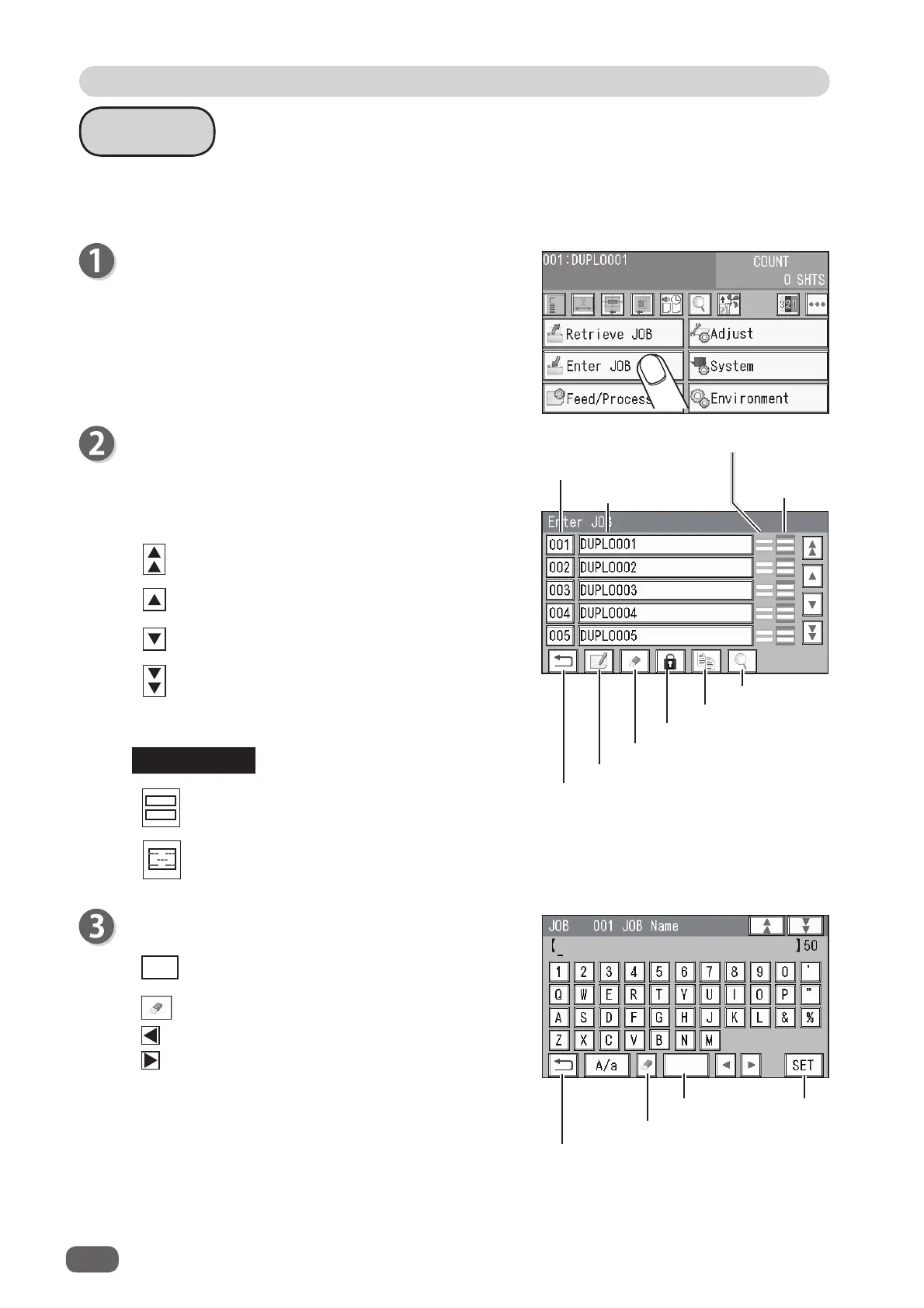
Enter a JOB name.
Enter a JOB name by touching numerals and letters.
A/a : This switches between the capital letters and
the small letters.
Delete icon: This deletes one character.
: This moves the cursor leftward.
: This moves the cursor rightward.
Touching the space key makes a space between
characters/letters.
When you have fi nished entering a JOB name,
touch
SET
.
Wizard
Make sure that the
standby
screen is displayed on
the
touch panel
, and then touch
Enter JOB
.
The
Enter JOB
screen is displayed.
Touch the
JOB name
of a
JOB number
to be
programmed and touch the
JOB entry
icon.
One touch of the JOB number proceeds to step 3.
: JOBs of the 50th to 55th behind are displayed.
: JOBs of the 5th to 10th behind are displayed.
: JOBs of the 5th to 10th ahead are displayed.
: JOBs of the 50th to 55th ahead are displayed.
Module icons
: Slitter module
: RTM (Rotary Tool Module)
In
Wizard
, you can set processing positions of the rotary tool on one fi nished product, up to two
sets in the
X
direction and up to six sets in the
Y
direction.
REFERENCE
SET
Delete
Space
Return
Details
Copy
JOB lock
JOB delete
JOB entry
Return
Module in
slot 2
Module in slot 3
JOB name
JOB number



 To Next Page