JOB Entry
19
Programming a JOB on the Control Panel
2
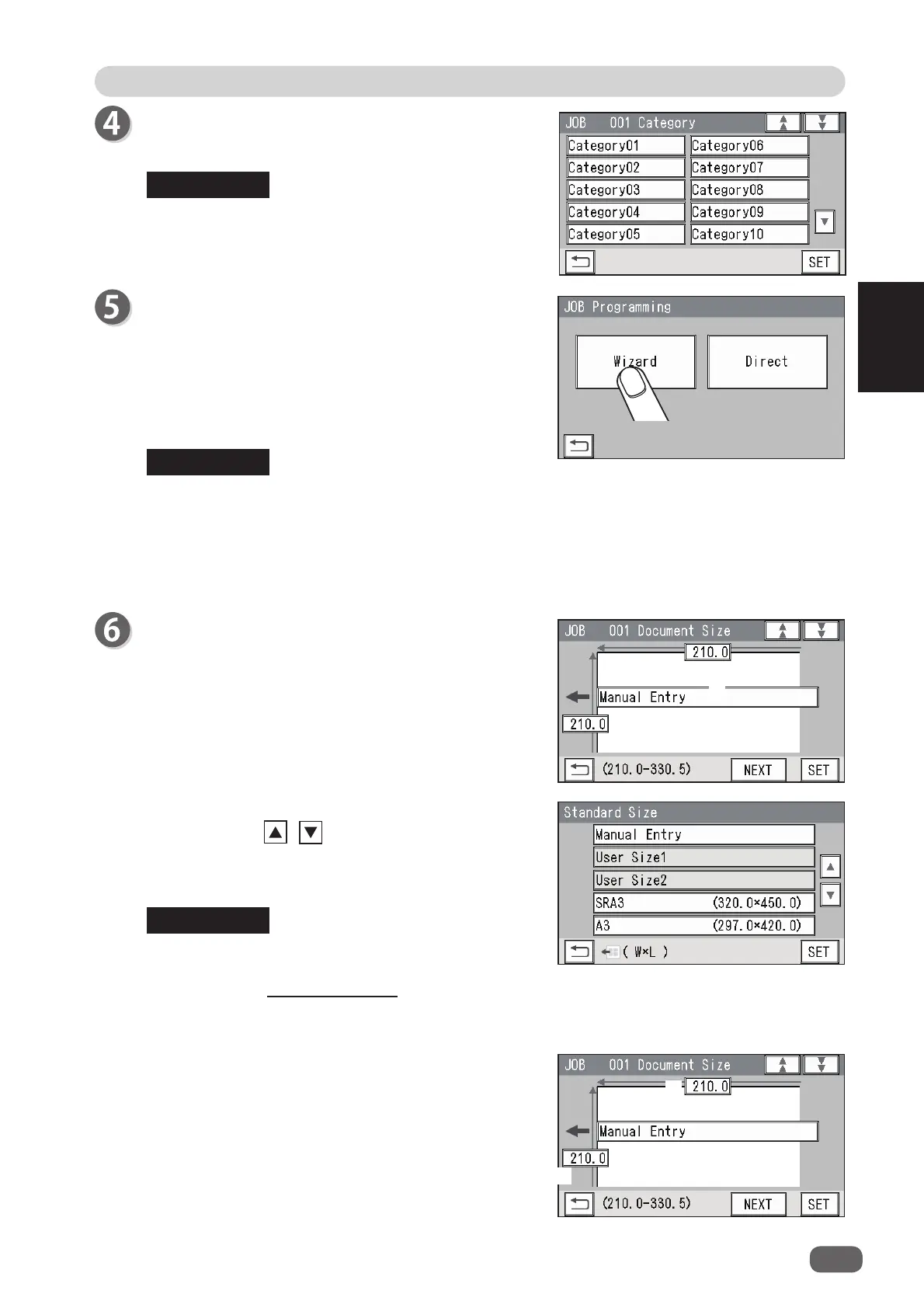
Select a category in which the programmed JOB is
saved. Touch SET.
You can retrieve a saved JOB by
Category
under
Retrieve JOB
.
You can change the category name in
Environment
.
JOB Programming
Touch
Wizard
.
Wizard
: This helps you program a JOB in a user size
in a simple way.
Direct
: This programs a JOB by entering a value of
each item.
You cannot reprogram the following JOBs in
Wizard
:
• A JOB programmed in
Direct
• A JOB saved in
Wizard
and edited in
Direct
• A JOB saved in
Wizard
by using the PC Controller
Save a new JOB as a diff erent JOB number or clear the JOB already saved and then save
the new one.
Document Size
1. Touch
1 (Manual Entry)
.
2. Select a document size.
Touching the / icon displays other document
sizes.
Touch
SET
to set the selection.
To select
User Size1
or
User Size2
, set
User Size
under
Environment
in advance.
(See Chapter 3 Basic Operations in the DC-618
Instruction Manual.)
3. If you have selected document size other than
Manual Entry
in step 2, touch
NEXT
to go to step 7.
When you have selected
Manual Entry
, follow
these steps to set the document size.
Touch
1
and enter the document width with the
NUMERIC keys.
Touch
2
and enter the document length with the
NUMERIC keys.
REFERENCE
REFERENCE
REFERENCE
1
1
2



 To Next Page