Before Programming a JOB
13
Programming a JOB on the Control Panel
2
1
2
3
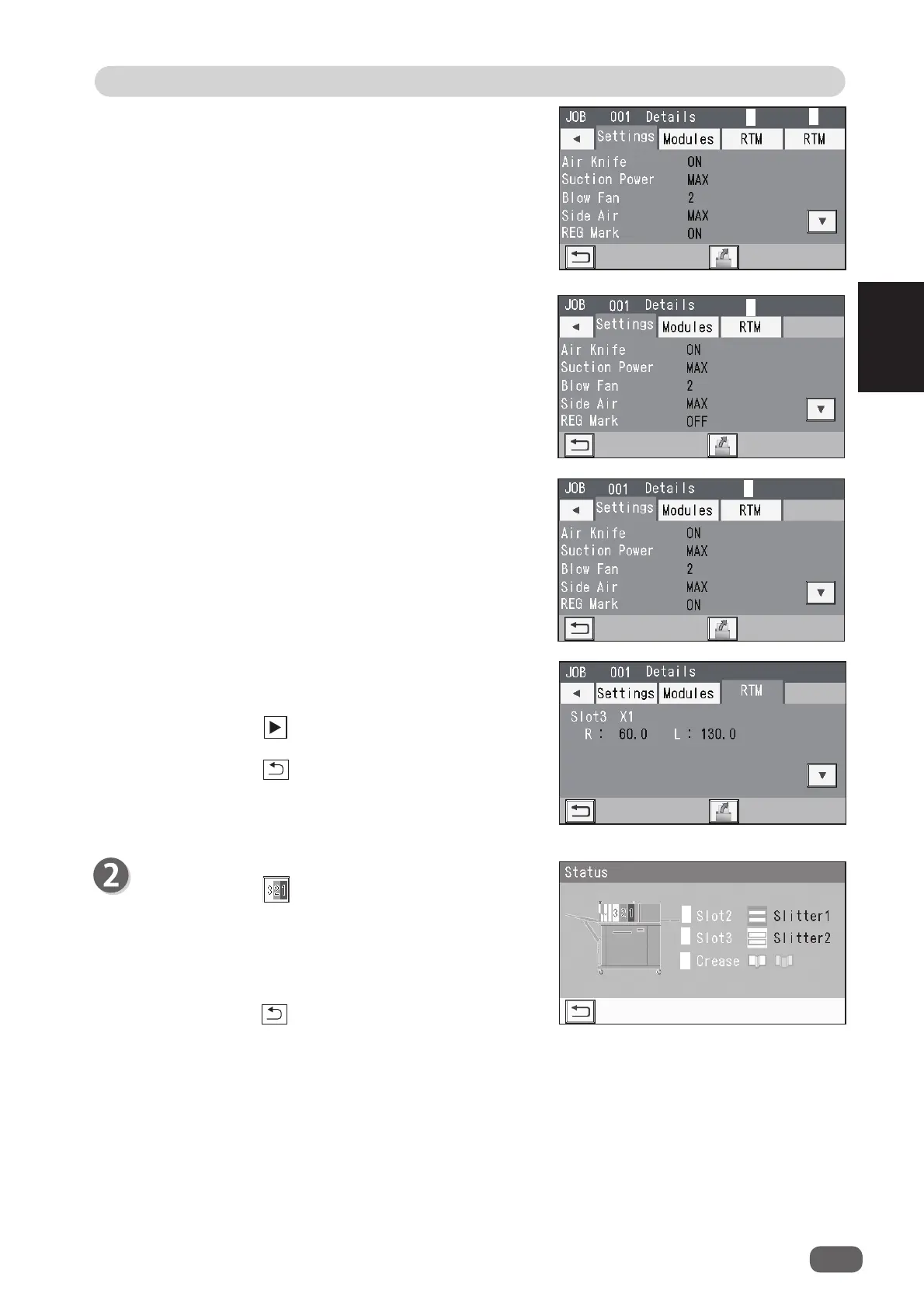
Status
1. Touching the
status
icon displays the status
screen.
The type of the module set for slot 2 appears for
Slot2
(
1
) and that for slot 3 appears for
Slot3
(
2
).
Crease (
3
) displays a crease depth (Wider,
Standard) in the crease section.
Touching the
return
icon returns to the
standby
screen.
3. Touch
RTM
.
• The screen shown on the right is that for a JOB
with
RTM
selected for both
Slot2
and
Slot3
. (
1
:
Slot3
,
2
:
Slot2
)
• The screen shown on the right is that for a JOB
with
RTM
selected for
Slot2
. (1:
Slot2
)
• The screen shown on the right is that for a JOB
with
RTM
selected for
Slot3
. (1:
Slot3
)
4.
RTM
Processing positions of the
RTM (Rotary Tool
Module)
for the selected JOB appear.
Touching the
icon displays the continuity of the
processing positions on the next page.
Touching the
return
icon returns to the
standby
screen.
1
1
1
2



 To Next Page