DYNACO USA 6 ● DYNALOGIX II (DY 4000)
Slimline Series RevB.doc THE SAFEST CHOICE 35
PROGRAM
Buttons
M-00089
06/13/05
JOG
UP/RESET
JOG
DOWN
CLOSE
OPEN
MC/PB
MENU
ENTER
MESSAGE DISPLAY COUNTER
MESSAGE DISPLAY COUNTER
Password
0
CLOSE
TIMERS
AC/LOOP
PROGRAM
RUN
TIMERS
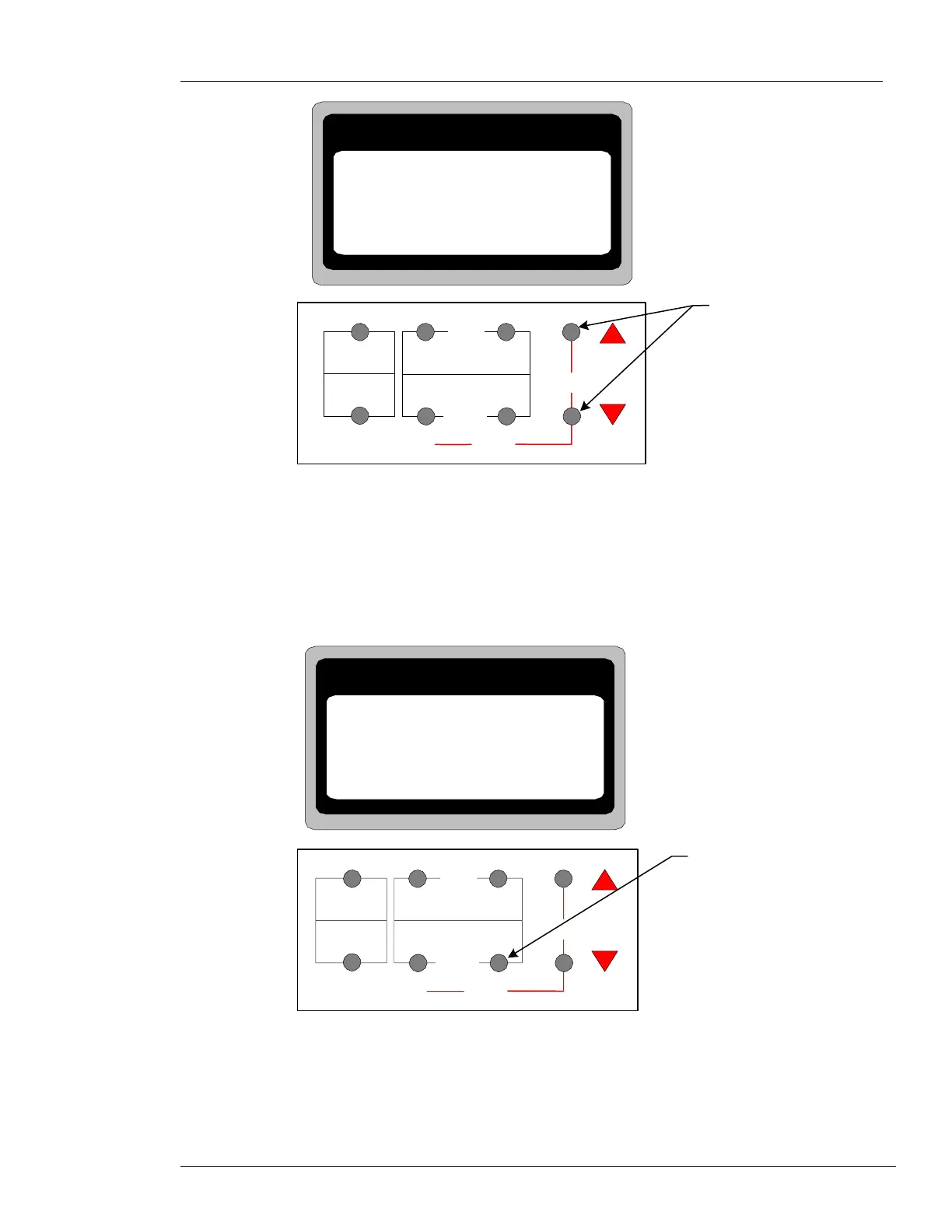
Figure 6-10: DYNALOGIX II Program Mode
• Press and release one of the PROGRAM buttons to scroll up or down until the password, 562,
displays in the LCD.
• Press and release the ENTER button. LimitSet displays in the LCD.
Note: On initial start up the Password screen will be bypassed, and the DYNALOGIX will directly
enter the LimitSet screen. See Figure 6-11.
ENTER
Button
M-00090
06/13/05
JOG
UP/RESET
JOG
DOWN
CLOSE
OPEN
MC/PB
MENU
ENTER
CLOSE
TIMERS
AC/LOOP
PROGRAM
RUN
TIMERS
MESSAGE DISPLAY COUNTER
MESSAGE DISPLAY COUNTER
LimitSet
Figure 6-11: ENTER Button


 To Next Page
 Loading...