5. SPECIFY ROUTER SETTINGS VIA WEB BROWSER
76
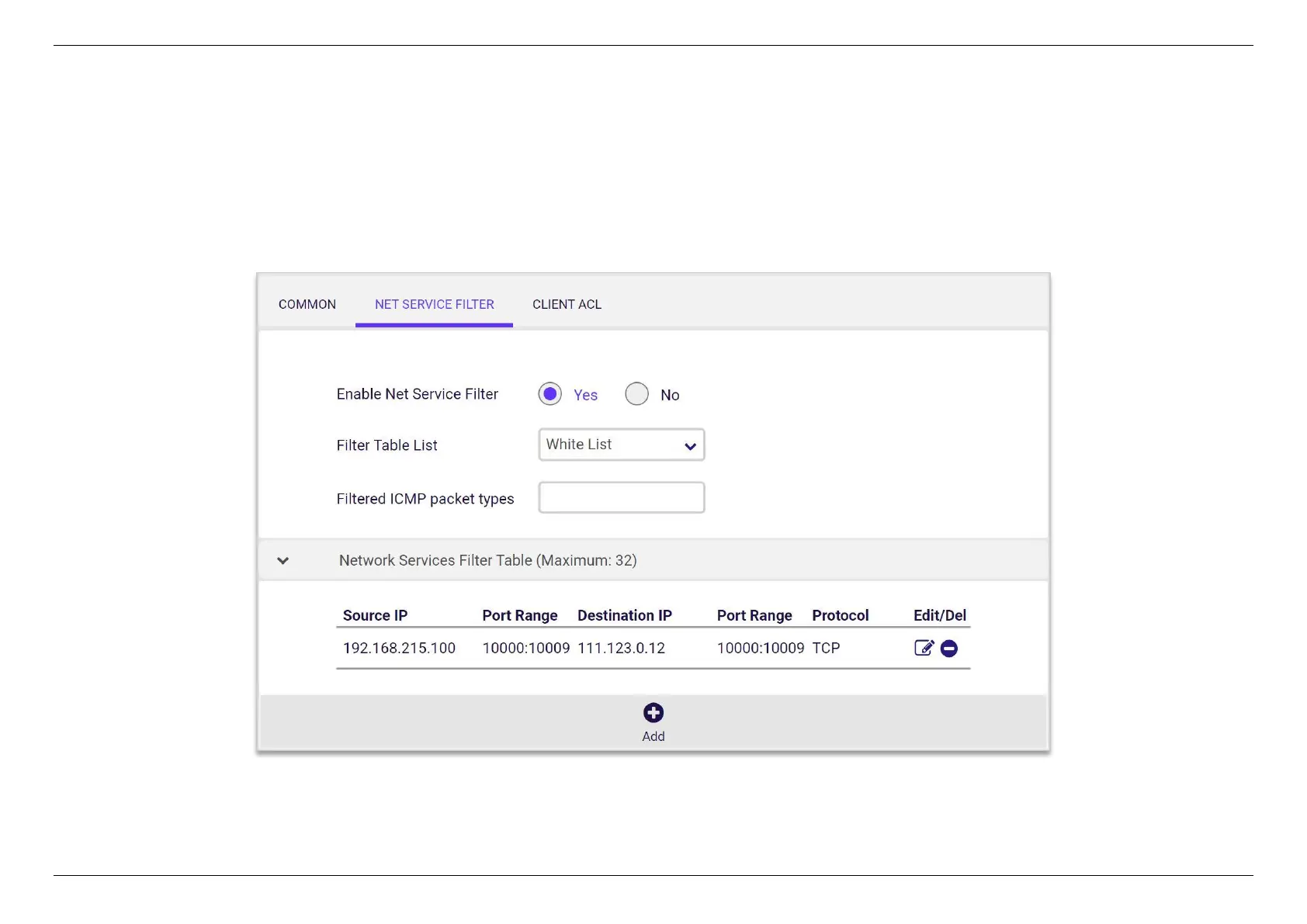
5.6.1.2 Net Service Filter
The Net Service filter blocks LAN to WAN packet exchanges by setting filter rules. Black List blocks the specified network service. White List limits
access to only the specified network services.
To specify a network service to filter, enter the Source IP, Destination IP, Port Range, and Protocol.


 To Next Page
 Loading...
