19
Twin Piano
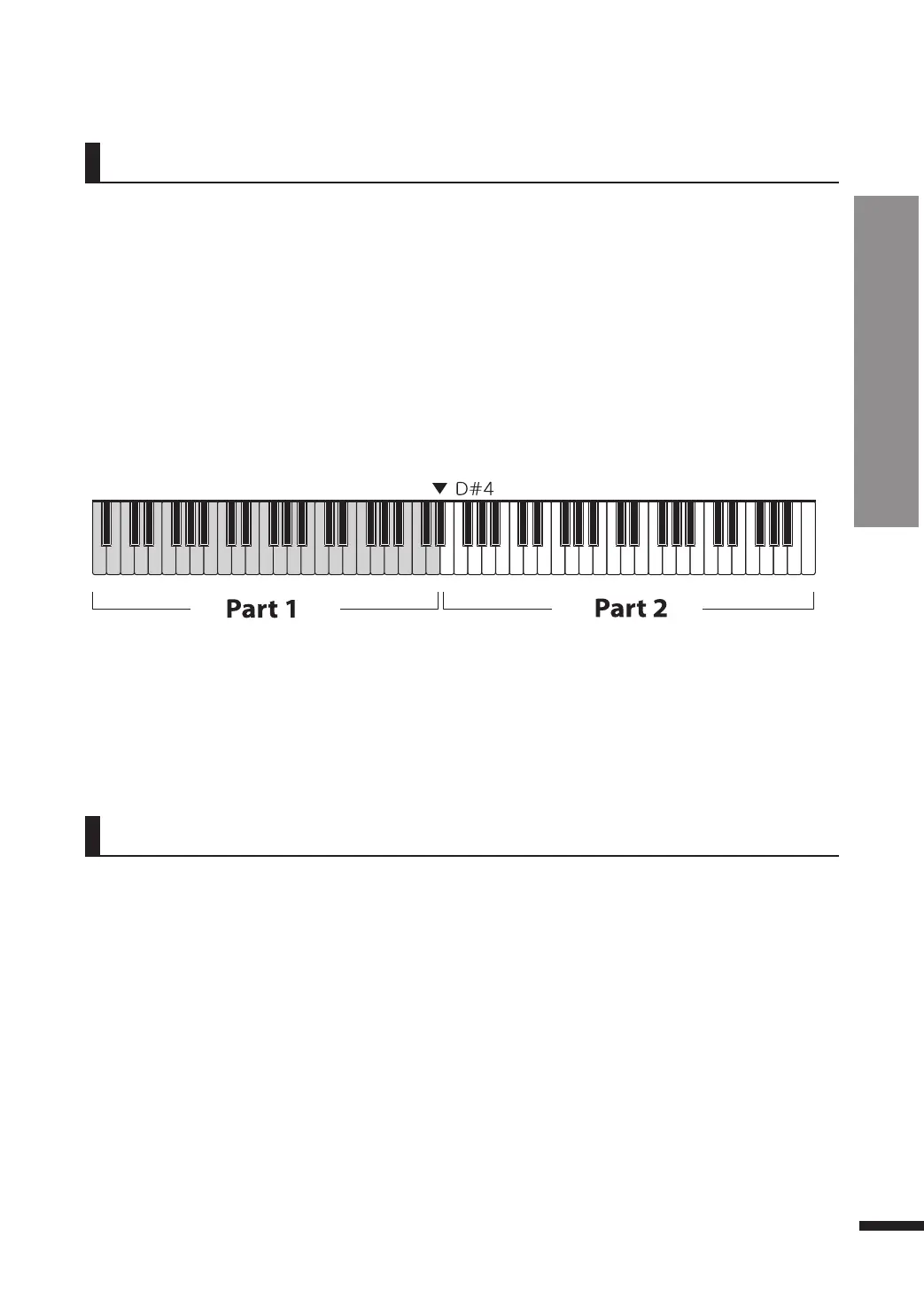
Twin Piano divides the piano keyboard into two equal smaller ("twin") keyboards with nearly identical
registers. This allows two people to play the piano simultaneously on the same range without running
into each other.
q Select a voice.
Refer to page 15 for voice selection.
w P
r
e
ss
T
WIN.
e P
r
ess
T
WIN
on
ce
a
gain
to
quit
usin
g
T
WIN
P
IANO.
The button will turn on. The keyboard will be divided into two parts with nearly identical registers,
with D#4 as the point of division.
The button will turn off.
☞ Reverb is enabled by default.
Reverb
Reverb simulates the decaying reflections of sound as experienced in varying types of space, making
the piano sound feel more natural and realistic.
q Press REVERB. The button will turn on to indicate that Reverb is now active.
w To disable Reverb, press REVERB again. The button will turn off.
Basic Controls
Twin Piano / Reverb



 To Next Page