Basic Controls
Mixer
21
Mixer
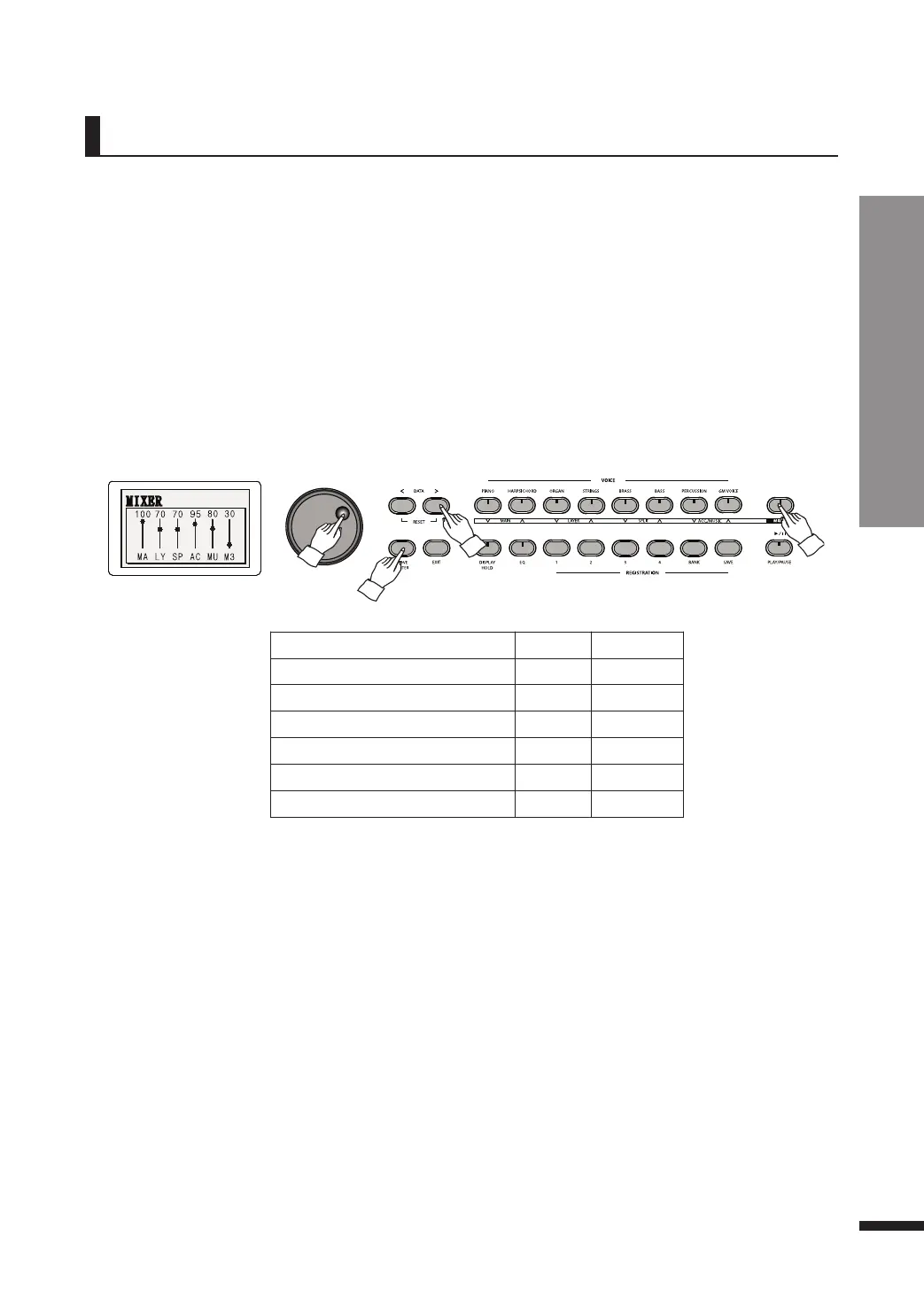
w Adjust the volume of each part as desired.
Press MOVE/ENTER to move through the parts, and use either the VOLUME buttons, DATA buttons, or
the DATA wheel to adjust the part volumes.
e Press MIXER again to leave the mixer and resume using the piano.
☞ Alternatively, press EXIT.
q Press MIXER.
The button will be lighted, and the LCD will display the volumes of each part.
Parameter Default Range
MAIN VOLUME
100 0~100
LAYER VOLUME
70 0~100
SPLIT VOLUME
70 0~100
ACCOMP VOLUME
90 0~100
MUSIC VOLUME
80 0~100
MP3 VOLUME
30 0~100
☞ Pressing both VOLUME UP and DOWN buttons simultaneously will restore the default value. See below for the
description of VOLUME buttons.
☞ Keep an UP/DOWN button pressed to quickly run through the values.
☞ The VOLUME buttons include the MAIN, LAYER, SPLIT and ACC./MUSIC UP/DOWN buttons, which are also the
VOICE buttons. While in Mixer menu, they may be used to control the volume of their respective parts.
Mixer allows the user to adjust the individual volumes for each part (main, layer, split
etc.) while viewing the others in order to control the balance between the parts.



 To Next Page