VP PLAYER Playing VP Music Files
50
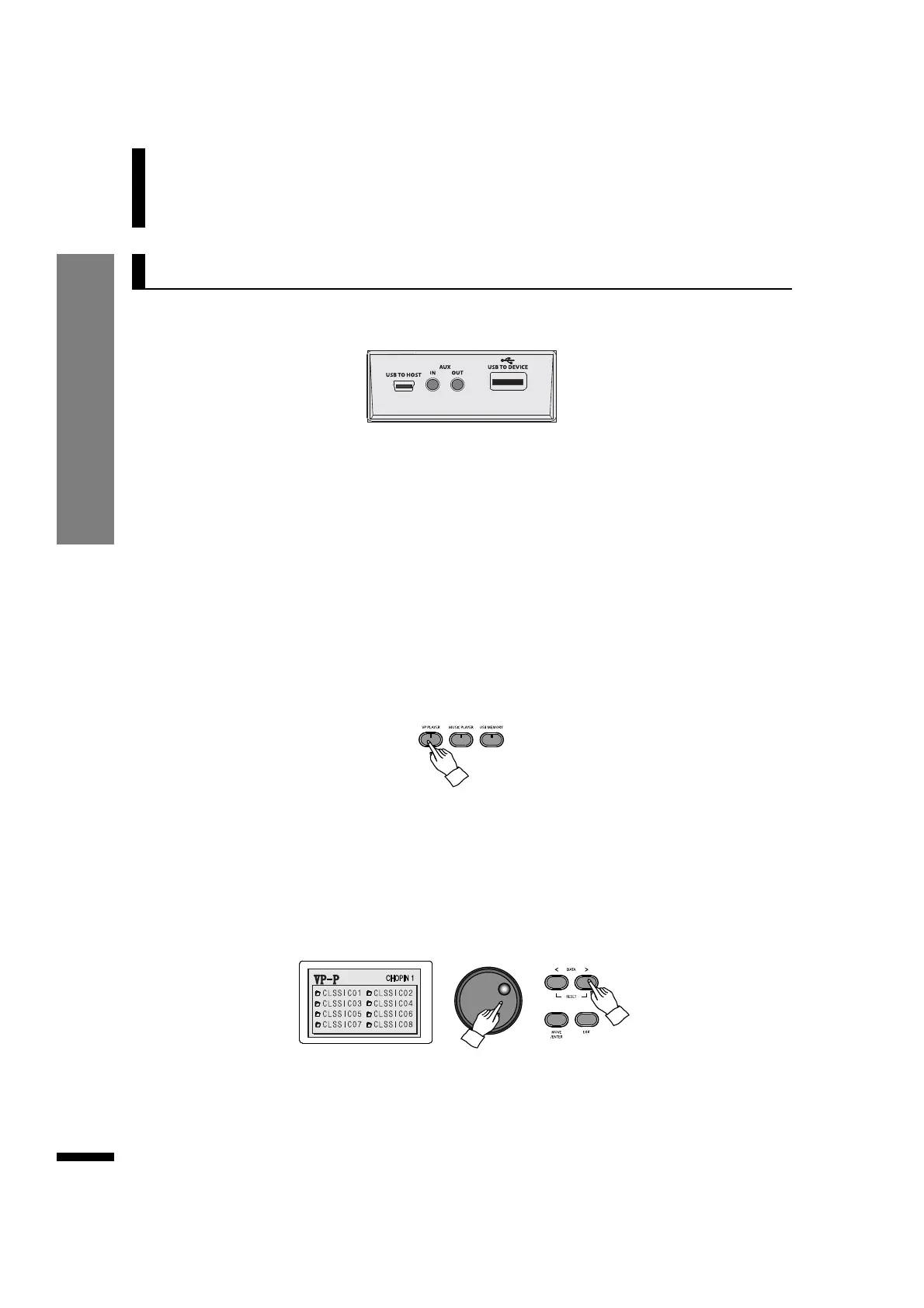
e Select the desired piece to play.
Use the DATA buttons or DATA wheel to pick a piece.
Playing VP Music Files
q Insert the USB memory to the USB-TO-DEVICE terminal.
w Select a VP player group.
Press the VP PLAYER button. The LCD will show the folders, each corresponding to a musical genre.
Use the DATA buttons or DATA wheel to select a folder, then press MOVE/ENTER to enter it.
☞ The VP music data is saved in the provided USB memory. Therefore the bundle USB memory must be used in order to play
the VP music.
☞ If the bundled USB memory is lost, or its data has been corrupted, the VP music data must be installed again. Since the USB
memory must be formatted in order to do this, it is recommended to create a backup copy of its contents.
☞ Contact customer service for instructions on installing the data.
VP Player
The provided USB memory that comes with the piano
contains recordings of music in many different genres,
which may be played using the VP player feature.
☞ Each folder represents a specific musical genre (classic, pop, jazz, juvenile, educational etc.).
☞ Use the DATA buttons or DATA wheel to navigate the folders.
☞ The DISPLAY HOLD button does not work when using VP PLAYER.
☞ ' 'indicates a folder and ' ' indicates a music file.



 To Next Page