RECORD Loading From USB
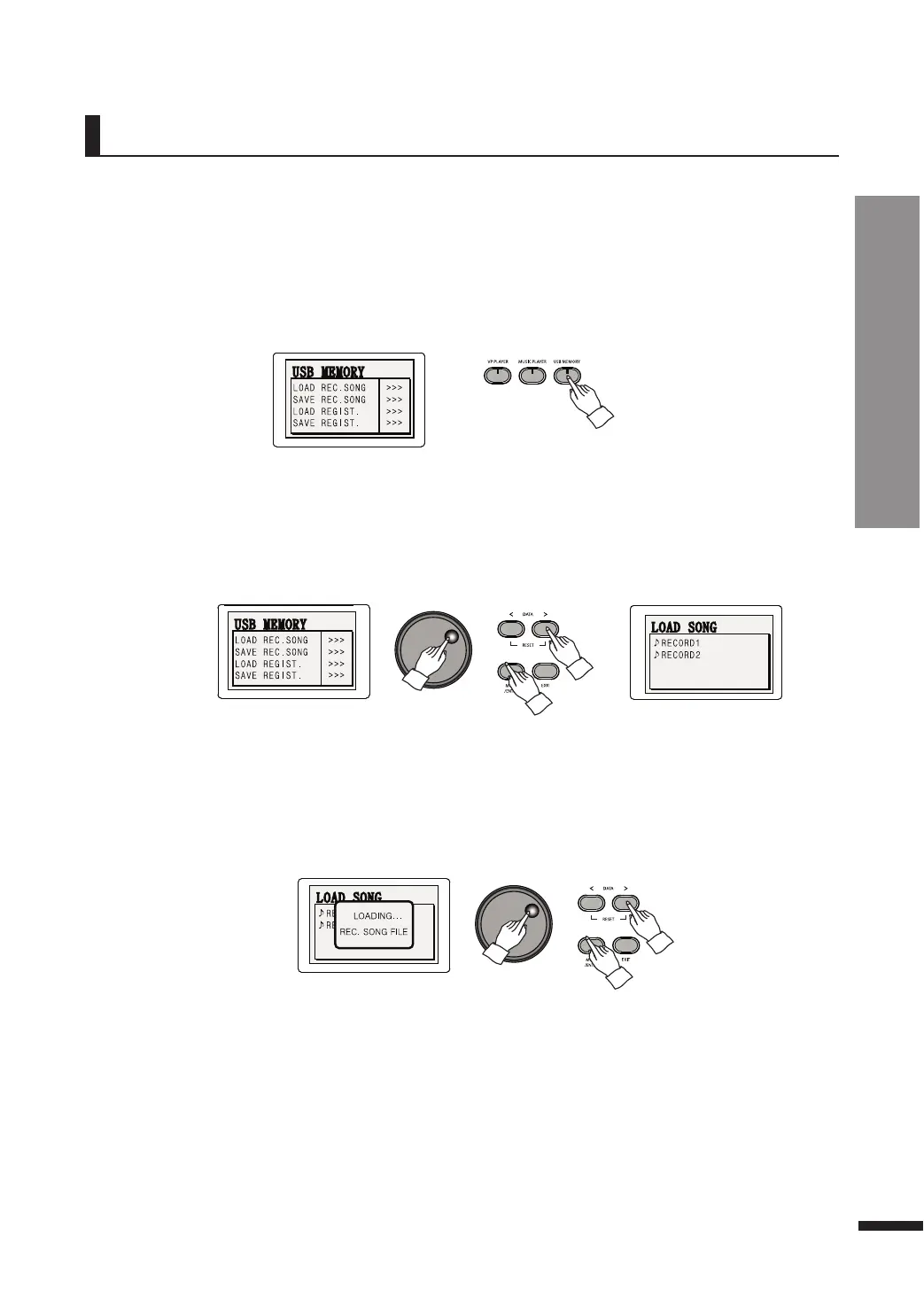
q Insert the USB memory to the USB-TO-DEVICE terminal.
The recordings saved in the USB memory may be loaded and played again.
e Select 'LOAD REC.SONG'.
Press MOVE/ENTER to select the LOAD REC.SONG option and use the DATA buttons or DATA wheel to
pop the dialog below.
r Load the desired file.
Use the DATA buttons or DATA wheel to move the cursor around, and press MOVE/ENTER to select a
file or a folder.
Once the loading is complete, the RECORD button will turn on.
t Play the loaded song.
Press PLAY/PAUSE to play the loaded song.
☞ When a saved file has been loaded, the tracks are overwritten with the loaded song.
☞ All previous contents of the tracks are lost.
w Press the USB MEMORY button.
The LCD will show the USB memory menu.
Loading From USB
47



 To Next Page