RECORD
Recording/Playing / Saving To USB
r Save to the USB memory.
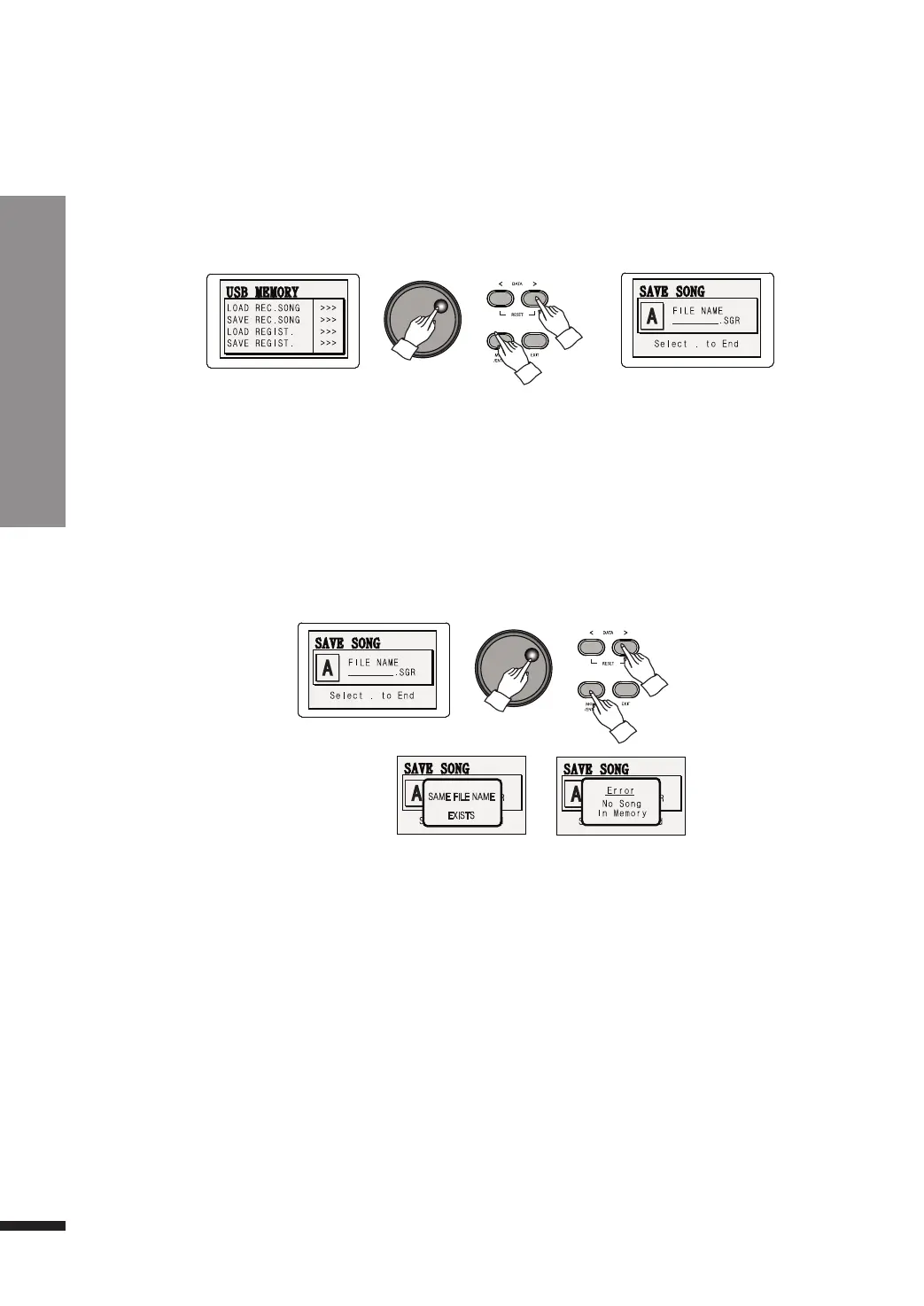
Use the DATA buttons to cycle through the characters, and press MOVE/ENTER when the desired
alphabet is chosen.
Repeat this process until the full filename is written, then locate '.' on the character input (found
ahead of A) and press MOVE/ENTER to save the tracks recorded in the piano.
After saving, the initial screen will be displayed again.
e Select "SAVE REC.SONG".
Press the MOVE/ENTER button to reach the SAVE REC.SONG option and use the DATA buttons or DATA
wheel to write the filename.
☞ If a file with the same name exists, the filename cannot be used.
☞ It takes about 10-60 seconds to recall data saved in the USB memory, depending on the size of the saved data.
☞ Do not remove the USB memory while data is being accessed. Doing so may corrupt the data.
☞ If a file could not be saved properly, the LCD will display an ERROR message, followed by a return to the initial screen. In
this case, the file is permanently lost.
☞ If you wish to save only 1 track, erase the unwanted track prior to saving.
46



 To Next Page