REGISTRATION Loading Registrations From USB
49
r Save to the USB memory.
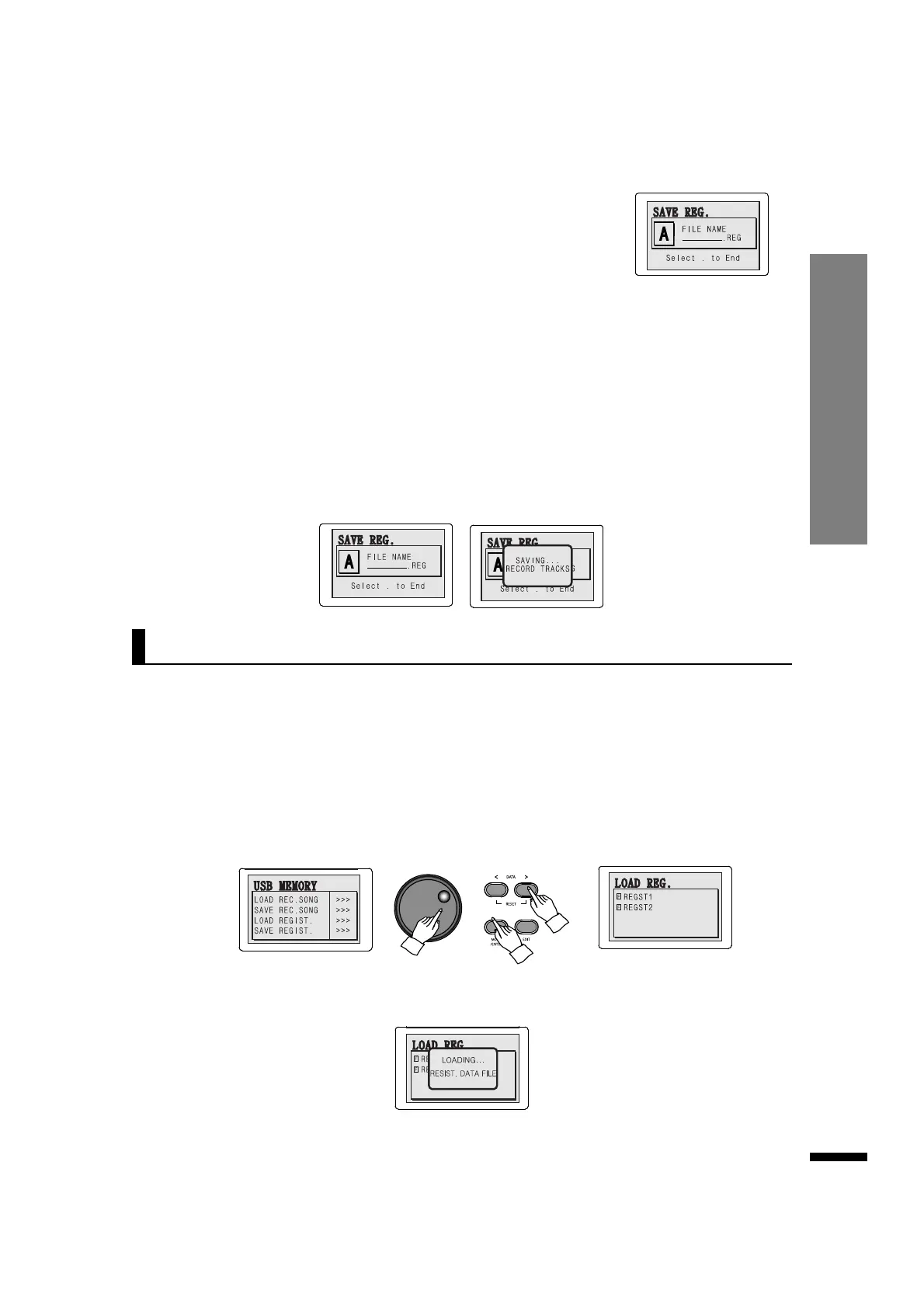
Use the DATA buttons to cycle through the characters, and press MOVE/ENTER when the desired
alphabet is chosen.
Repeat this process until the full filename is written, then find '.' on the character input (located ahead
of ‘A’) and press MOVE/ENTER to save.
After saving, the initial screen will be displayed again.
☞ If a file with the same name exists, the filename cannot be used.
☞ It takes about 10-60 seconds to recall data saved in the USB memory, depending on the size of the saved data.
☞ Do not remove the USB memory while it is being accessed. Doing so may corrupt the data.
☞ If a file could not be saved properly, the LCD will display an ERROR message, followed by a return to the initial screen.
In this case, the file is permanently lost.
e Select 'SAVE REG'.
Press the MOVE/ENTER button to move the cursor to the 'SELECT
REGISTRATION' option, then use the DATA buttons or DATA wheel to call up
the input dialog on the right.
q Insert the USB memory to the USB-TO-DEVICE terminal.
The registration files saved in the USB memory may be reloaded to the piano.
e Select 'LOAD REGISTRATION'.
Repeatedly press MOVE/ENTER to select 'LOAD REGIST.', then use the DATA buttons or DATA wheel to
see the dialog below.
r Load the desired registration file.
Select the desired file by using the DATA buttons, then press MOVE/ENTER to load it.
☞ When a registration file has been loaded, the registration memories are overwritten with the loaded content.
w Call up the USB memory menu.
Press the USB MEMORY button.
Loading Registrations From USB



 To Next Page