23
Demo/Edu Music
This piano features an extensive bank of
demonstrational recordings of 50 selected works all
performed by professional pianists. It also includes a
dedicated music data bank consisting of pedagogical
etudes by Beyer (106), Czerny (100/30/40), Burgmüller
(25) and selected sonatines for students (45).
Listening to Demo/Educational Music
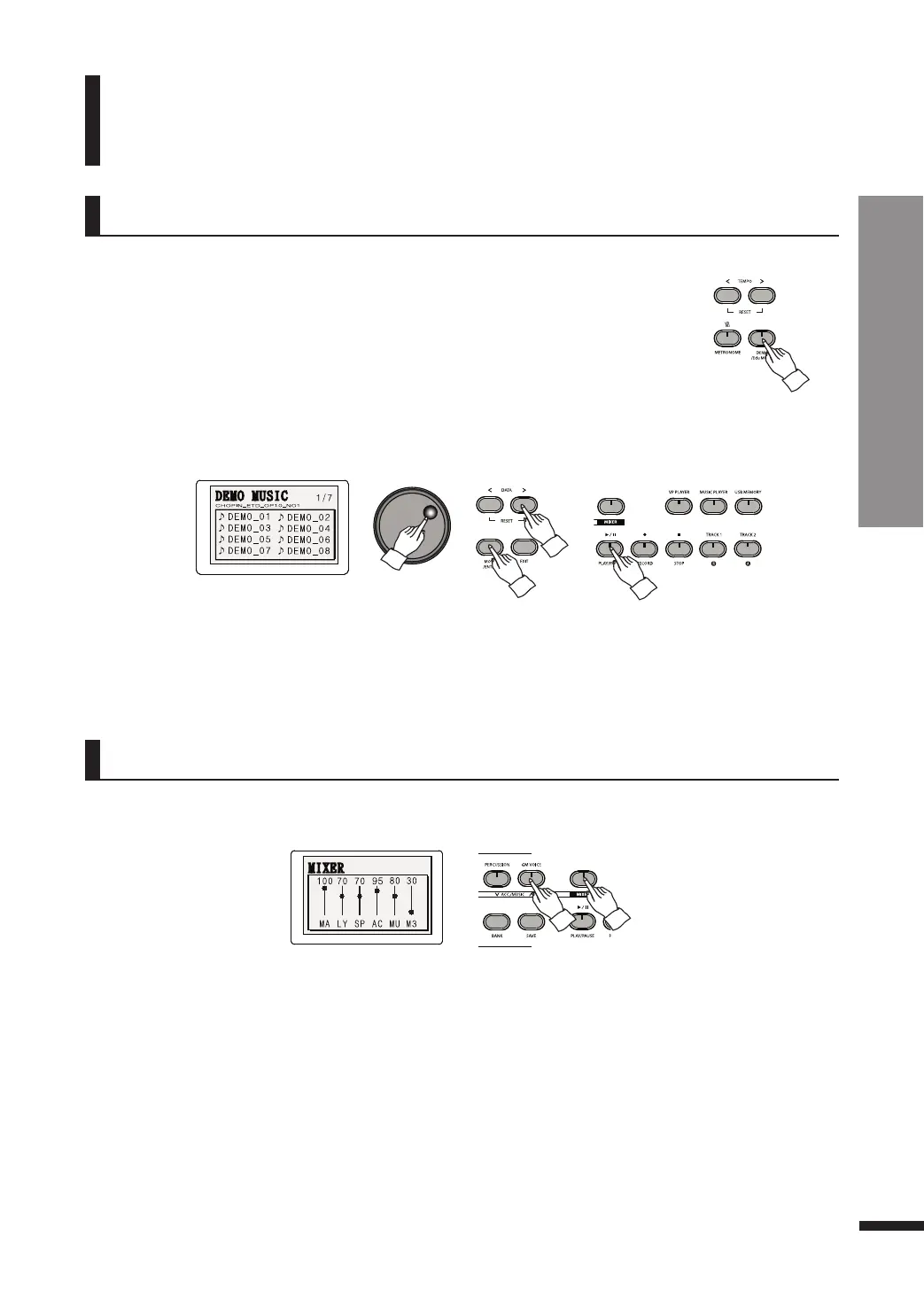
q Press DEMO/Edu MUSIC.
Press DEMO/Edu MUSIC shortly to enter the DEMO list.
Press and hold down DEMO/Edu MUSIC longer to enter the Edu MUSIC list.
w Choose the desired piece to be played.
Use the DATA buttons or DATA wheel to reach the desired piece, then press PLAY/PAUSE to play it.
The volume of the Demo/Educational music recordings may be adjusted.
Adjusting Demo/Edu Music Volume
w Adjust the Demo/Educational Music Volume.
Use the ACC./MUSIC UP/DOWN buttons to adjust the Demo/Educational Music volume.
☞ Alternatively, repeatedly press MOVE/ENTER until the cursor reaches 'MU' then use the DATA buttons.
q Enter the Mixer menu.
Press MIXER. The button will turn on, and the LCD will show individual volume controls for each
part.
☞ To repeat a piece, press TRACK1/R. The button will turn on, and once a piece is over it will be played again.
☞ To play all pieces in the group in succession, press TRACK2/A.
☞ Refer to page 24 for the list of DEMO.
☞ Refer to page 25-26 for the list of Edu MUSIC.
DEMO/Edu MUSIC
Listening to Demo/Educational Music
/ Adjusting Demo/Edu Music Volume



 To Next Page