31
Function
MIDI Local Control
MIDI Local Control
Parameter Default Range
SEND CH. MAIN
1 1~16
SEND CH. LAYER
2 1~16
SEND CH. SPLIT
3 1~16
NOTE OFF VEL
ON ON, OFF
LOCAL CONTROL
ON ON, OFF
Setting Local Control to Off prevents the input data of the keyboard from being sent to the internal
speaker system of the piano, thereby silencing it while the data is output as MIDI signals to any
external devices connected to the piano.
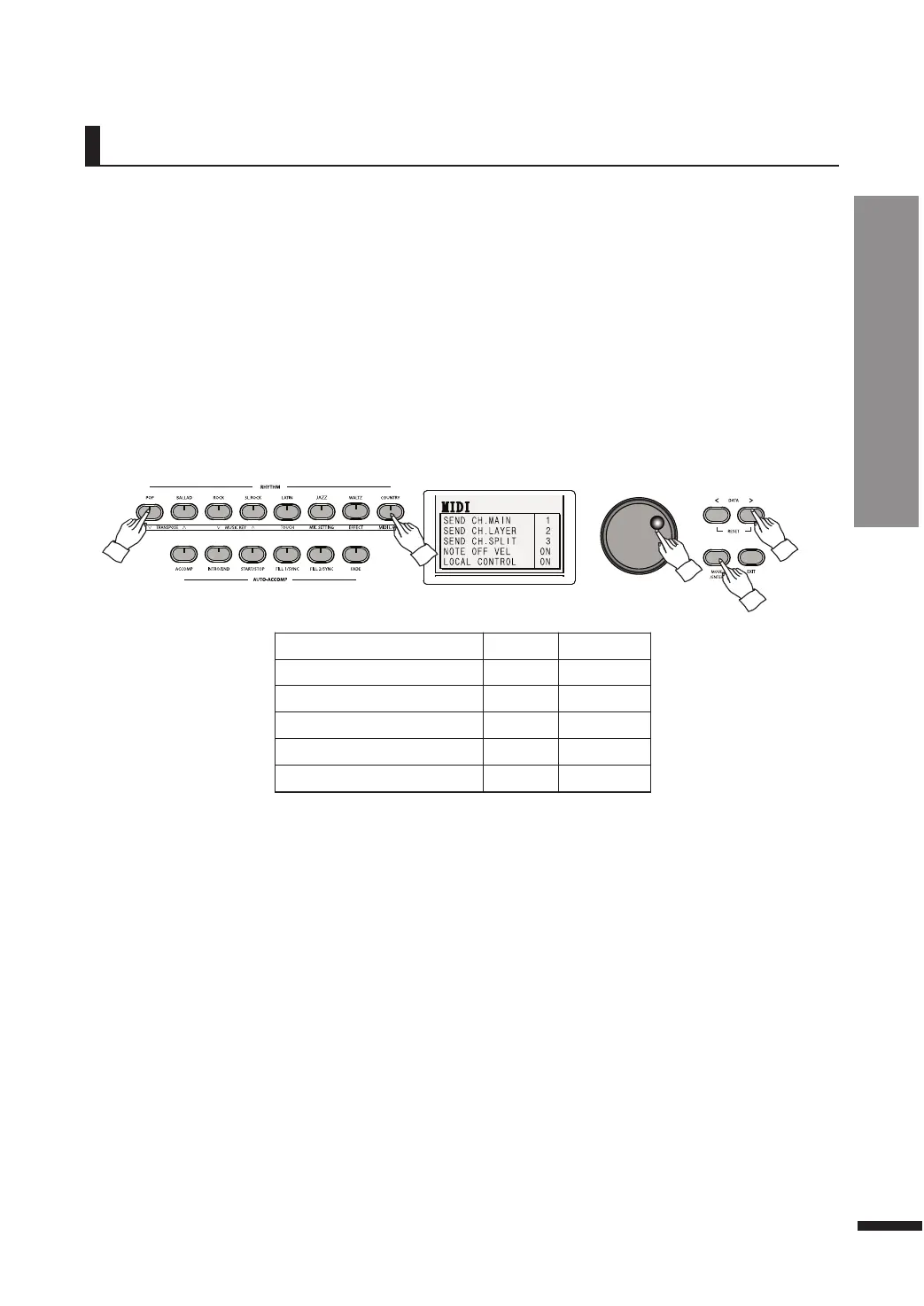
Press FUNCTION, then press MIDI L.CTRL to call up the MIDI menu.
Use the MOVE/ENTER button to reach the desired field, then use the DATA buttons or DATA wheel to
adjust its value.
Intended for MIDI users, this setting is used mainly when connecting the piano to external devices
like computers so as to use the piano as a MIDI input device.
Configuring MIDI Output Channels
All MIDI devices use 16 channels to exchange MIDI signals. These channels must match between the
two devices exchanging the signals, otherwise the messages cannot be exchanged.
These fields allow to set the MIDI channels to use for outputting the individual parts of the piano.
Each part may be sent via a separate MIDI channel.



 To Next Page