EQ Settings
The equalizer divides all output sound of the piano into four levels of frequencies consisting of high
(2.6KHz), mid-high (1.2KHz), mid-low (300Hz) and low (115Hz), and allows to make volume
adjustments to each level independently.
Setting Equalizer
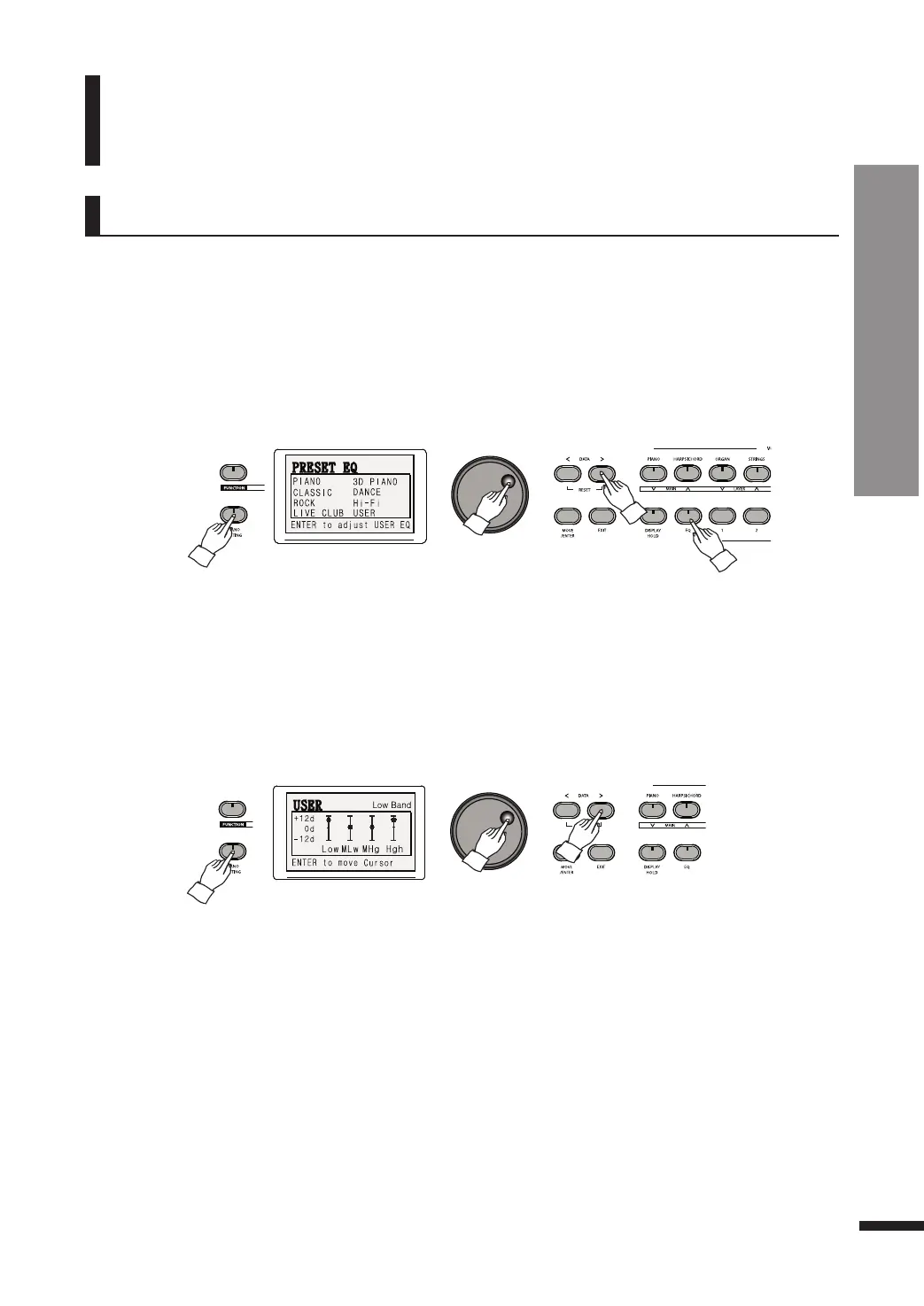
Press and hold down the EQ button until the EQ menu pops up.
Use the DATA buttons or DATA wheel to set the values as desired.
☞ 7 preset EQs including PIANO, 3D PIANO, CLASSIC, DANCE, ROCK, HI-FI, LIVE CLUB are provided, as well as a customizable
USER setting.
Custom EQ
In the EQ Settings menu, press the MOVE/ENTER button to call up the USER EQ window. Then use the
MOVE/ENTER button to reach the desired frequency range (low, mid-low, mid-high, high) and the
DATA buttons or DATA wheel to adjust its value.
☞ Frequency Levels
1) High band(2.6KHz)
2) Middle high band(1.2KHz)
3) Middle low band(300Hz)
4) Low band(115Hz)
☞ Available EQ adjustment range: -12db ~ +12db
EQ
37
EQ
EQ Settings



 To Next Page