32 Eaton 9155 UPS (8–15 kVA) User’s Guide 164201553—Rev H0
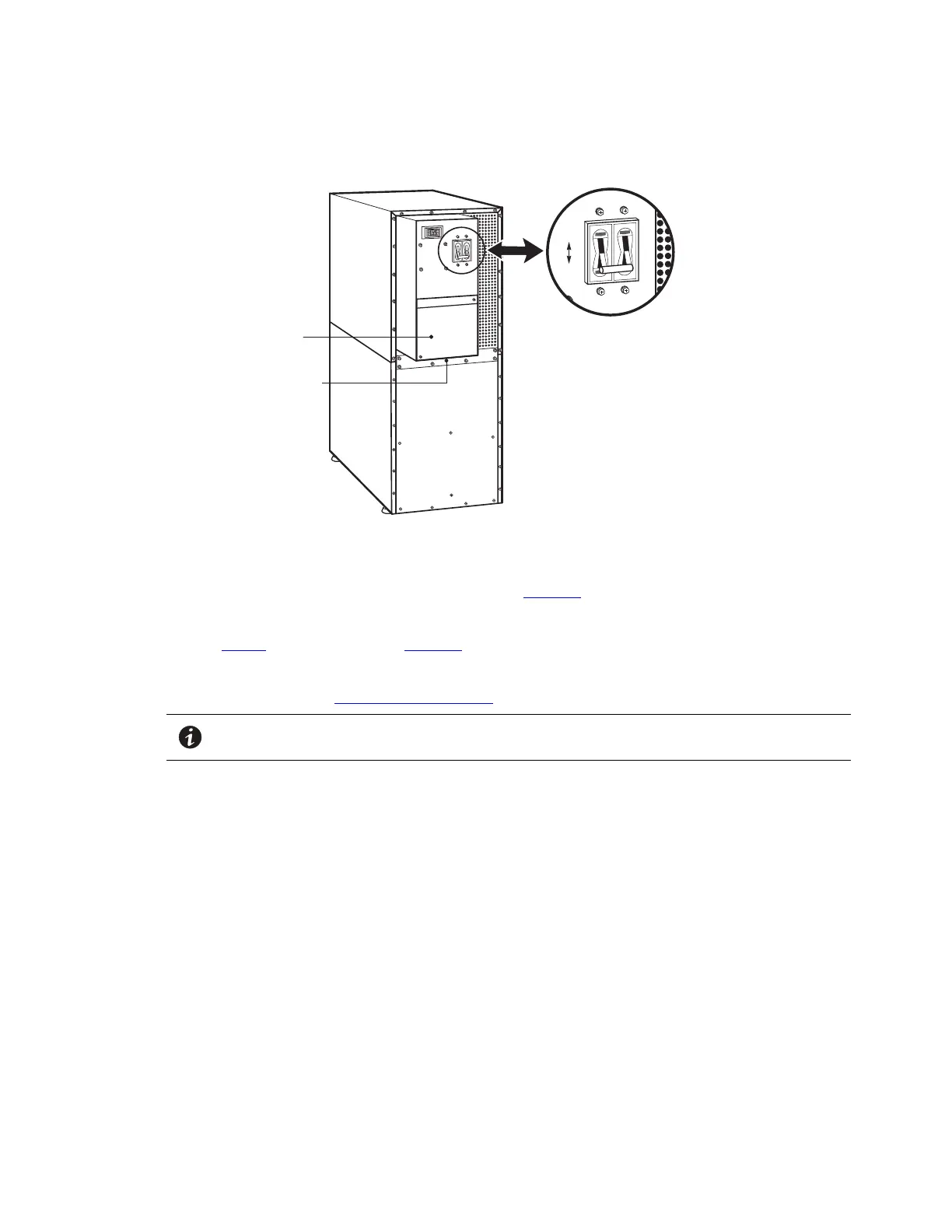
Figure 16. UPS Rear View
ON
OFF
UPS Wiring
Access Cover
Conduit Landing
Battery Circuit Breaker
6. Remove the UPS wiring access cover and retain (see Figure 16).
7. Install conduit and hardwire the input, output, and ground terminations for the UPS.
See Table 4 for specifications and Figure 17 for a detailed view of the UPS terminal block.
8. Replace the UPS wiring access cover.
9. Continue to paragraph 4.4 Stabilizing the Cabinet to complete the UPS installation.
NOTE Input neutral must be wired for proper operation. Failure to connect an input neutral will
void the warranty.
UPS System Installation



 To Next Page