Eaton 9155 UPS (8–15 kVA) User’s Guide 164201553—Rev H0 41
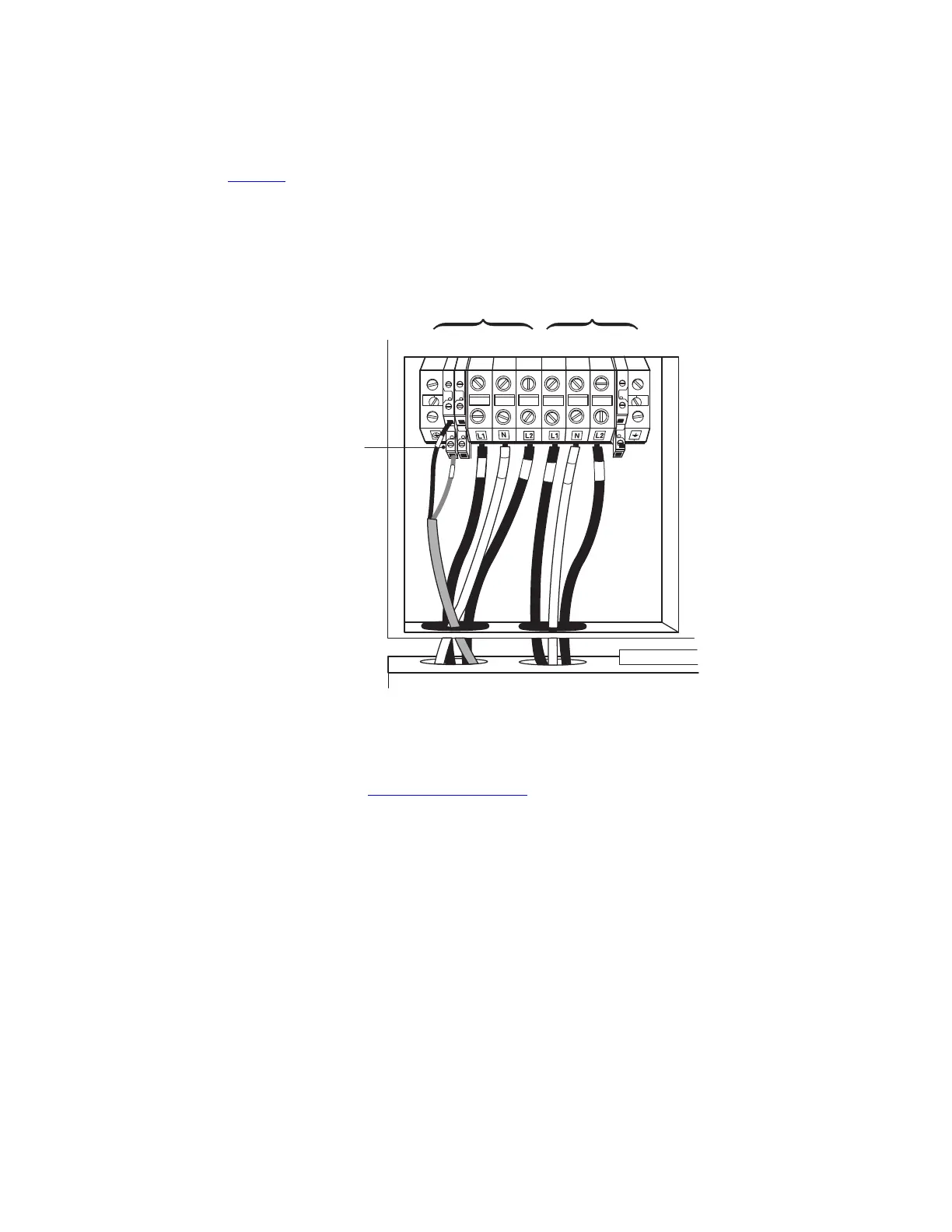
8. Connect the factory-installed wiring from the maintenance bypass switch to the UPS terminal block (see
Figure 26).
Connect the maintenance bypass (red and black) wires to TB1-2 (the A/B maintenance bypass auxiliary
contacts) on the UPS terminal block.
Figure 26. Wiring from Maintenance Bypass Switch to UPS
1 2 3 4 567 8 9
A/B Maintenance
Bypass Auxiliary
Contacts
TB1
Input
Output
A8A2
9. Replace the wiring access cover on the UPS and the optional isolation transformer, if applicable.
10. Replace the MBM/PDM wiring access cover and conduit landing plate.
11. Continue to paragraph 4.4 Stabilizing the Cabinet to complete the installation.
UPS System Installation



 To Next Page