P.36
PM10U
EBARA
CORPORATION
4. Operation Panel
4.1 Operation Panel Outline
Running status can be checked by Data screen on the operation panel.
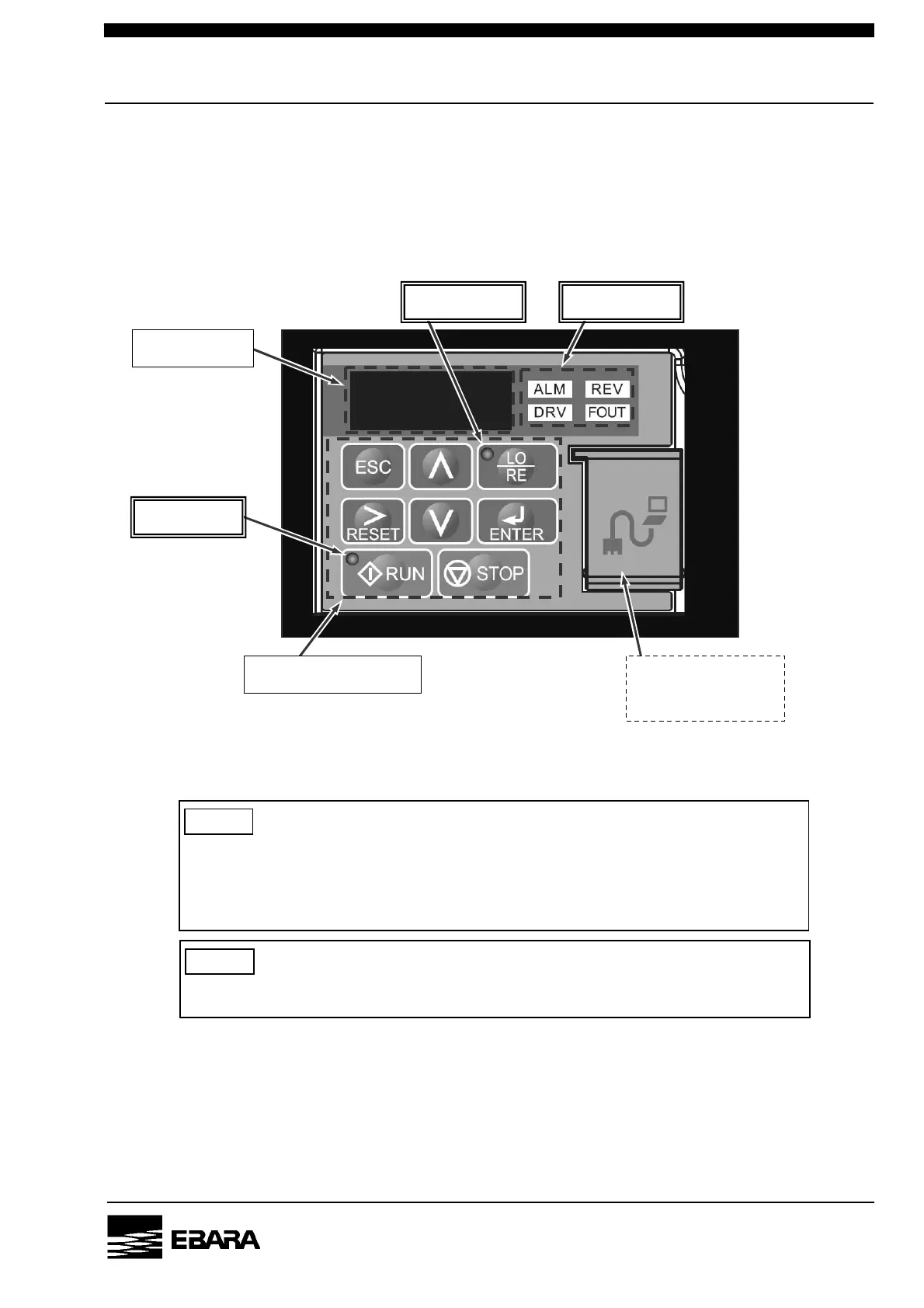
Fig.4.1, Table 4.1 and 4.2 show the Operation Panel, Push button switch, and LED Lamp.
Fig. 4.1 Operation Panel
NOTE
Do not open the connector cover. The connector is only for maintenance. Do not
connect another equipment with cable; such as LAN cable that has been on the
market. The connection may cause failure of the equipment or the pump.
Data screen
LO/RE LED LED Lamps
RUN LED
Push button switches Connector only for
maintenance
NOTE
When monitoring the operation panel, take care not to become unusual postures.


 To Next Page