•
•
•
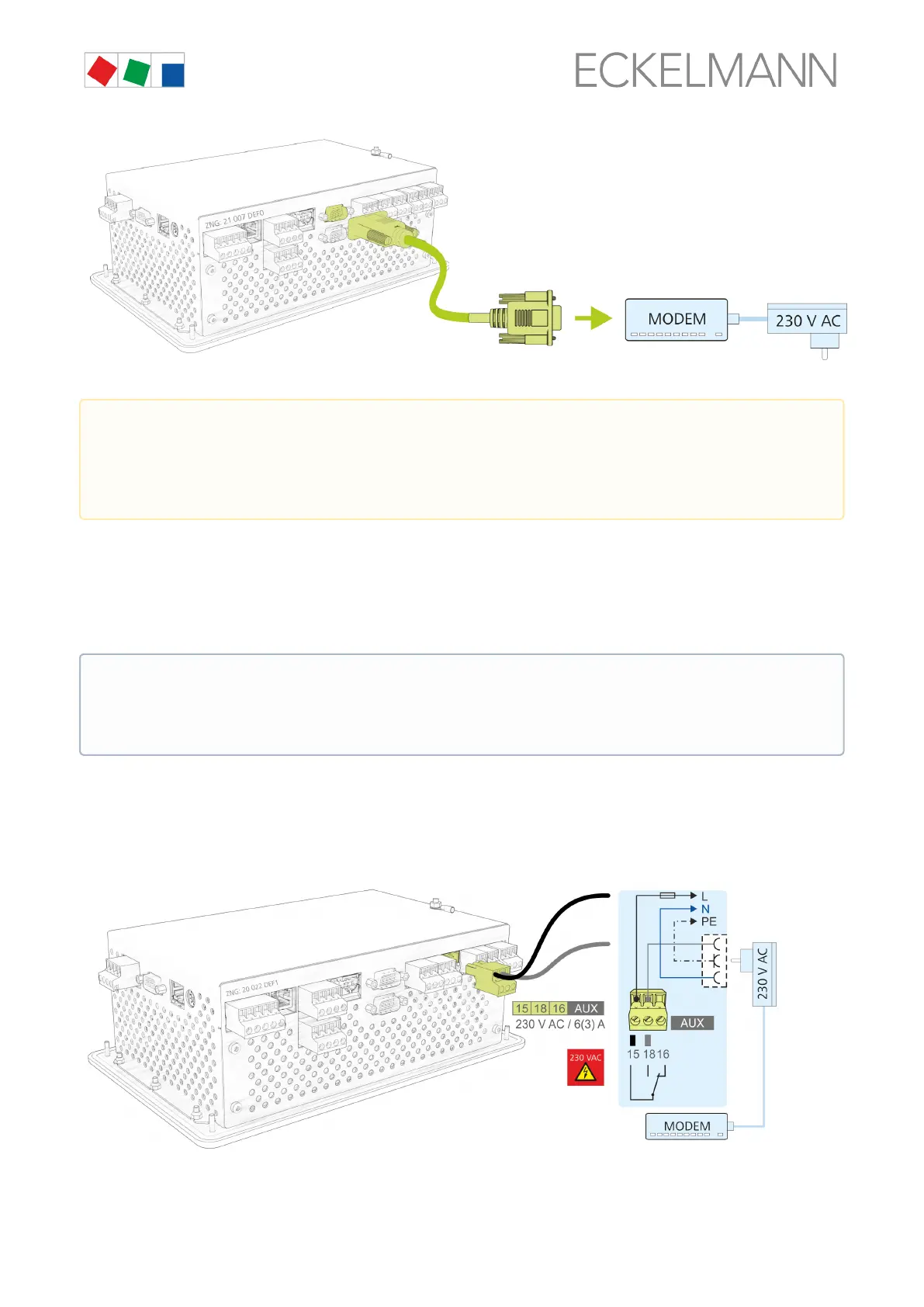
The modem is configured in Menu 4-1-5 COM1 / MODEM.
For trouble-free operation, only modems approved by Eckelmann AG are permitted to be used for operation at
the system centre:
Analogue modem: DEVOLO MicroLink 56 KI
Hybrid modem (analogue and ISDN): Blatzheim BM 33k6 ISDN pro
GSM modem: CEP CT63; for detail, see chapter SMS Text Message Transmission via a GSM Modem
6.6.1 Modem hardware reset
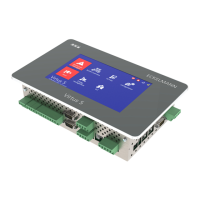
In the event of unreliable modems, it is possible to carry out a restart or reset by switching off the power supply.
The floating contact of the multifunction relay AUX (terminals 15, 16, 18) can be used for this as interrupt switch
for the modem power supply:
Inordertodothis,thefollowingsettingsmustbeconfiguredinMenu4-1-7under“Other”:
Failure of transmission of alarms! When using modems other than those obtained from Eckelmann
AG, trouble-free operation of transmission of alarms and remote maintenance cannot be guaranteed!
After installation of the system centre and the modem, as well as the configuration of the automatic
transmission of alarms, the message path should be checked regularly by triggering test alarms (Menu
4-1-7 - Other).
Eckelmann AG recommends exclusive use of particularly robust and high quality modems.
Furthermore, approved simpler consumer modems can only be used if the availability of the modem-
related function is not a priority. For these modems, the modem hardware reset should be activated
to improve the permanent operational readiness; see chapter Modem hardware reset.


 To Next Page