EasyManua.ls Logo

ECKELMANN VSC 5110 - User Manual

Default Icon
183 pages
Print Icon
To Next Page IconTo Next Page
Loading...
Firmware V7.16.x
16.05.2023
Docu 2.0
Operating instruction
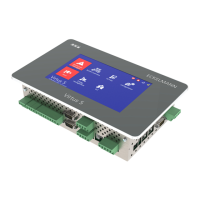
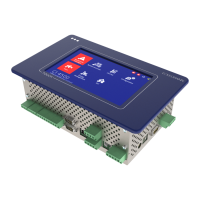
System Centre Virtus 5 series
The central of the E*LDS system
Theseriesincludesthefollowingexpansionstages:VSC5010/VSC5110/VSC5410/VSC5510

Table of Contents

Question and Answer IconNeed help?

Do you have a question about the ECKELMANN VSC 5110 and is the answer not in the manual?

ECKELMANN VSC 5110 Specifications

General IconGeneral
BrandECKELMANN
ModelVSC 5110
CategoryControl Unit
LanguageEnglish

Summary

Operating Instruction

System Centre Virtus 5 Series Overview

Introduction to the System Centre Virtus 5 series and its role in the E*LDS system.

System Centre System Design

System Centre Functions

Tasks and Functions of Virtus 5 Series

Explains the core tasks and functions available for the Virtus 5 series system centre.

Function of System Centre

System Configuration Methods

Guides on configuration using LDSWin PC software, CAN bus, and Modbus station monitoring.

M-bus Interface and Alarm Management

Alarms, Messages, and Priority Concepts

Covers alarm and message handling, acknowledgement, priorities, and signalling methods.

Energy Management and Data Archiving

Energy Management and Load Shedding

Details energy management features, including load shedding and consumption/power calculations from meter data.

System Centre Installation and Start-up

Installation Procedures and Component Handling

Provides guidance on installation, DIP switch settings, and handling of connectors and terminals.

System Centre Operation and Configuration

Covers switching on, on-site configuration via service PC, special commissioning functions, and care instructions.

Battery Replacement and Firmware Updates

Firmware Update Process

Guides on performing firmware updates via download server, file upload, or USB stick for system maintenance.

System Centre and SIOX Connection; Terminal Assignment

Operation and Access to the System Centre

On-site Device Operation and Menus

Explains on-site operation, touch screen layout, status bar, main menu controls, and navigation.

System Centre Alarms and Messages

Main Menu Overview

Menu 1: Alarms and Messages

Menu 2: System Overview and Monitoring

Menu 2-7: Signal Inputs

Menu 2-8: Special Inputs

Menu 4: Configuration System

System Configuration Overview

Introduces the system configuration menu, detailing parameters, plausibility checks, and saving configurations.

Menu 4-1: System Centre Configuration

System Centre Expansion Configuration

Covers configuration of system centre expansion, including SIOX modules and digital inputs/outputs.

Menu 4-1-1: Expansion System Centre

Menu 4-1-2: Signal Inputs

Menu 4-1-3: Special Inputs

Menu 4-1-4: Week Timers

Menu 4-1-5: Interfaces

Interface COM1;Modem Configuration

Ethernet and USB Interface Configuration

Menu 4-1-6: Measuring Points Configuration

Menu 4-1-7: Alarm Signalling

LDSWin Alarm Signalling Configuration

SMS - Anny Way Alarm Signalling

Menu 4-1-9: Firmware Update

Menu 4-1-12: System Upgrade

Menu 4-2: Case Controllers Configuration

Case Controller Status and Remote Control

Allows configuration of case controllers, displaying their parameters, status, and options for removal.

Menu 4-3: Pack Controllers Configuration

Pack Controller Status and Remote Control

Enables configuration of pack controllers, showing parameters, statuses, and options for removal from the system.

Menu 4-4: Receiver Module Wireless Sensors Configuration

Receiver Module Status and Remote Control

Covers configuration of receiver modules and wireless sensors, including their statuses and remote control options.

Menu 4-6: Users and Password Management

Menu 4-9: Other Components Configuration

Remote System Centre Operation

Remote Operation via Virtus Control Desk (VCD)

Explains how to remotely control the system centre using a web browser via the integrated Virtus Control Desk.

Remote Operation via VNC (Virtual Network Computing)

Details remote operation of the system centre using VNC, covering connection setup and viewer usage.

Firmware Update Procedures

VNC Connection Establishment

System Centre Alarms and Messages Reference

System Centre and SIOX Specifications

Order Numbers and Accessories for System Centre

Related product manuals