WARNING!
If you are unsure about performing a maintenance procedure please
contact your nearest service centre.
MAINTENANCE
38 ETEK5 MANUAL
CONTINUED
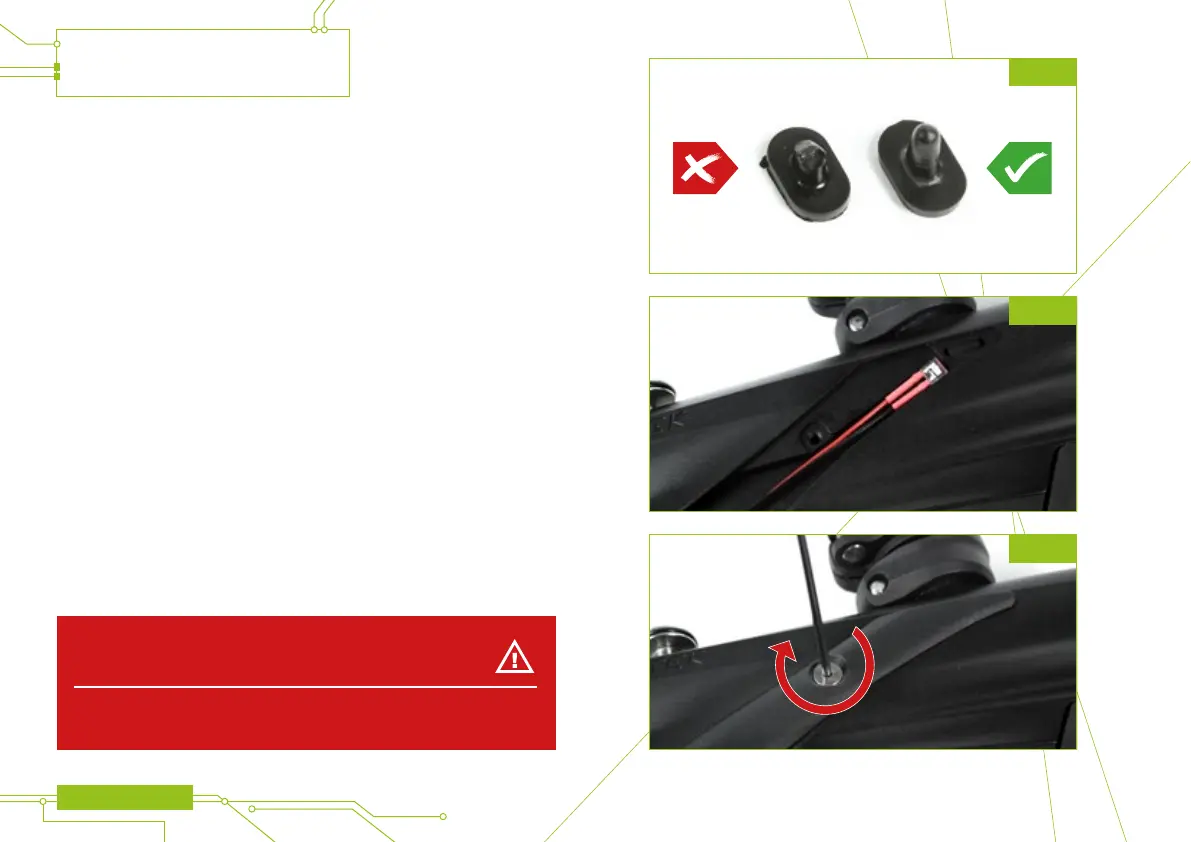
Remove the rubber detent and using a dry cotton bud clean the detent and its
location point in the ETEK5 body, replacing the detent if it is damaged
(see gure 21D).
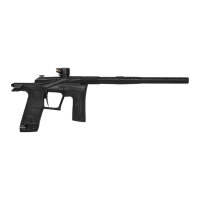
Reinsert the detent back into the ETEK5 body and place the Breech Sensor back
into the designated slot in the body (see gure 21E). Ensure that the sensor is
face down in the body i.e. looking into the breech.
1
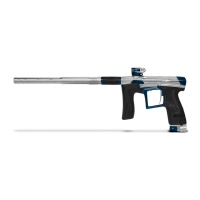
Replace the Breech Sensor cover and using a 5/64” hex key, replace the
retaining screw to hold the eye cover in place (see gure 21F).
Repeat the procedure for the opposite side of the ETEK5.
You have now cleaned your Breech Sensor.
1 Ensure that the receiver sensor (indicated by a red mark & red heat shrink) is located on the
right-hand side of the marker body.
FIG 21D
FIG 21E
FIG 21F


 To Next Page