50 ETEK5 MANUAL
CONTINUED
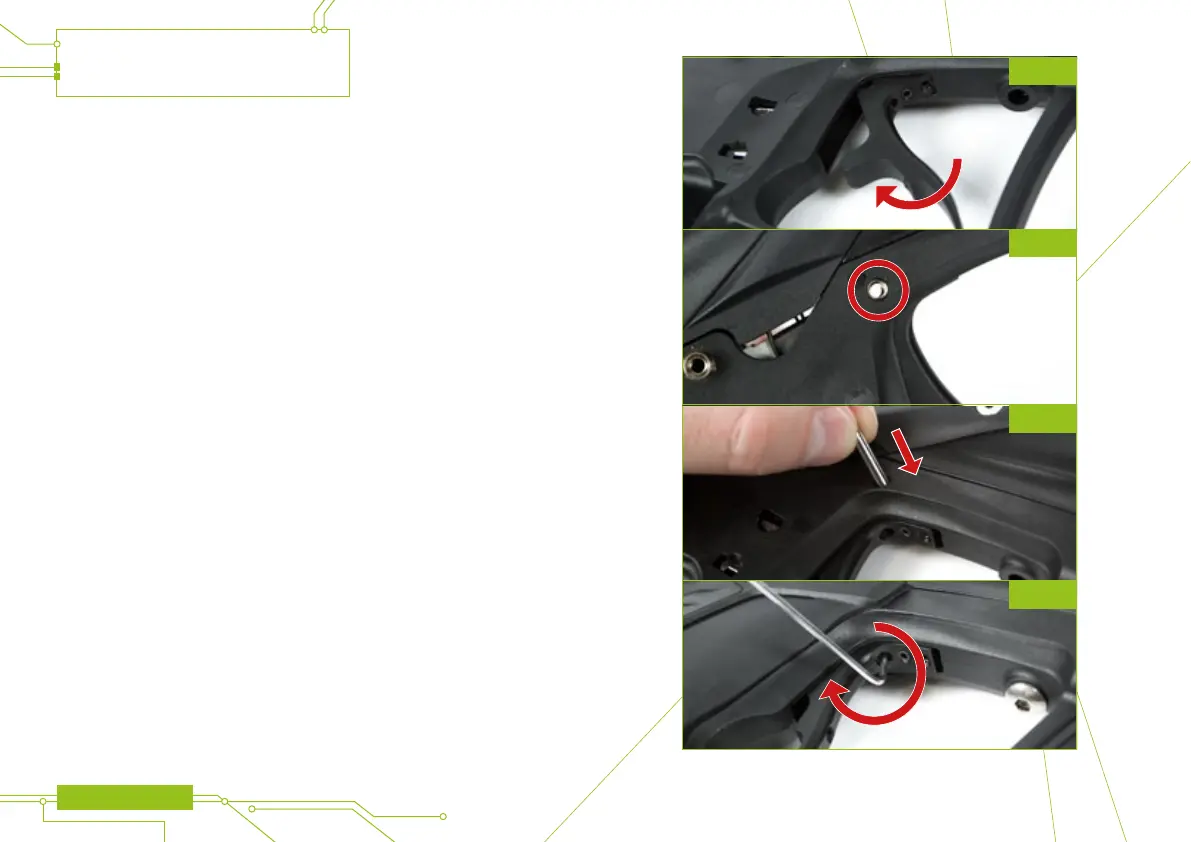
To replace the trigger simply angle the upper front part of the trigger (where the
magnet return screw screw sits) and pivot into the frame (see gure 28E).
Once in place align the trigger pin hole in the trigger, with the triger pin hole in the
frame (see gure 28F). Once aligned gently push the trigger pin back into place
(see gure 28G).
Finally, tighten the trigger pin retaining screw using a 1/16” hex key(see gure 28H).
The trigger is now secure in the ETEK5 frame.
MAINTENANCE
FIG 28G
FIG 28H
FIG 28F
FIG 28E


 To Next Page