EN_
810G20 - Version V5 – Juillet 2020 P. 54
Traduction de la notice originale
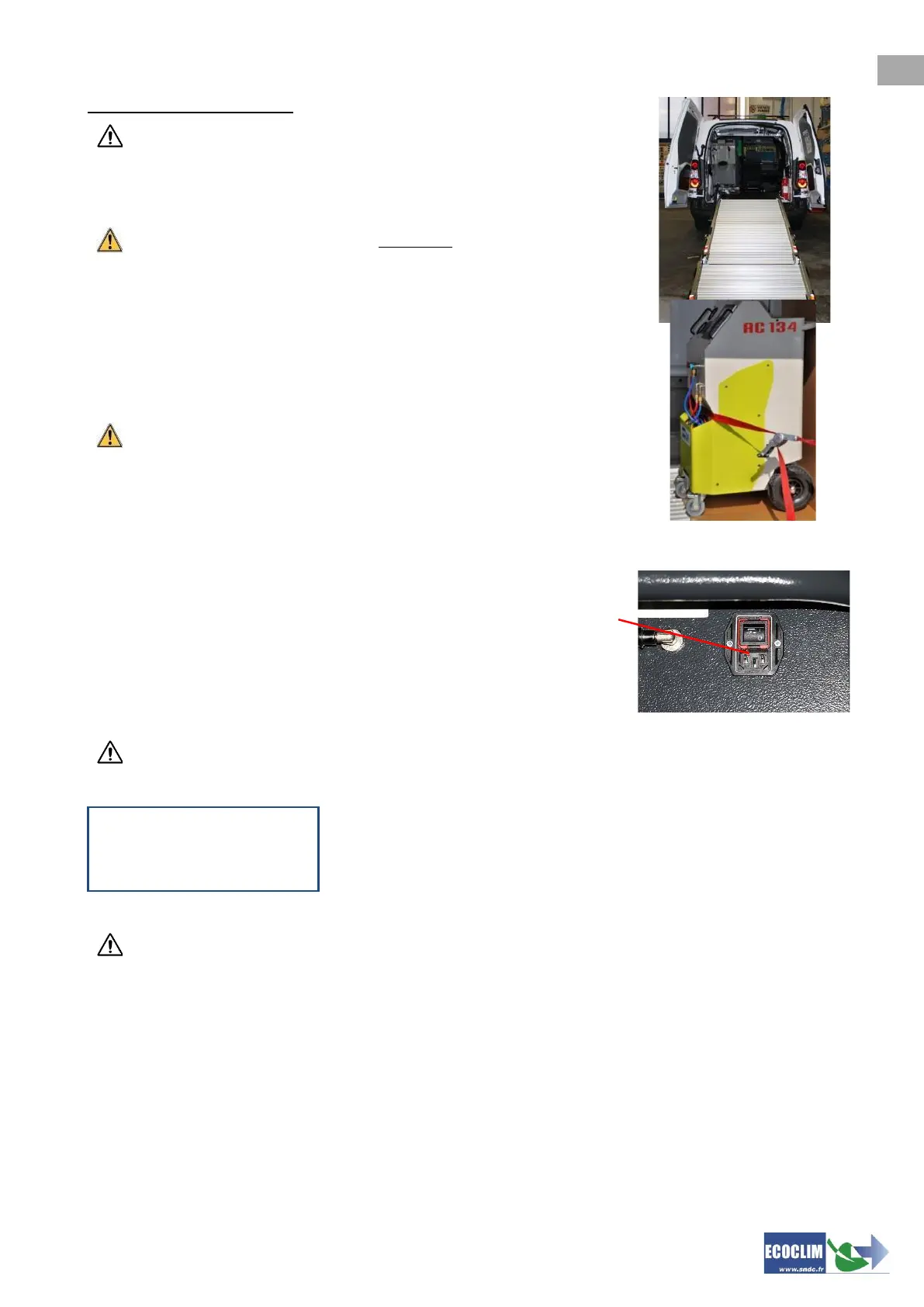
Transporting in a vehicle:
To load or unload the unit in/from a vehicle, take appropriate measures to
reduce damage and injury risks. Use a suitable ramp.
Never lift the unit alone!
Always move the unit with minimum two people
and use a ramp.
During transport:
➢ put the front brakes on,
➢ strap the unit in.
The illustration shows an example of strapping the unit in a vehicle. The
configuration may be different depending on the vehicle.
Never strap the unit by its front handles!
7.3. Start-Up
Connect the power cable to the unit's socket (1) and plug in
according to the instructions printed on the CE product plate.
Comply with voltage, frequency and power specifications.
Start by pressing the main switch
Start by pressing the main switch
The screen displays the homepage:
If the tank is empty the unit will display a negative quantity of refrigerant. The unit is
designed to hold a reserve of 2 to 3kg of refrigerant in the tank. Once this amount is added the
quantity of refrigerant will be displayed as positive (usable amount).
7.4. Initial Use
On delivery, the refrigerant tank is empty. To fill it up the first time, select the « Refrigerant transfer »
task, as shown in chapter 9.3.
Note: On delivery, compressor and vacuum pump are filled. Only vacuum pump requires periodic
maintenance.
Refrigerant -xxxx g
Tank -0.3 bar
The screen displays:
• Quantity of refrigerant available,
• Internal tank pressure



 To Next Page