EN_
810G20 - Version V5 – Juillet 2020 P. 78
Traduction de la notice originale
14. Stop
14.1. Stopping the unit
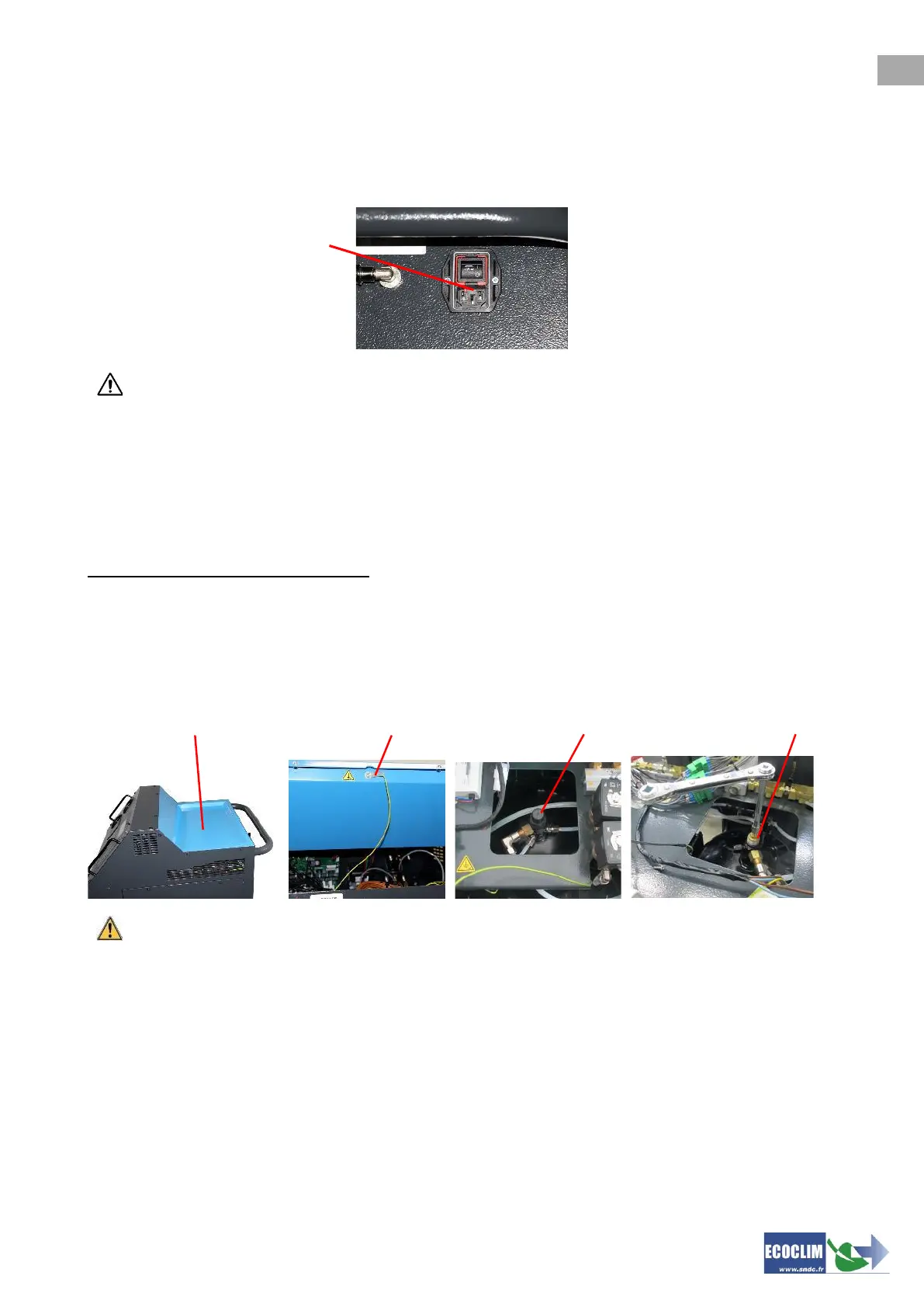
To stop the unit, press the main switch to 'off' (1). The screen turns off
It is imperative that the unit is not switched off while it is carrying out a task. Such a shut-down
could cause a loss of data and render the unit unusable.
14.2. Prolonged Storage
For a prolonged storage:
➢ The unit should be unplugged and stored in a dry and temperate environment,
➢ The refrigerant tank should be closed,
➢ Protect the unit with a cover.
Procedure to close refrigerant tank:
- Unplug unit from electricity source.
- Remove the storage bin (1).
- Disconnect the ground wire from the storage bin (2).
- Remove the black cap off the tank (3).
- Screw fully the tank valve to close it (4).
- Replace the cap on the tank, reconnect the ground wire and then install the storage bin.



 To Next Page