Page 38 of 51
EFW5L_IFU REV NEW
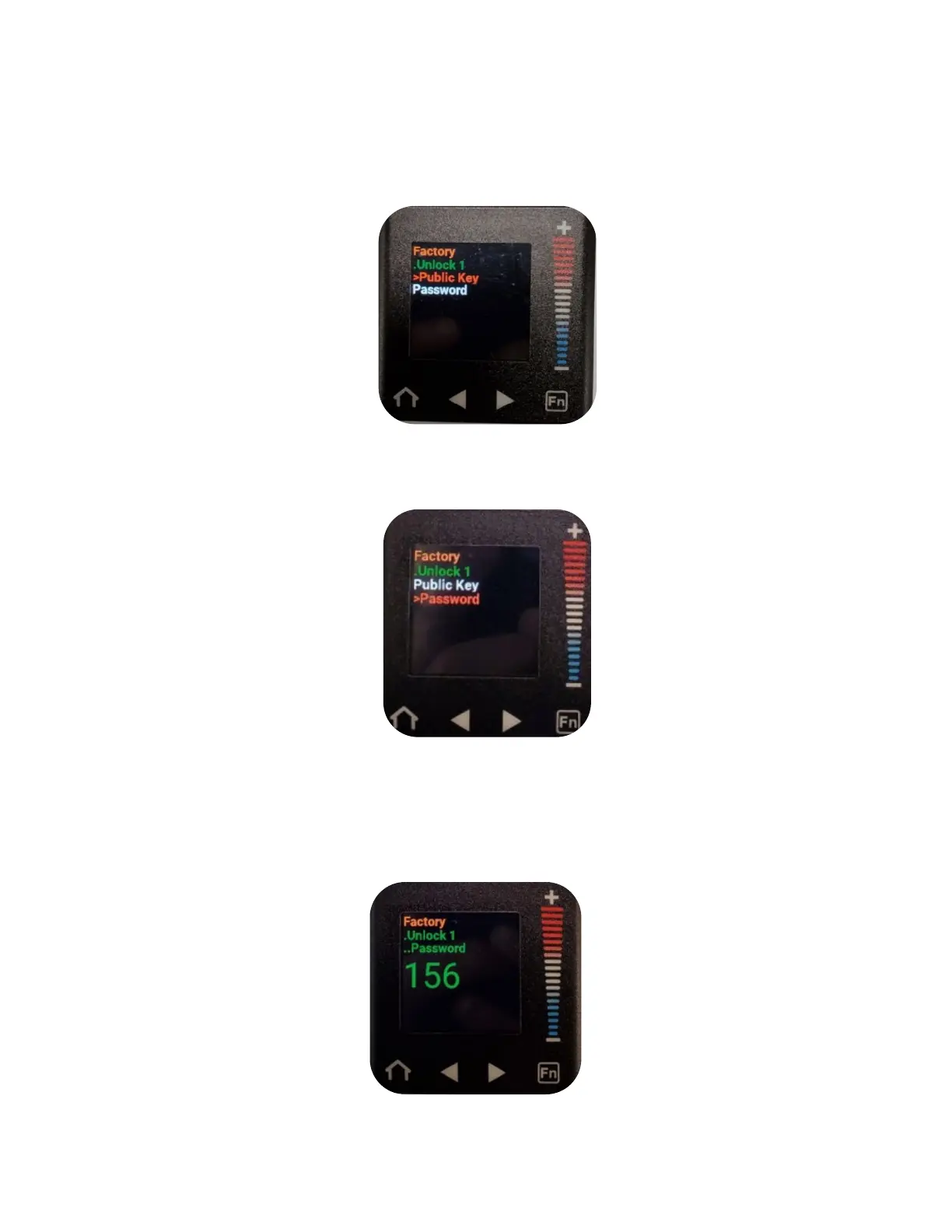
e. Press the right arrow button to enter the Unlock submenu. (“Public Key” will be
selected in a red font.
f. Press the “–” button to scroll down to “Password” (“Password” will be in a red font
when selected).
g. Press the right arrow button to enter the Password submenu. Ensure that the
number displayed is set to “156”. If it is not, press the “+“ or “-” buttons to increase
or decrease the number displayed until it is set to “156”. Hit “Home” button to return
to home screen.


 To Next Page