Page 39 of 51
EFW5L_IFU REV NEW
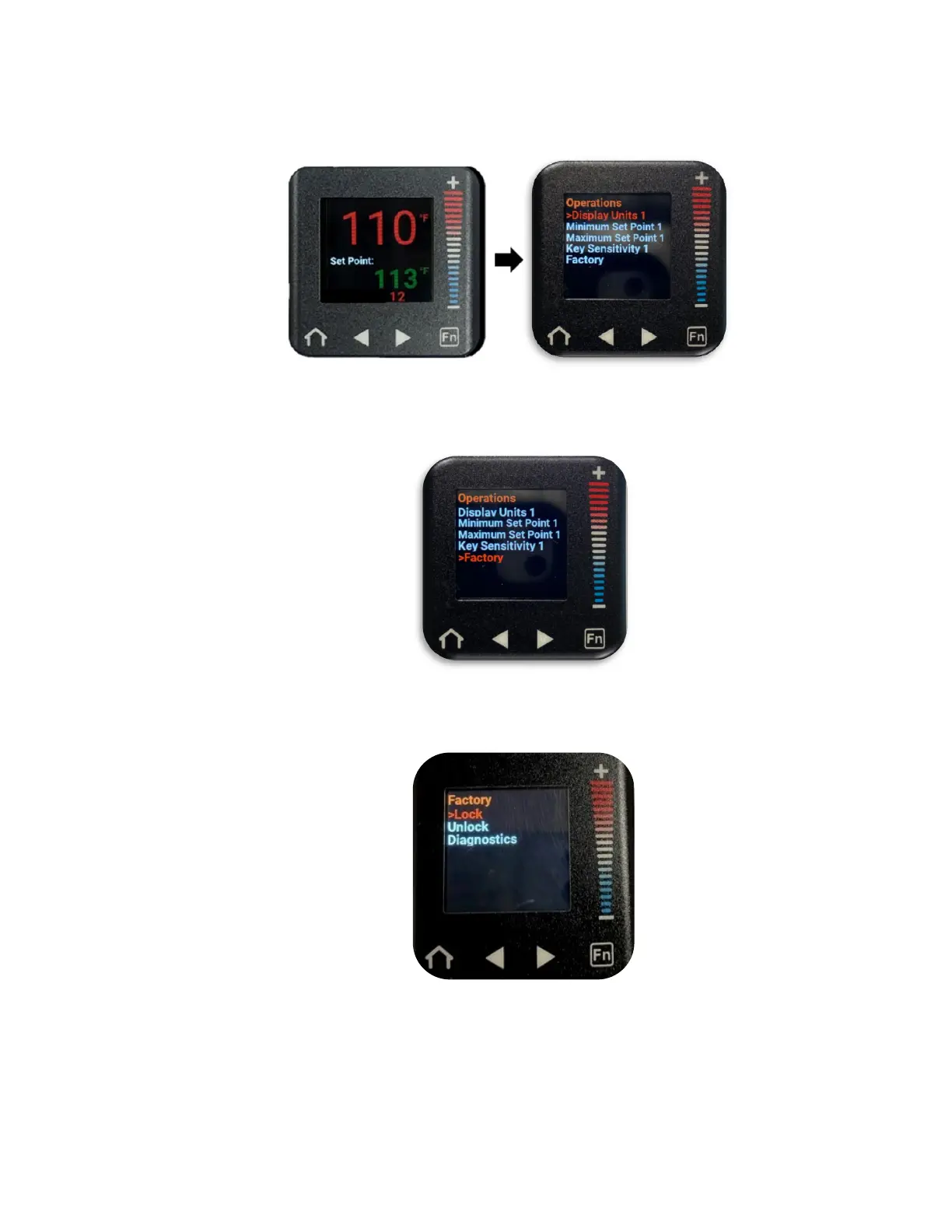
h. From the home screen, press the right arrow button to navigate to the Operations
menu. (“Display Units 1” will be selected in a red font).
i. Press the “–” button to scroll down to “Factory” (“Factory” will be in a red font when
selected).
j. Press the right arrow button to enter the Factory submenu. (“Lock” will be selected
in a red font).
k. Press the right arrow button to enter the Lock 1 submenu. (“Operations Page” will
be selected in a red font.)


 To Next Page