Serinus 51 User manual 1.0
Service
57
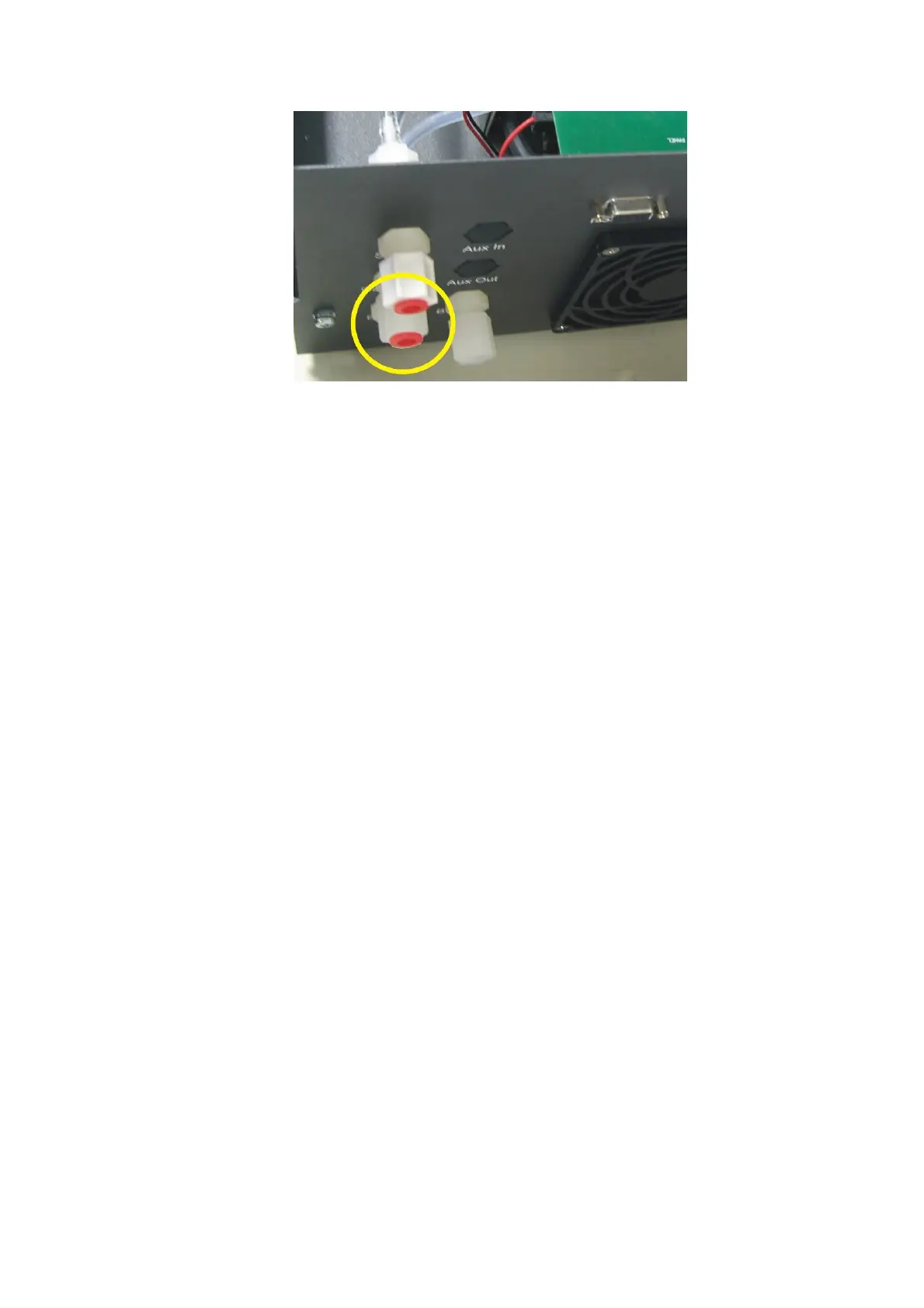
Figure 25 Plugged sample and calibration ports
3. Enter the main menu status menu pressure menu and compare the
ambient pressure to the inst gas pressure
4. Allow 1-2 minutes for the pressures to stabilize, check that the gas flow
= 0, if this is not the case then there is a leak
5. If the two pressures are within 10% of each other then the leak check has
passed.
6. If the pressures fluctuate with channel switching or are more than 10%
different, perform pressure calibration (section 4.5), after this is
completed repeat quick leak check, if this again fails perform advanced
leak check (section 6.4.6).


 To Next Page