EasyManua.ls Logo

Ecotech Acoem Serinus 30 - User Manual

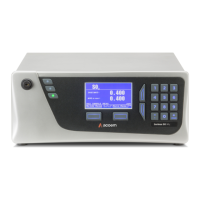
Ecotech Acoem Serinus 30
225 pages
Print Icon
To Next Page IconTo Next Page
Loading...
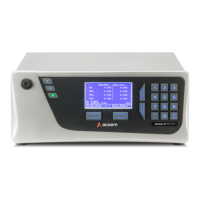
Serinus® 30
Carbon Monoxide
Analyser
User Manual
Version: 3.3
ACOEM Ecotech
1492 Ferntree Gully Road Knoxfield VIC 3180
Melbourne Australia +61 3 9730 7800 info.au@acoem.com ecotech.com
Manual subject to change without notice. Images used are for illustrative purposes only. Ecotech & Serinus are trademarks or registered trademarks
of Ecotech Pty Ltd in the United States and/or other countries. © 2021 Ecotech Pty Ltd. All Rights Reserved.

Table of Contents

Questions and Answers

  • A
    andrewharrisAug 18, 2025
    Why are flow or pressure readings unstable on my Ecotech Measuring Instruments?
    • B
      bennettdeniseAug 18, 2025
      To address unstable flow or pressure readings in Ecotech Measuring Instruments, begin by checking the pressure calibration of the sensors. Faulty pressure sensors are often the cause of such instability.
  • D
    David RichardsAug 21, 2025
    What to do if there is no display on Ecotech Measuring Instruments?
    • S
      sara03Aug 21, 2025
      If your Ecotech Measuring Instruments display shows nothing, there could be several reasons: * You may need to adjust the display contrast using the scrolling buttons on the front panel. * Check the power supply to ensure it provides ±12V and +5V DC at TP40, TP23, and TP41. * Inspect the interface cable between the display and the microprocessor board. * The front panel display or the main controller PCA might need replacement. * Confirm that the mains power cable is connected and the rear fan is operating.
  • M
    Mr. Eric StephensAug 23, 2025
    What to do if Ecotech Acoem Serinus 30 Measuring Instruments show a flow fault?
    • R
      randy87Aug 23, 2025
      If your Ecotech Measuring Instruments are showing a flow fault, it could be due to several reasons. Start by checking if the pump has failed and replace it if necessary. Also, if your instrument has an external pump, inspect the filter or orifice for blockages and replace them if needed. Ensure that the sample and zero inlets are vented to the atmosphere to avoid a pressurized measurement cell. Finally, a pressure calibration may be needed, or the pressure sensor may need replacement.
  • C
    Christian OlsonAug 26, 2025
    Why are the readings noisy or unstable on my Ecotech Acoem Serinus 30?
    • D
      Daniel VasquezAug 26, 2025
      If your Ecotech Measuring Instruments give noisy or unstable readings, several factors could be responsible. One potential issue is a calibration system error; ensure the calibration system functions correctly, is leak-free, has sufficient gas, and has adequate vent. Leaks can dilute the sample stream, causing low span readings and noise. Temperature instability can also contribute; verify that the cell and mirror temperatures are stable. In some cases, loose internal hardware within the measurement cell or degraded mirrors may be the cause.
  • K
    Kirk TurnerAug 28, 2025
    What causes a low span on Ecotech Measuring Instruments?
    • C
      Christine OwenAug 28, 2025
      If you are getting a low span on your Ecotech Measuring Instruments, it could be due to leaks in the instrument or calibration system diluting the sample stream. Alternatively, the span calibration might be off, requiring adjustment using the calibration procedure.
  • A
    Alison BondAug 29, 2025
    What causes no response to span gas in Ecotech Acoem Serinus 30?
    • S
      Samuel GambleAug 30, 2025
      If your Ecotech Measuring Instruments are not responding to span gas, check for leaks and blockages, and repair them as needed. Ensure your calibration gas is correctly plumbed, not contaminated, leak-free, and a certified reference gas. A faulty measurement cell or a leaking correlation wheel could also be the cause.
  • A
    Adrian WalkerSep 1, 2025
    What to do if the sample flow is not at 1 slpm in Ecotech Acoem Serinus 30?
    • S
      Shannon FarmerSep 1, 2025
      If the sample flow is not at 1 slpm in your Ecotech Measuring Instruments, check and replace the sample filter, inspect the pump and valves, check and replace the sintered filter, and recalibrate the pressure sensors.
  • J
    Jennifer AndradeSep 3, 2025
    What causes zero drift in Ecotech Acoem Serinus 30 Measuring Instruments?
    • A
      angel20Sep 3, 2025
      If your Ecotech Measuring Instruments are showing zero drift, ensure the instrument is operated in a temperature-controlled environment with the lid on, as poor temperature control can cause this issue. Also, verify that the zero air source is not overly polluted. A leak can also cause zero drift, so perform a leak test.
  • M
    melissahowellSep 5, 2025
    What does a commissioning error mean on Ecotech Acoem Serinus 30 Measuring Instruments?
    • I
      iwilliamsSep 6, 2025
      If your Ecotech Measuring Instruments display a 'Commissioning error', it might be because the measurement cell travel screws are still fastened, or the gain is too high, requiring a leak check and repair of any leaks.
  • B
    Benjamin JohnsonSep 8, 2025
    Why do my Ecotech Acoem Serinus 30 Measuring Instruments keep resetting?
    • B
      Brian TurnerSep 8, 2025
      If your Ecotech Measuring Instruments are resetting, ensure the instrument is not overheating and check the power supply for faults. Corrupted firmware can also cause this issue; try performing an ‘erase all settings’ in the Bootloader Menu and reload or upgrade the firmware.

Summary

Manufacturers Statement

Notice

Safety Information

Important Safety Messages

Details critical safety precautions for operating and maintaining the instrument.

Warranty

Service & Repairs

Product Compliance and Approvals

Manual Revision History

1. Introduction

1.1 Description

Provides a general overview of the Ecotech Serinus 30 Carbon Monoxide Analyser.

1.2 Specifications

Details the technical specifications of the Serinus 30 analyser.

1.3 Nomenclature

1.4 Background;Theory

1.4.1 Measurement Theory

Explains the principles and techniques used for CO measurement.

1.4.2 Kalman Filter Theory

Describes the Kalman filter's role in response time and noise reduction.

1.5 Instrument Description

1.5.1 Calibration Valve Manifold

Details the calibration valve manifold's function in switching gas sources.

1.5.2 Sample Filter Holder

Describes the sample filter holder and its particulate filter.

1.5.3 CO-CO2 Converter

Explains the CO-CO2 catalytic converter's function and operation.

1.5.4 Measurement Cell

Describes the measurement cell and its internal components.

1.5.5 Main Controller PCA

Details the main controller PCA which manages instrument processes.

1.5.6 Pneumatic Tubing

Describes the specially designed pneumatic tubing used in the instrument.

1.5.7 Rear Panel

Details the connections and components on the rear panel.

1.5.8 Communications

Outlines the instrument's communication interfaces and capabilities.

2. Installation;Decommission

2.1 Initial Check

Guidance on performing initial checks after receiving the instrument.

2.2 Installation Notes

Key considerations and recommendations for instrument installation.

2.3 Instrument Set-Up

Procedures for preparing the instrument for monitoring after installation.

2.4 U.S. EPA Reference Set-Up

Conditions required for Serinus 30 to meet U.S. EPA reference method approval.

2.5 EN Type Approval Set-Up

Conditions for meeting EN requirements for continuous ambient air quality monitoring.

2.6 Transporting;Storage

Instructions for safely transporting and storing the instrument.

3. Operation

3.1 Warm-Up

Describes the instrument's warm-up procedure and activities.

3.2 Measurement

Explains the continuous sample cycle and background measurement process.

3.3 General Operation Information

Provides general information on operating the instrument.

3.4 Menus & Screens

Overview of the instrument's menu system and screen navigation.

4. Communications

4.1 RS232 Communication

Details RS232 communication for data access and connection to loggers.

4.2 USB Communication

Information on connecting and downloading data via USB.

4.3 TCP;IP Network Communication (Optional)

Setup and configuration for TCP/IP network access to the instrument.

4.4 Analog and Digital Communication

Describes analog and digital I/O port signals for external devices.

4.5 Logging Data

Instructions for configuring internal data logging to a USB memory stick.

4.6 Using Airodis Software to Download Data

Guide to using Airodis software for data download and remote operation.

4.7 Serinus Remote App;Bluetooth

Details on connecting and controlling the instrument via an Android app.

5. Calibration

5.1 Overview

Provides a brief overview of the calibration system and procedures.

5.2 Pressure Calibration

Instructions for performing pressure calibration on the instrument.

5.3 Manual Background

Procedure for manually performing a background measurement.

5.4 Zero Calibration

Steps to perform zero calibration to adjust instrument readings.

5.5 Span Calibration

Procedure for performing span calibration at the upper measurement range.

5.6 Precision Check

Details on performing precision checks to monitor instrument response.

5.7 Multipoint Precision Check

Procedure to determine linear response across the instrument's measurement range.

5.8 Flow Calibration (Internal Pump Option Only)

Calibrates the flow rate generated by the internal pump.

5.9 High Pressure Zero;Span Valve (Option)

Information on using internal pressurised calibration valves.

6. Service

6.1 Additional Safety Requirements for Service Personnel

Specific safety advice for personnel performing service on the instrument.

6.2 Maintenance Tools

Lists the equipment required for general maintenance tasks.

6.3 Maintenance Schedule

Recommended schedule for routine maintenance tasks.

6.4 Maintenance Procedures

Detailed steps for performing essential maintenance procedures.

6.5 Bootloader

Information on accessing the bootloader for advanced functions.

7. Troubleshooting

Flow fault

Diagnosing and resolving issues related to instrument flow faults.

Noisy;unstable readings

Troubleshooting steps for noisy or unstable measurement readings.

7.1 Flow Fault

Detailed diagnostic procedure for flow fault alarms.

7.2 Noisy;Unstable Readings

Diagnostic procedure for addressing noisy or unstable readings.

7.3 Cell Temperature Failure

Troubleshooting steps for cell temperature failure.

7.4 Mirror Temperature Failure

Troubleshooting steps for mirror temperature failure.

7.5 USB Memory Stick Failure

Guidance on troubleshooting USB memory stick related issues.

7.6 Ecotech Service Support Files

Information on preparing support files for Ecotech technical assistance.

8. Optional Extras

Dual Sample Filter

Details on the dual sample filter option.

Network Port

Information on the optional network port feature.

Rack Mount Kit

Instructions for installing the instrument using a rack mount kit.

Internal Pump

Details on the internal pump option and its components.

Trace Level Instrument

Information on the trace level instrument option for low-level CO detection.

External CO2 Sensor

Details on the optional external CO2 sensor for CO2 measurements.

9. Parts List and Schematics

9.1 Serinus Accessories Kit

List of assorted fittings, tubing, and tools included in the accessories kit.

9.2 Maintenance Kit

List of parts included in the maintenance kit for annual servicing.

9.3 Consumables

List of consumable parts requiring replacement over the instrument's lifespan.

9.4 Instrument Parts List

Reference list of Serinus 30 components and their part numbers.

9.5 Plumbing Schematic - (PN: D020005)

Schematic showing the instrument's pneumatic connections.

9.6 Block Wiring Schematic - (PN: D020102)

Schematic illustrating the block wiring of the instrument's components.

9.7 Measurement Cell - (PN: H014100)

Detailed parts list and diagram for the measurement cell assembly.

9.8 Source Timing Assembly - (PN: H014125)

Diagram and parts list for the source timing assembly.

9.9 Calibration Manifold Assembly - (PN: H010013-01)

Diagram and parts list for the calibration manifold assembly.

9.10 Valve Assembly - (PN: H010042)

Diagram and parts list for the valve assembly.

9.11 High Pressure Valve Exploded View - (PN: H050043)

Exploded view and parts list for the high pressure valve assembly.

9.12 Sample Filter Holder Assembly - (PN: H010160)

Diagram and parts list for the sample filter holder assembly.

9.13 CO-CO2 Converter Assembly - (PN: H014130)

Diagram and parts list for the CO-CO2 converter assembly.

Appendix A. Advanced Protocol

A.1 Command Format

Details the packet format for advanced protocol commands and responses.

A.2 Commands

Lists and explains commands available under the advanced protocol.

Appendix B. EC9800 Protocol

B.1 Command Format

Describes the command format for the EC9800 protocol subset.

B.2 Commands

Lists and explains basic commands for the EC9800 protocol.

Appendix C. Bayern-Hessen Protocol

C.1 Command Format

Details the command format for the Bayern-Hessen network protocol.

C.2 Commands

Lists and explains commands for the Bayern-Hessen protocol.

Appendix D. ModBus Protocol

D.1 Command Format

Describes the command format for the limited Modbus implementation.

D.2 Commands

Lists and explains Modbus commands supported by the Serinus.

Ecotech Acoem Serinus 30 Specifications

General IconGeneral
Gas MeasuredCarbon Monoxide (CO)
Measurement Range0-50 ppm
Resolution0.01 ppm
Linearity±1% of full scale
Power Requirements100-240 VAC, 50/60 Hz
Response Time<60 seconds
Operating Temperature0 to 40°C
Operating Humidity Range0% to 95% RH (non-condensing)
OutputsRS232

Related product manuals