The automatic daylight savings time adjustments are enabled when the box
is solid red.
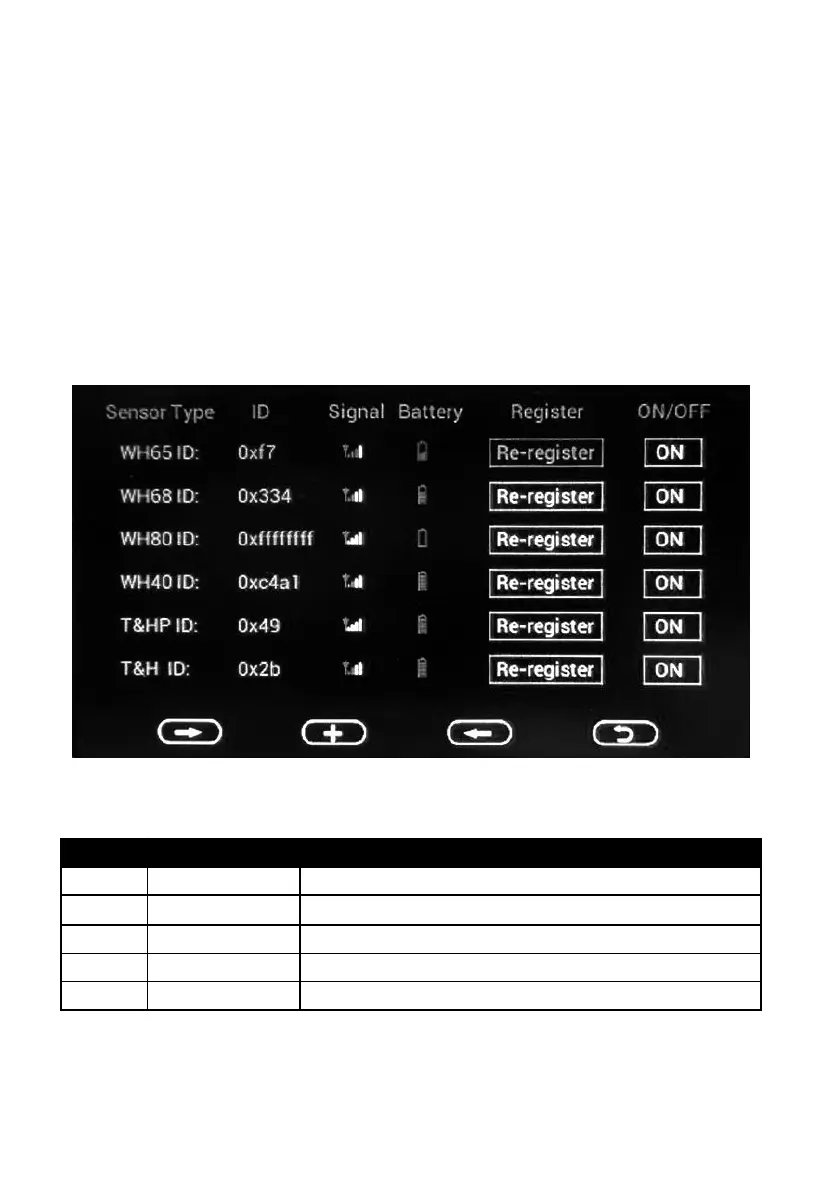
5.2.10 Sensor Type
On this page you can set the following:
View sensor ID, signal strength and battery power condition. 1-4 bars
means 1-4 successful successive signal receptions without missed ones.
Register the sensor when offline.
Enable or disable the sensor.
Here’s the signal icon and battery icon instruction:
No sensor data received sensor body)
Display battery power condition
Display low battery alert
Note: When it displays “0xffffffff” on the ID place, it means that no sensor
data received.



 To Next Page