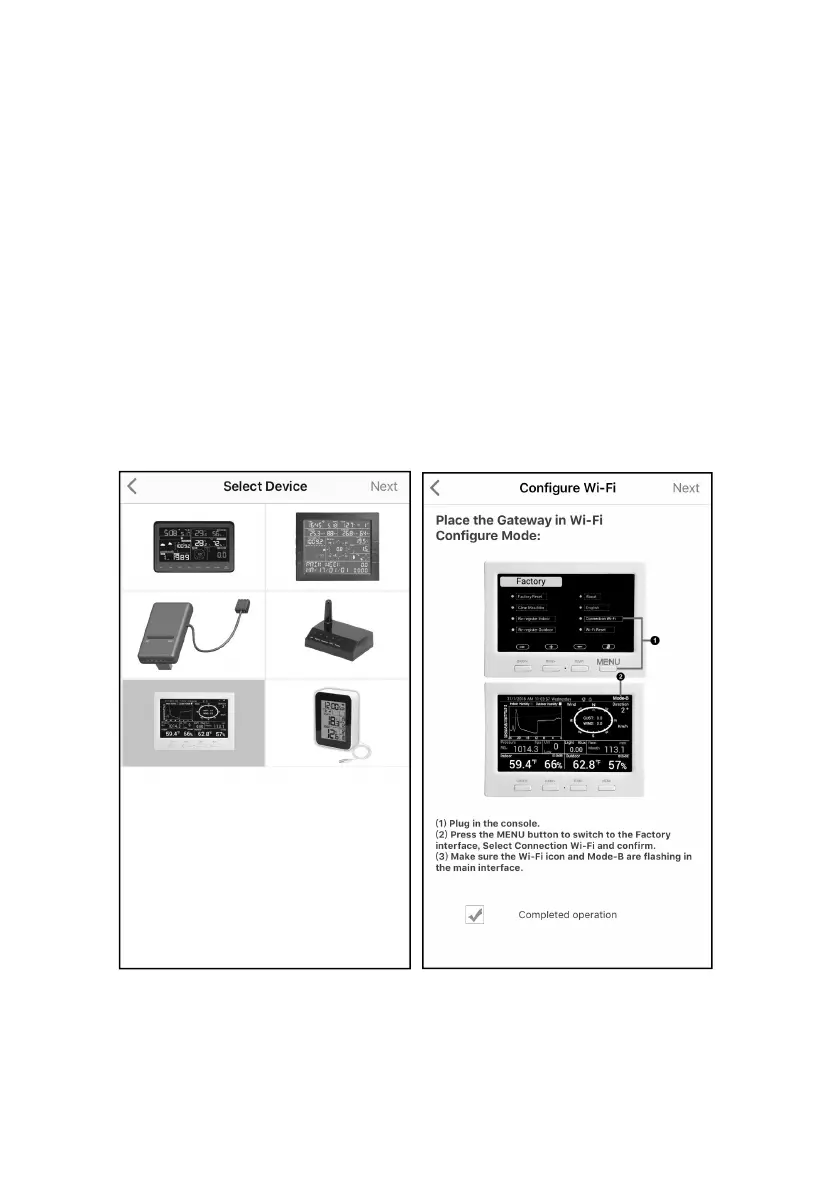
to switch to the Factory mode – Select Connection Wi-Fi and
confirm)
3. Start the application and make sure the location permission function
is granted (on) when you are running the app for the first time. In
case you disabled the location access function for this application,
please go to your mobile device settings page and configure it as
“on”. The application needs your location to configure weather
services.
4. Press “Configure New Device”. This may be automatic on the
very first use of the application.
5. Tap on the appropriate device type and select “Next”. Follow the
prompts.
1. Figure 22
6. Confirm Wi-Fi configuration mode is active, as prompted. Correct if
necessary (see above). Press “Next”.



 To Next Page