The following sensors can be purchased separately. For more information,
please visit our website: http://www.ecowitt.com. Make sure to select the
model of the units with the same RF frequency as your gateway or
display (the frequency is different for various countries because of
regulations).
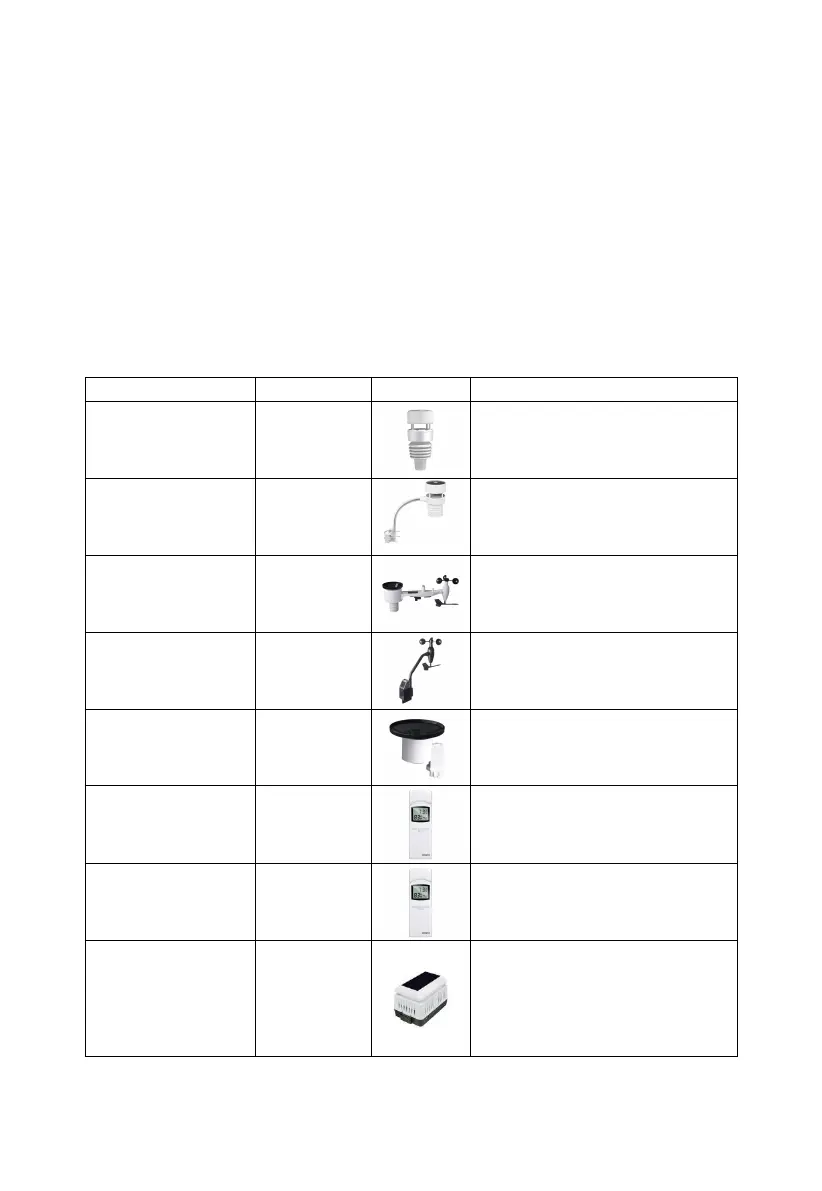
Note: Max QTY of the following table means the maximum number of
different sensors that can be connected to the WS3900 or WS3910.
4.1.1 Sensor Data Can be Displayed on the WS3900/WS3910:
Outdoor temperature &
humidity, light, UV, wind
speed/direction, rainfall
Outdoor temperature &
humidity, light, UV, wind
speed/direction
Outdoor temperature &
humidity, light, UV, wind
speed/direction, rainfall
Light, UV, wind speed/
direction,
Indoor temperature, humidity
and pressure
Outdoor temperature and
humidity
WH45: CO2, PM2.5, PM10,
temperature and humidity
WH46: CO2, PM1.0, PM2.5,
PM4.0, PM10, temperature
and humidity



 To Next Page