3.3.15 Feels Like
Feels Like measurement range: -40°F ~ 140°F (-40°C ~ 60°C).
When the outdoor temperature is less than 50°F (10°C), the value of Feel
s Like is wind chill.
When the outdoor temperature is greater than or equal to 50°F(10°C) and
less than or equal to 80°F (26.7°C), the value of Feels Like is the outdoor
temperature.
When the outdoor temperature is greater than 80°F (26.7°C), the value of
Feels Like is the heat index.
Users have the option to choose between "Feels Like Temperature" and "
Apparent Temperature" on the App or ecowitt.net.
Take the App as an example: Open Ecowitt App → "Menu" → "Settings"
→ "Temp Index"→"Feels Like Temperature" or "Apparent Temperature
".
If the user selects "Apparent Temperature", the numerical value for "Feel
s Like" on the LCD screen will be displayed as the value of "Apparent Te
mperature".
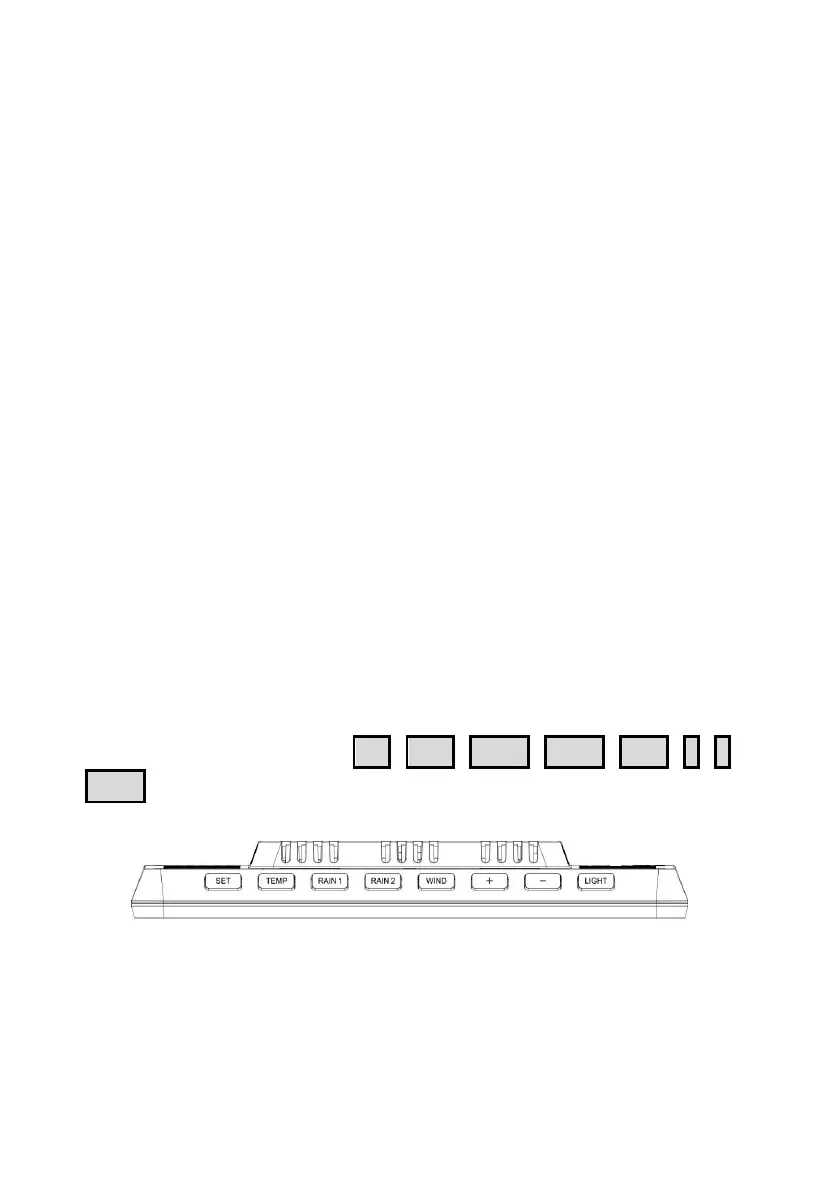
3.4 Buttons
There are 8 buttons in total:
SET
,
TEMP
,
RAIN1
,
RAIN2
,
WIND
,
+
,
-
,
LIGHT
.
Figure 33: 8 Buttons
There are eight buttons on the top of the display console. The following
tables briefly explain the function of these buttons.



 To Next Page