2.2.5 Device Location, Timezone, DST, and Data Public
After completing the Wi-Fi configuration, follow these steps for Device’s
precise location, Timezone, DST (Daylight Saving Time), and Data
public settings.
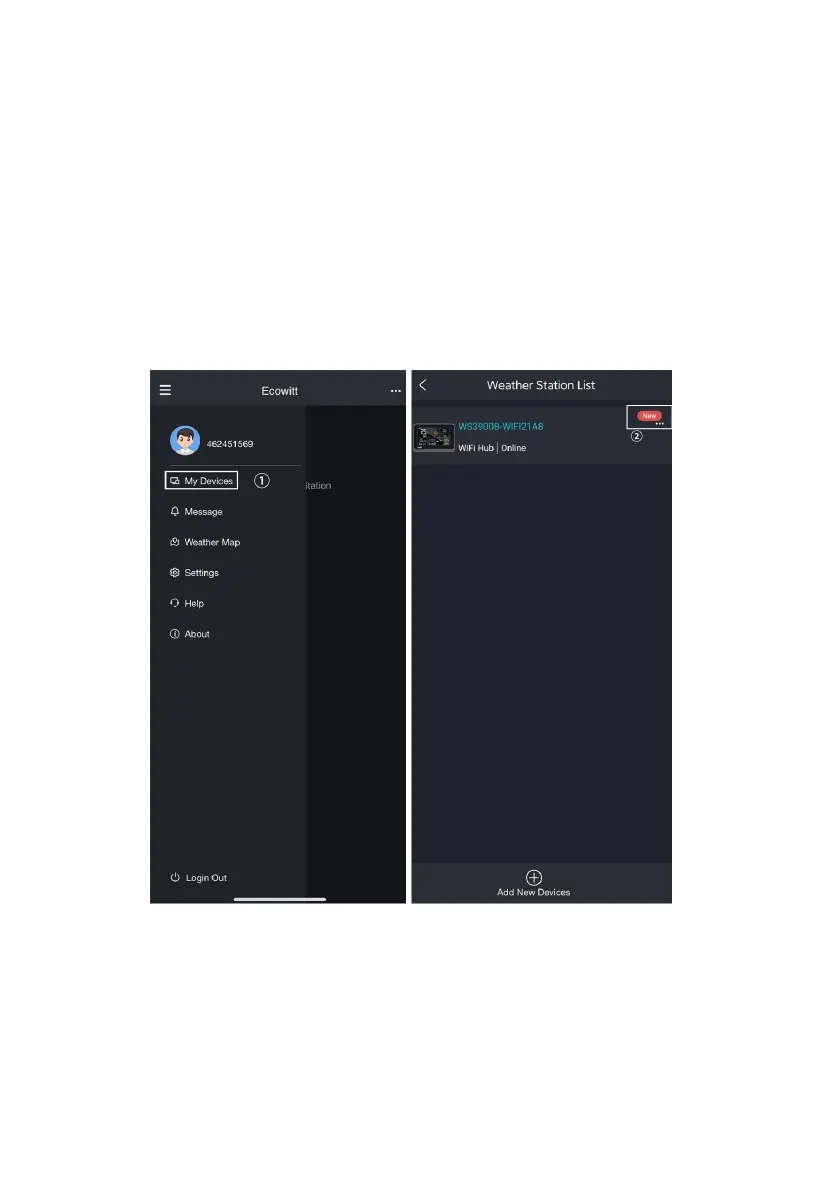
1. Click on 'My Devices'.
2. Click on the '...' icon in the upper right corner of the gateway module.
3. Set the Device's precise location and Timezone on this interface.
4. Tick 'Auto DST' and 'Is Public' when necessary.
5. Click 'Save', then reboot the WS3900/WS3910 device, the device will
automatically synchronize time and DST.



 To Next Page