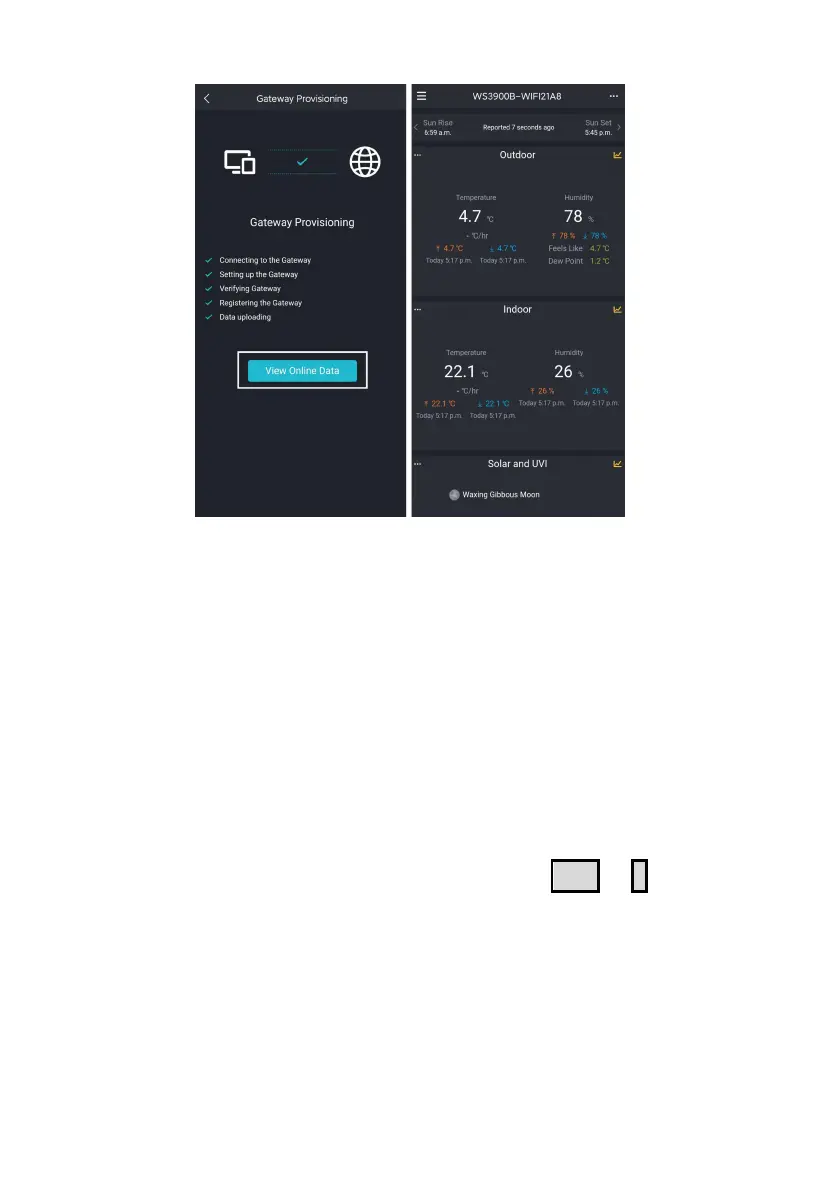
Figure 7
Note: If you are unable to connect the WS3900/WS3910 to Wi-Fi using
the Ecowitt App, we recommend using the setup via Embedded Web
Page 192.168.4.1.
2.2.4 Web Page 192.168.4.1
(1) Turn on WS3900/WS3910’s AP.
The WS39xx’s hotspot will be turned on automatically when the product
is powered on, if the product is not paired with a network, the AP will be
turned on all the time, and the Wi-Fi signal icon flashes fast to indicate.
(2) If WS39xx’s hotspot can not be searched, hold
TEMP
+
-
for more
than 2s in normal mode will trigger to turn on AP, Wi-Fi icon will
flash fast.
The above (1)(2)the WIFI hotspot should be in 5-minute pairing mode. If
the pairing action does not be taken, so the WIFI hotspot will be closed
automatically. If there is a phone or laptop to pair with the WIFI hotspot,
the pairing time will be automatically extended to ensure the operation is
successful.



 To Next Page