Logging Frequency
You can change the logging frequency of a channel by right clicking the channel on graph log, then
selecting Set Log Frequency and choosing the desired frequency. Another way is to use Logged
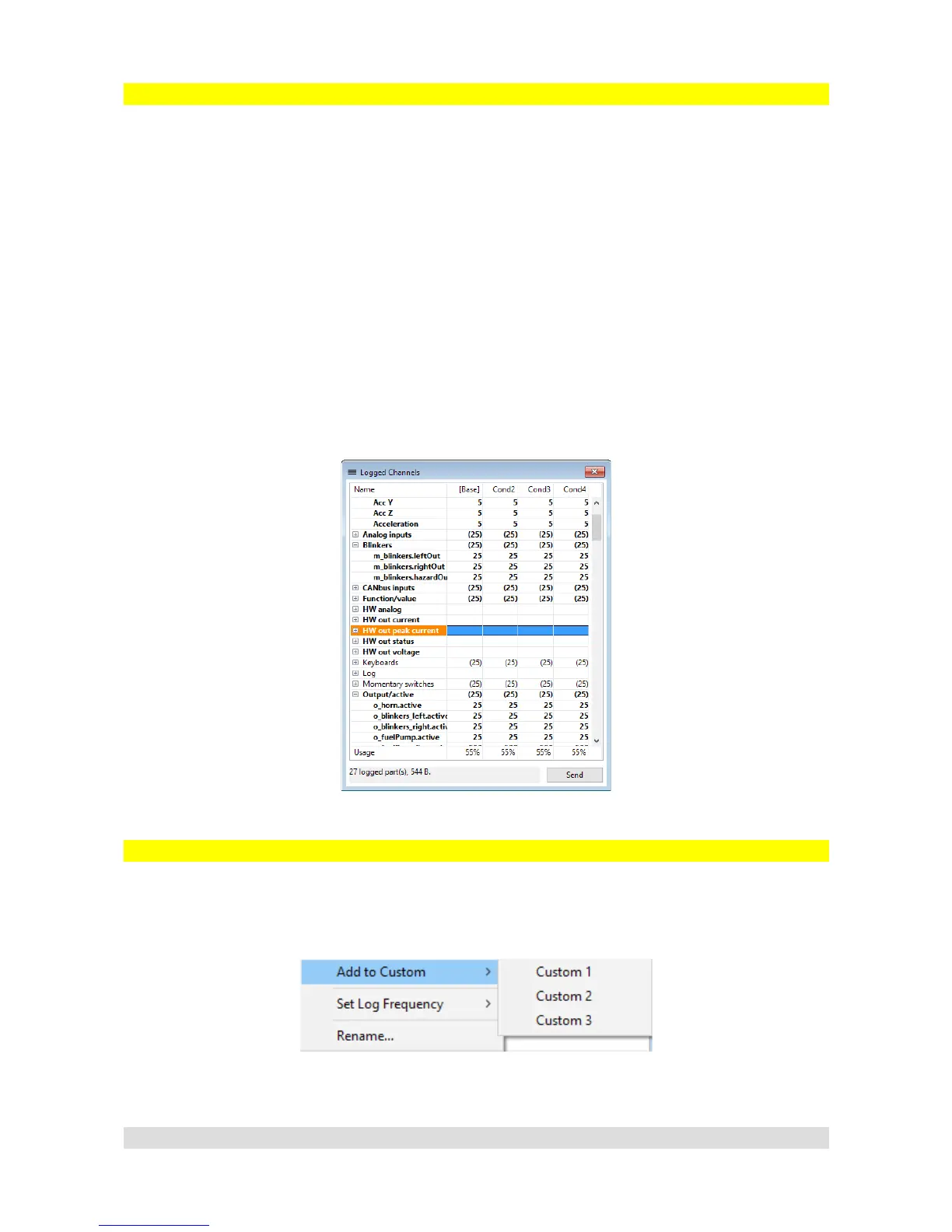
Channels window (Tree View → Logged Channels) . In that window you can see how parameters
are groupped and their logging frequency. It is possible to change logging frequency of a whole
group in the same way as a single channel.
Bolded parameters are the ones being logged (not all parameters are logged by default !). Double
clicking an item here will toggle between logging and not logging it.
If a new element is created, every subchannel related to it is logged as well.
If you are familiar with EMU logging these are the key differences:
– Not all parameters are logged by default
– Parameters are groupped and their logging frequencies can be changed from 1 Hz
to 500 Hz
– Every time an element is created, its subchannels are logged
Custom Log
PMU Client allows user to have 3 separate custom logging groups. Any channel can be added to
custom log (Tree View → Custom1, Custom2, Custom3). To add channel to custom group, press
right on the channel you want to add to custom log group and select Add to Custom then choose
the group.
Page 26
Logged Channels, groups and their
frequencies
Adding Channel to custom log


 To Next Page