USING PMU SOFTWARE
Launching PMU software
To run PMU software either doubleclick the icon on desktop, or use start menu to find it.
Using PMU software
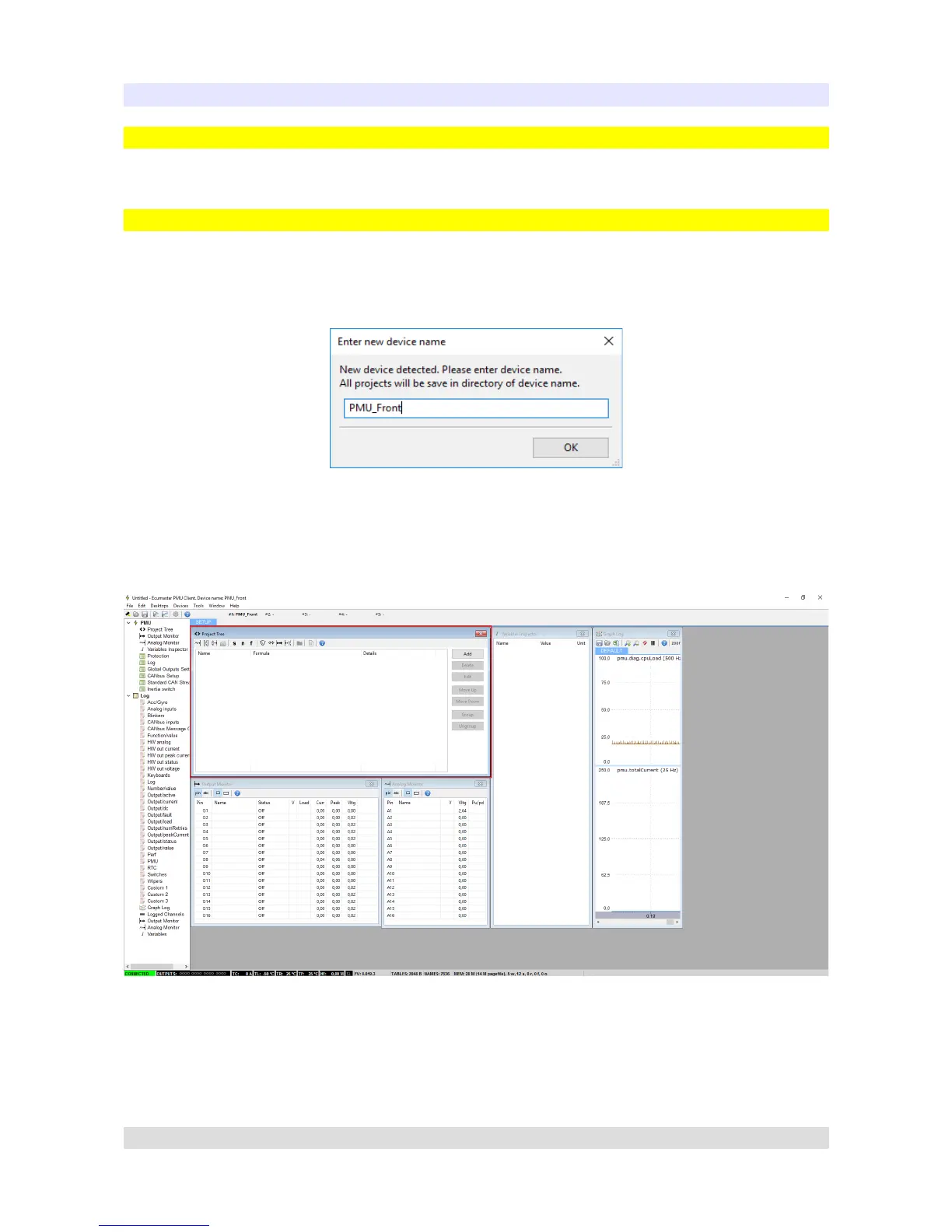
When PMU Client is launched for the first time, user will be asked to enter the name of his device.
All projects will then be saved to the directory corresponding to devices name.
After entering the Client, main window will appear:
Using the Client is pretty straightforward. The Project Tree window is the most significant one. You
can use it to set up analog inputs, configure power outputs, create functions etc.
To create elements, either use the toolbar with icons located on Project Tree window, use Alt + A
Keyboard shortcut or click Add button, then select the type of element you want to create.
Page 15


 To Next Page