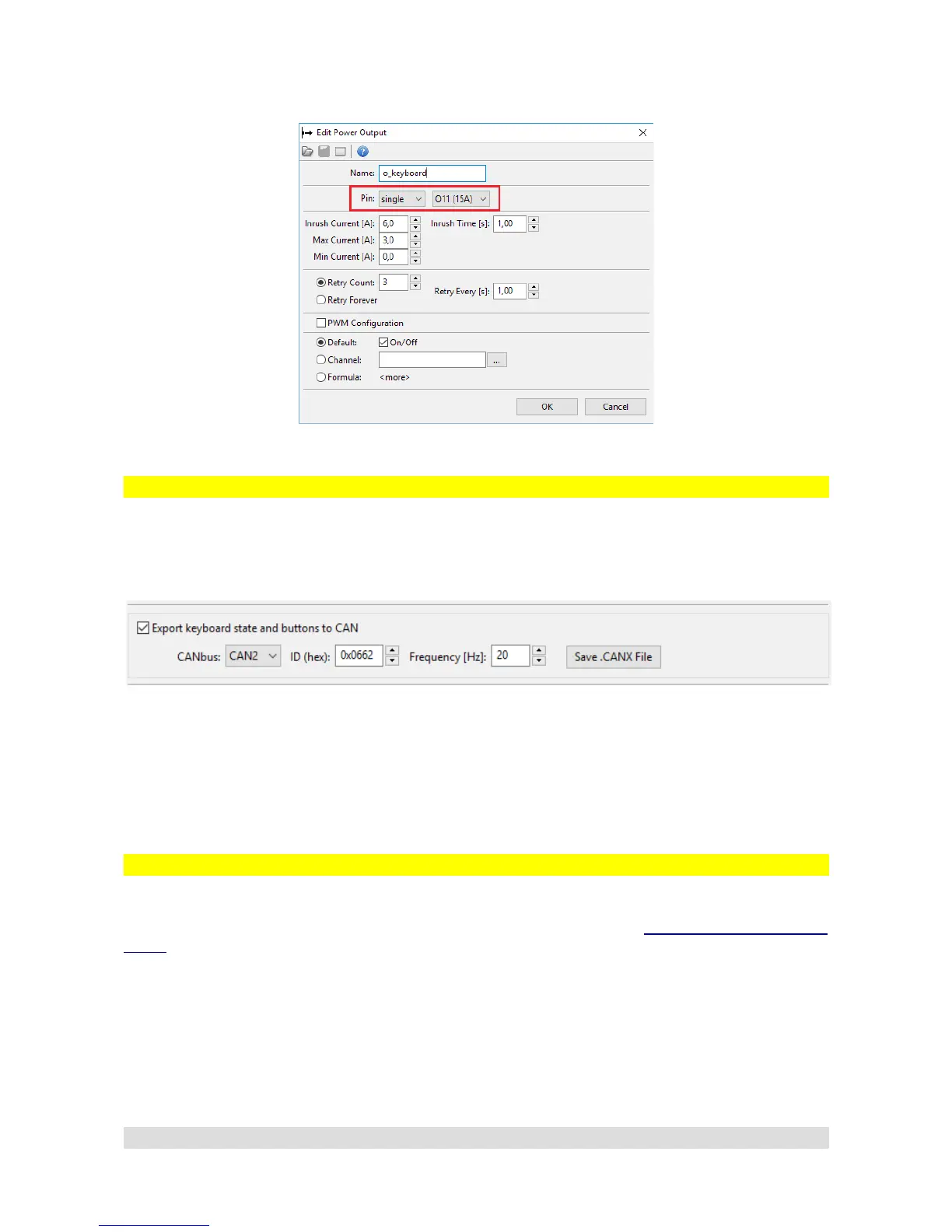
Power Output configuration for CANbus Keyboard:
Exporting Keyboard state
While configuring CANbus Keyboard, you can choose to broadcast the Keyboard state and buttons
on chosen CANbus Interface, ID and frequency so that other device such as secondary PMU or
EMU Black can acquire and use them.
If CANbus Keyboard is supposed to be used by EMU Black as well, it can be solved in the
following way:
– PMU controls the CANbus Keyboard, handles key switches, backlighting
– PMU exports keyboard state and buttons to CAN under ID 0x0662
– EMU Black reads data exported by PMU from CANbus on ID 0x0662
Using CANbus Keyboard to signal status
CANbus Keyboard can also be used as a signaling device. You can change the color of any button
to represent either the PMU status, or any Power Output status (see Output Pin signaling and
status section). To achieve that, a CANbus Keyboard must be configured and connected (See
CANbus Keyboard section) and chosen button must be set up as an indicator button in PMU
Client.
Here is an example configuration:
Page 43


 To Next Page