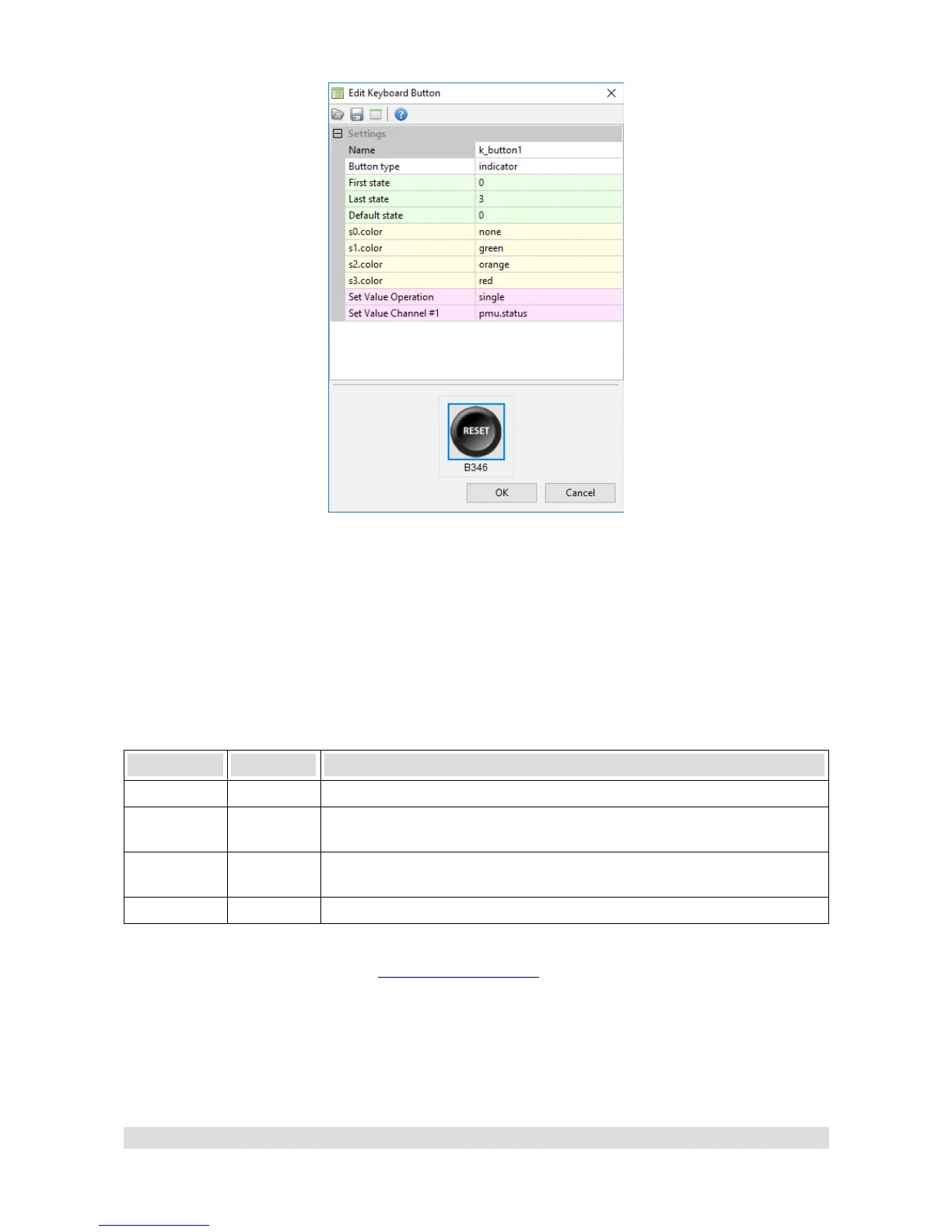
This example configures button k_button1 to display the value of pmu.status channel in the
following way:
Status Color Description
0 None All Power Outputs are Off (pmu.status equal to 0)
1 Green At least one Power Output is on and there is no under or over current
condition (pmu.status equal to 1)
2 Orange At least one Power Output is under current and there is no over current
condition (pmu.status equal to 2)
3 Red At least one Power Output is over current (pmu.status equal or above 3)
Keep in mind that the button still works as a normal non-latching switch and can be set up to, for
instance, trigger Master Retry (See Master Retry Channel section) to reset all outputs.
Page 44


 To Next Page