CAN STREAM
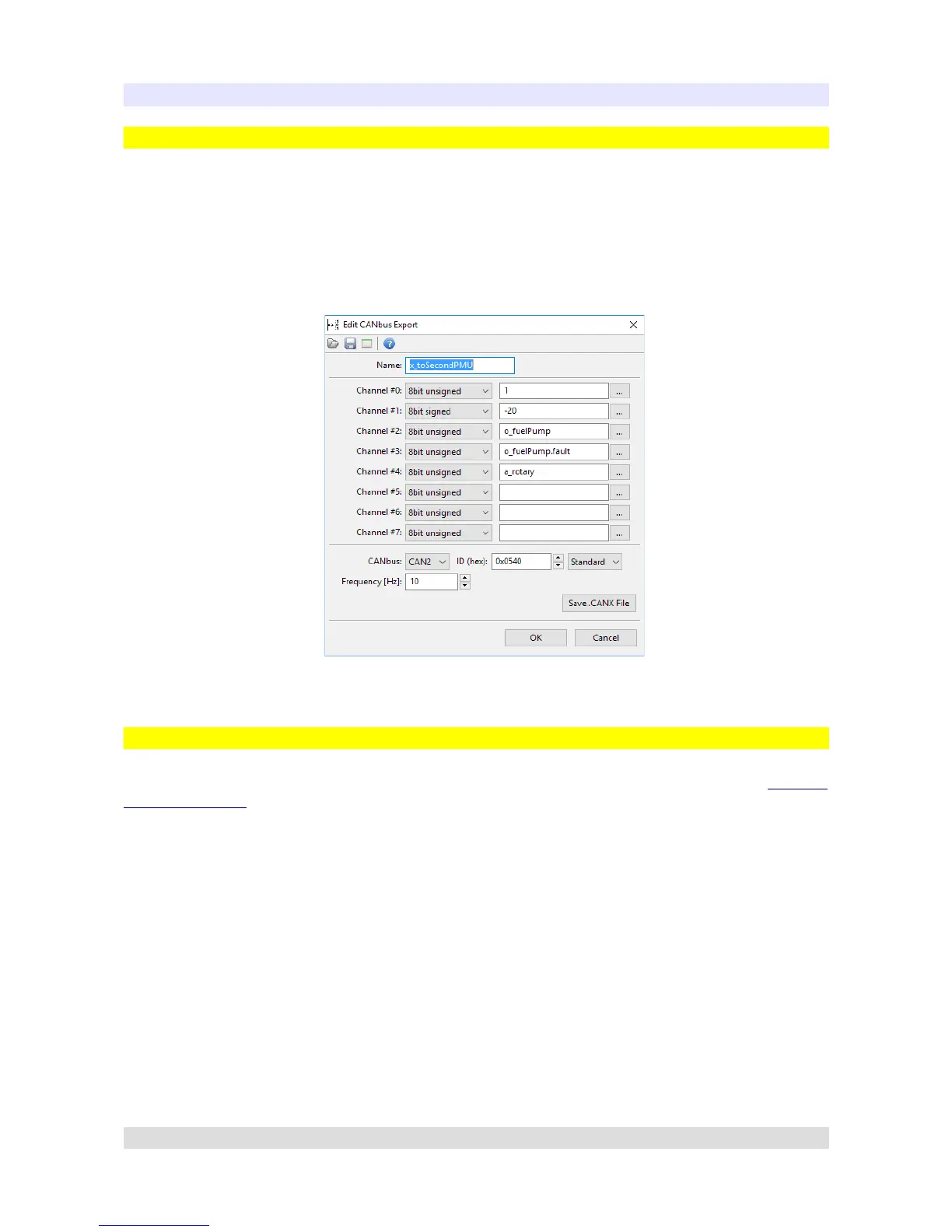
CANbus Export
CANbus Export allows user to broadcast various informations on chosen CANbus. It is essential
tool to communicate with other PMUs or ECUMASTER EMU Black device.
CANbus Export can broadcast channel states, values, voltage readings, which then can be read
using CANbus Input on second PMU or EMU Black. PMU Client also allows you to save your
CANbus Export as a .CANX file. This file can be imported by any other PMU.
CANbus Export Example:
CANbus Input
CANbus Input allows user to read data from CANbus stream using CANbus Mob (See CANbus
Message Object section). You can choose the starting frame, how many bytes to read, how many
bits to read and the endianess (byte order) of the data read. If a CANbus Export was created on
secondary PMU, CANbus Input (with correct CANbus Message Object) can be used to read
exported parameters.
Page 51


 To Next Page