153
support@edgeovens.com
Technical Support: +1 (724) 628 3050
SERVICE
To verify the thermocouple, follow the below process:
1. Allow the oven temperature to stabilize (500°F/260°C works well).
2. Measure the ambient temperature of the machine control (MC on back of the control cabinet door). This is
your “Ambient” measurement.
3. Note the temperature on the display. Subtract (10) from this value. This is your “Displayed” temperature.
*10°F is default, verication will be needed.
4. Measure the mVDC output of the connected thermocouple. Red meter lead to the WHITE wire of P3.1,
Black meter lead to the RED wire of P3.2. Note this measurement as the “Measured mVDC” value.
5. Referencing the TYPE-J THERMOCOUPLE CHART, make note of the mVDC value for the “Ambient”
temperature you recorded.
6. Add the mV values “Ambient mVDC” + “Measured mVDC” = “Actual mVDC”
7. Again, referencing the chart, record the Temperature equivalency of “ACTUAL”.
8. “ACTUAL” should be within 15°F of “Displayed” temperature. If not, replace the thermocouple AND the
thermocouple extension.
Replacement of the thermocouple should be made from within the bake chamber. Remove the lower right ngers
to access the thermocouple clip and remove the thermocouple. Pull the thermocouple through the control cabinet
air stopper. Pay attention to the 0.5 inch SS tube, ensure it is not dislodged during reassembly.
THERMOCOUPLE (CONTINUED)
PART FAILURE VERIFICATION
CONTROLS AND ASSEMBLIES (CONTINUED)
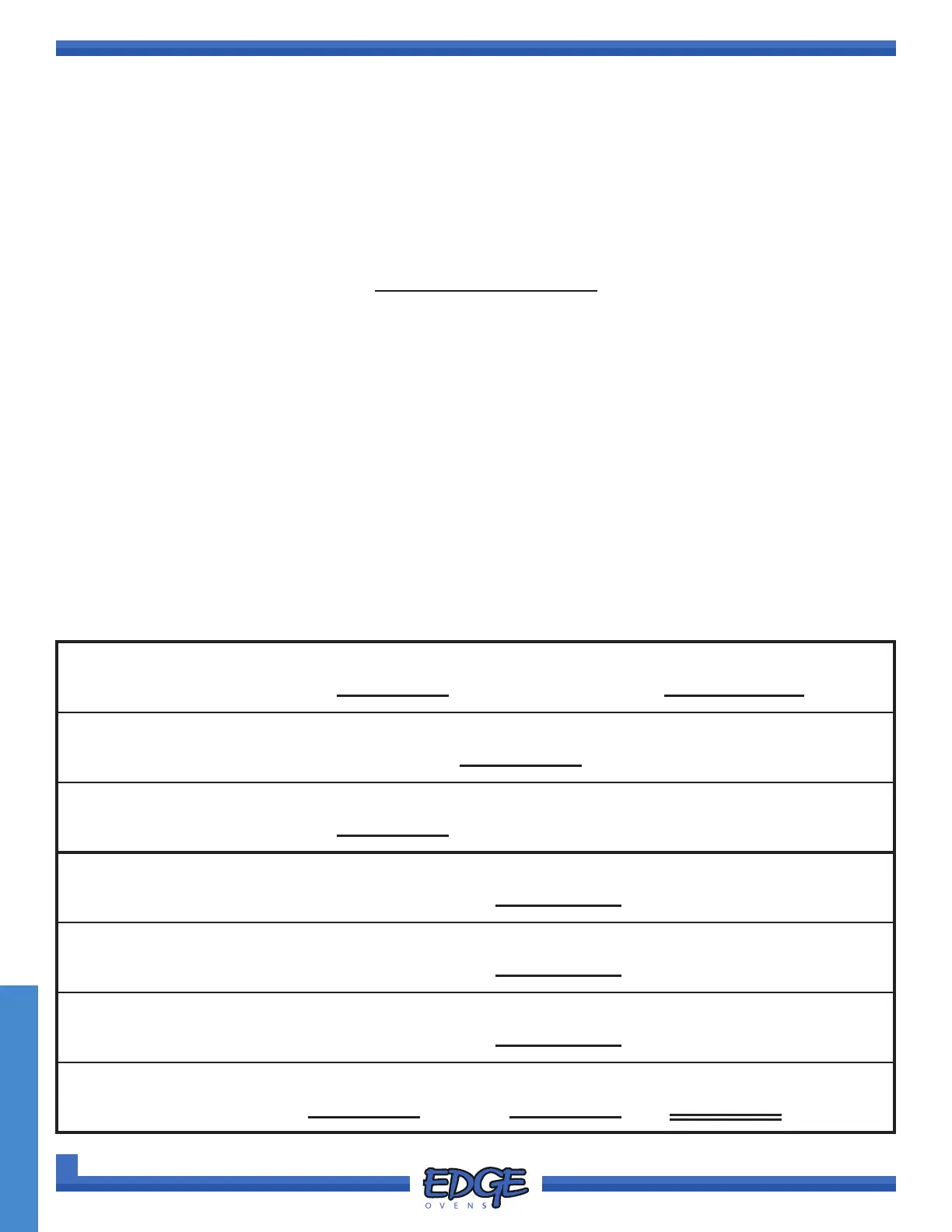
THERMOCOUPLE WORKSHEET
(A) Ambient Temperature =
°F
= mVDC
(D) Displayed Temperature −
10 =
°F
(M) Measured Temperature = mVDC
(A) mVDC
+ (M) mVDC +
= (ACTUAL) mVDC =
(ACTUAL)
°F
− (D)
°F = °F (±15 °F)
(VERIFY OFFSET VALUE)



 To Next Page