25
support@edgeovens.com
Technical Support: +1 (724) 628 3050
INSTALLATION
NOTICE
Before oven initiation, nger panel conguration should be inspected and conrmed as
correct. Details of the recommended or requested setup can be located on the customer’s
Sales Order.
OVEN ASSEMBLY
CONVEYOR BELT & FINGER PANEL REMOVAL AND INSPECTION
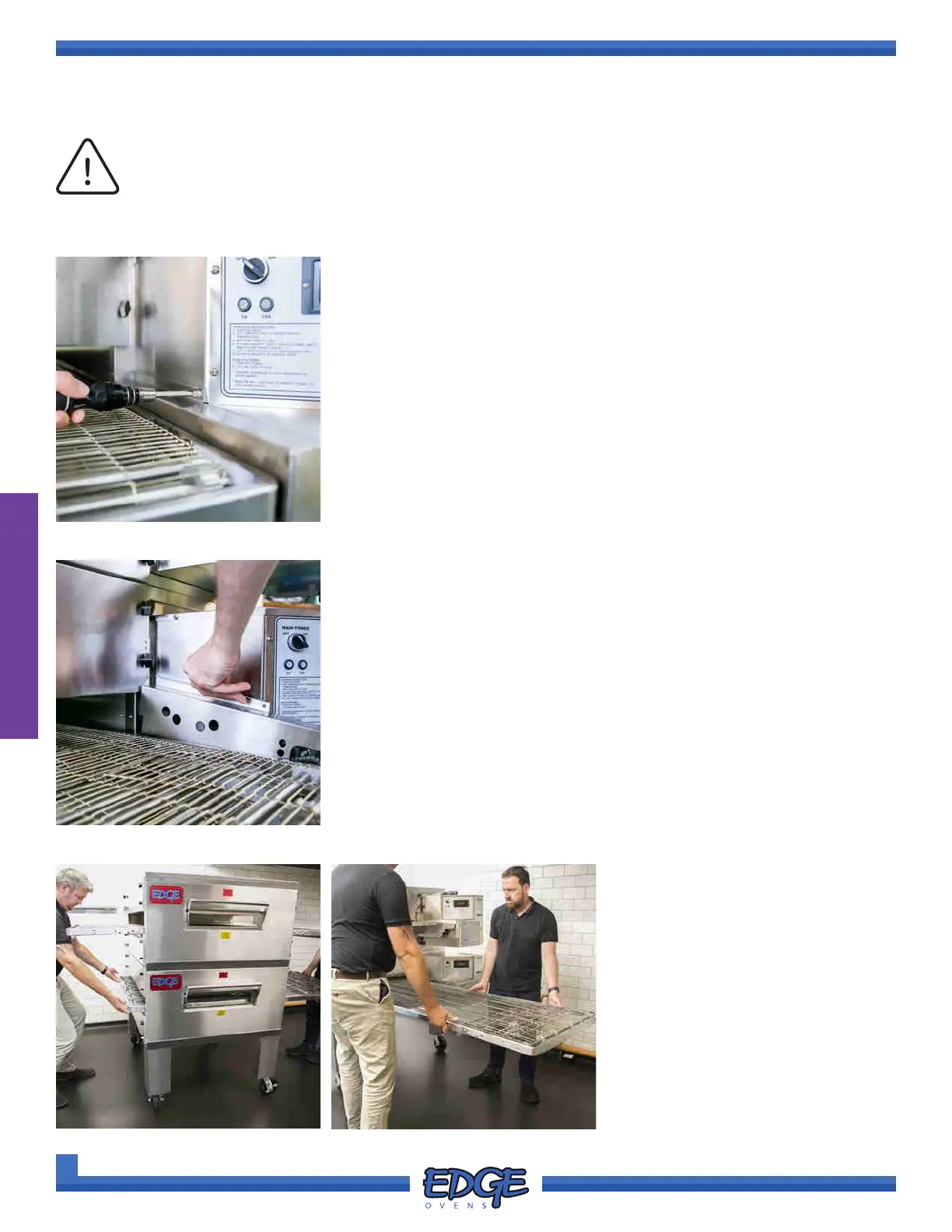
1. Using a #2 Phillips screwdriver, remove the securing screw from the
conveyor drive chain guard. (Figure 2-44)
FIGURE 2-44
FIGURE 2-45
2. Lift the chain guard upwards to remove it. (Figure 2-45)
FIGURE 2-46
3. With a helper, lift the conveyor
oven at both ends and remove
the conveyor belt from the control
cabinet end of the oven. (Figure
2-46 & Figure 2-47)
FIGURE 2-47



 To Next Page