3-9
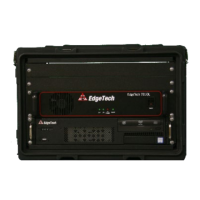
3.6.2 Connecting the Rack Mount Topside
1. Verify that the Rack Mount Deck Unit AC power.
2. Refer to 2.0:
SPECIFICATIONS and select or verify the correct input power voltage for the topside.
3. Verify that the tow cable is properly connected and attached to the tow vehicle, and then connect
the tow cable to the SEA CABLE connector.
4. Connect the LCD monitor to the MONITOR connector.
5. Connect the trackball to the TRACKBALL connector.
6. Connect the keyboard to the KEYBOARD connector.
7. If a navigation system is to be used, connect the navigation system output to the COM 1-NAV
connector.
8. If an external source is to be used to trigger the 3200-XS Sub-Bottom Profiling System, connect
the trigger output of this source to the TRIGGER IN connector.
9. If an external sonar system is to be triggered by the 3200-XS Sub-Bottom Profiling System, connect
the trigger input of this system to the TRIGGER OUT connector.
10. Connect an AC power cord to an AC POWER out connector and to the LCD monitor.
11. Connect an AC power cord to the AC POWER input connector and to the AC power source.
3.7 Activating the System
1. Turn on the POWER SUPPLY switch on the back of the Deck Unit. This switch can be left in the on
position at all times if desired.
2. Turn on the POWER switch on the Power Amplifier.
3. Turn on the SYSTEM POWER switch on the 3200-XS Topside Processor.
4. The SYSTEM indicator on the 3200-XS Topside Processor should illuminate and remain on, and the
HARD DISK indicator should flash for two to three minutes while a self-test is run. After this test
is completed, the HARD DISK indicator will flash periodically.
5. Turn on the LCD monitor.


 To Next Page