3-11
To perform the pre-deployment checks:
1. Follow the instructions in A
CTIVATING THE SYSTEM.
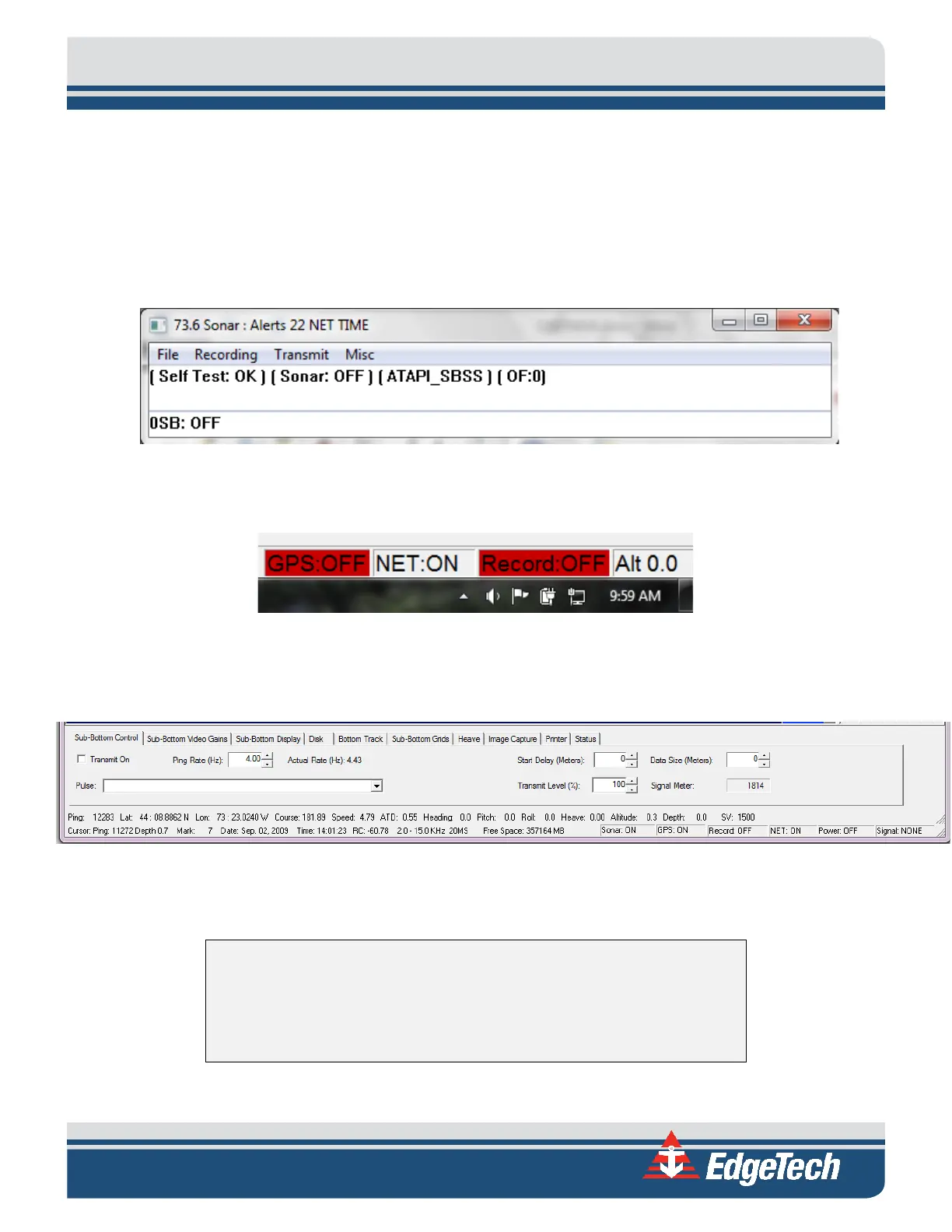
2. SONAR.EXE runs a self-test, with an audible chirp, indicating the test passed. A successful test is
shown in F
IGURE 3-6.
a. If the test fails, the SONAR.EXE window will remain on the desktop, and the failure mode
will be described in the window.
Figure 3-6: Successful Self-Test
3. The NET status in DISCOVER should change from NET OFF to NET ON, as shown in F
IGURE 3-7.
Figure 3-7: NET: ON
4. Next, you should run a Tap Test. To do this, navigation to the Sub-Bottom Control Tab, shown in
F
IGURE 3-8.
Figure 3-8: The Sub-Bottom Control Tab
5. In the Shortcut Toolbar, set Gain to either 0 or -3 dB, and then click Normalize Gain Button.
CAUTION!
Do not allow the transducers on the tow vehicle to continuously
transmit in air for an extended period, as damage to the transducers
could occur.


 To Next Page