5.0: TROUBLESHOOTING 5-2
3200-XS SUB-BOTTOM SYSTEM 0004840_REV_E
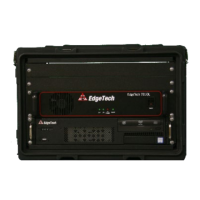
5.1 Rack Mount Deck Unit Troubleshooting
A table of troubleshooting procedures for the Rack Mount Deck Unit is provided below:
SYMPTOM PROBABLE CAUSE CORRECTIVE ACTION
Green power
indicator on Amp is
not on
Rear panel switch on the amp
is off
Turn on the rear panel switch
Amp is not plugged into AC
Power Amplifier will operate with burnt out bulb.
Power outlet fuse is blown
Check the fuse in AC power outlet at the back of Deck Unit. If
blown, replace fuse. Use a 12.5 A, 250 V, slow blow, 5 x 20 mm fuse
(PN 0014581).
Blue light on Amp is off
when front panel power
switch is pressed
Power Amp is failed
Contact EDGETECH CUSTOMER SERVICE
returned to EdgeTech for Service
Green SYSTEM
indicator on Computer
does not illuminate
when processor is
turned on
AC power is not connected
2. Verify Deck Unit is connected to AC power and rear
Power switch is turned on
3. Verify rear Panel Power Switch is turned on
Indicator is not operating Open 3200-XS Topside Processor to check indicator and wiring.
Amber HARD DISK
indicator does not
flash when processor
is turned on
Operating System does not
boot-up
Open 3200-XS Topside Processor and verify Hard Drive is
connected to power and ribbon cable is properly plugged in
Verify HDD SATA cable is properly plugged into Motherboard.
Indicator is not operating Open 3200-XS Topside Processor to check indicator and wiring.
When
performing pre-
deployment
tests,
transmissions
from transducers
are not heard
Power Amplifier is switched off
Tow cable is disconnected
Check tow cable and verify it is properly connected on both ends
Tow cable is damaged
Check tow cable connectors for excessive corrosion or a broken
pin. If corrosion or a broken pin is not found, check continuity of
conductors in tow cable. If damaged, repair or replace tow cable
output, or both are
disconnected
Verify red banana plug (amplifier output) on back of Power
Amplifier is fully inserted into red/red (not red/black) sockets.
Tow vehicle cable Top Spider
connections are loose
Verify all tow vehicle’s cable harness connectors are properly
mated
Power Amplifier has failed
Replace the Power Amplifier.
Test pulse file is corrupted or
missing.
DGE
ECH
USTOMER
ERVICE
for instructions on how to
recover the test pulse file.
Tiger board has failed
1. Check SONAR.exe to see reporting for fault, if any.
2. If these solutions fail, contact EDGETECH CUSTOMER SERVICE
about replacing the Tiger Board


 To Next Page