15
Electric/Hydraulic TT Thruster 140 - 300
GB
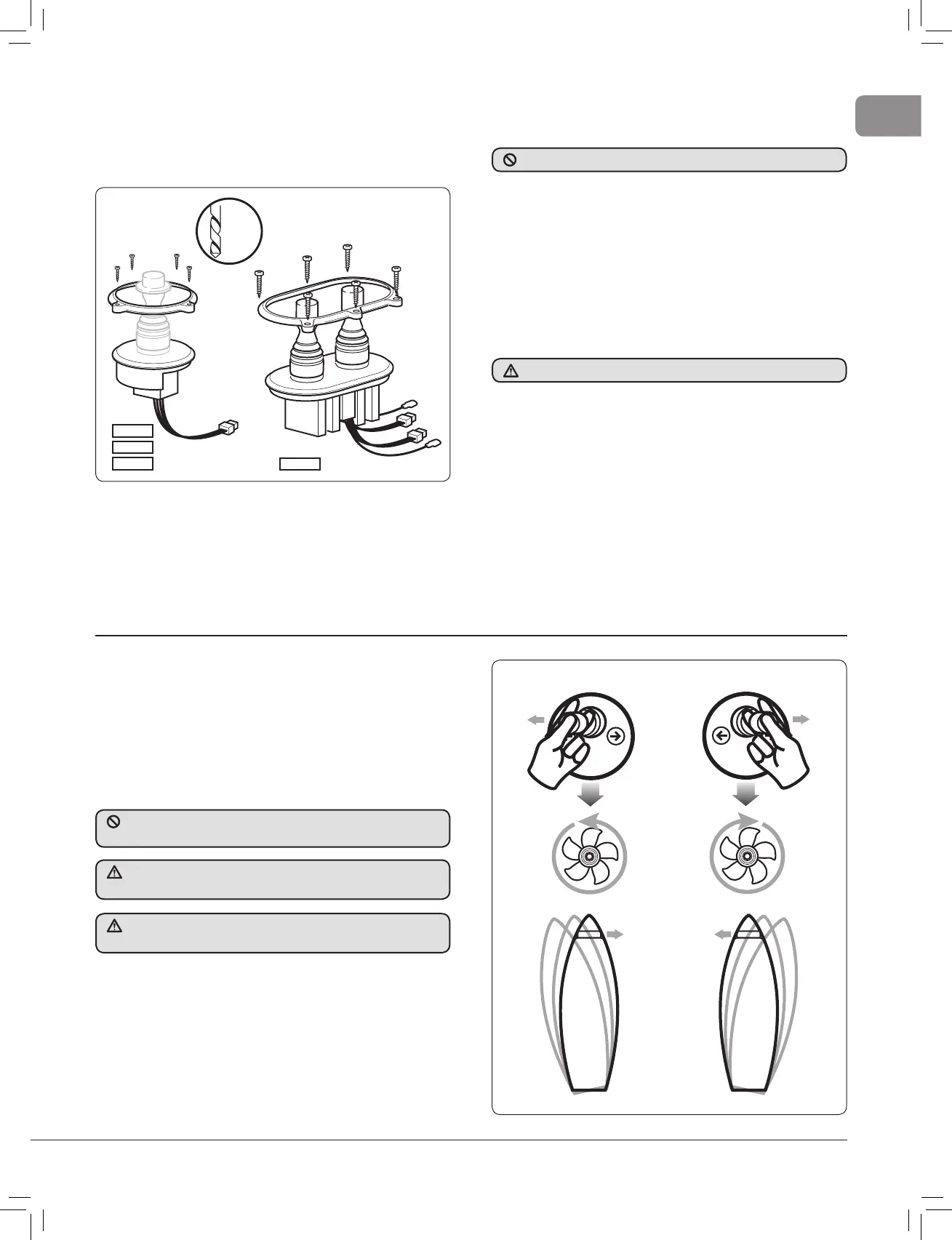
• The small plug connects at the panel. If two or more panels
are installed use the optional Y connectors (Sec 6.6).
• The auxiliary wire is used to connect an automatic battery
switch. Please refer to the units instructions. If automatic
battery switch not fi tted, disregard auxiliary wire.
Fig. 2.8.4
589001
589002
589003
589004
2.9 Final checks
Check list electrical
• Check motor connections are tight with rubber boots in
place.
• The correct fuse is in place.
• Check all switch wires are connected to correct motor
terminal.
Now the cables can be connected to the battery.
• Perform electrical check , Section 2.8.
Operation of electrical unit
• Ensure batteries are fully charged before switching on the
main power.
• When fi rst operating the thruster, make sure you are not close
to other vessels.
3. Operating your thruster
3.1 140TT 2.0 kW
The thruster can be operated using the Lewmar locking joystick
(Part No. 589003) or any water proof momentary two direction
switch with a 5 amp rating.
• Switch ON the battery switch.
• Lift the ‘top hat’ and move the joystick in the desired direction.
When the boat movement has been achieved return the
joystick to the central position (spring return).
Fig. 3.1.1
The thruster must not be operated unless it is in water.
Check the power is OFF.
DO NOT frequently move port to starboard on the joystick in quick
succession as this could damage the electric motor.
Please ensure that you thoroughly understand the operation and
safety requirements of the thruster.
Your thruster should not be operated close to swimmers, as a
powerful suction of water is generated when in use.



 To Next Page