21
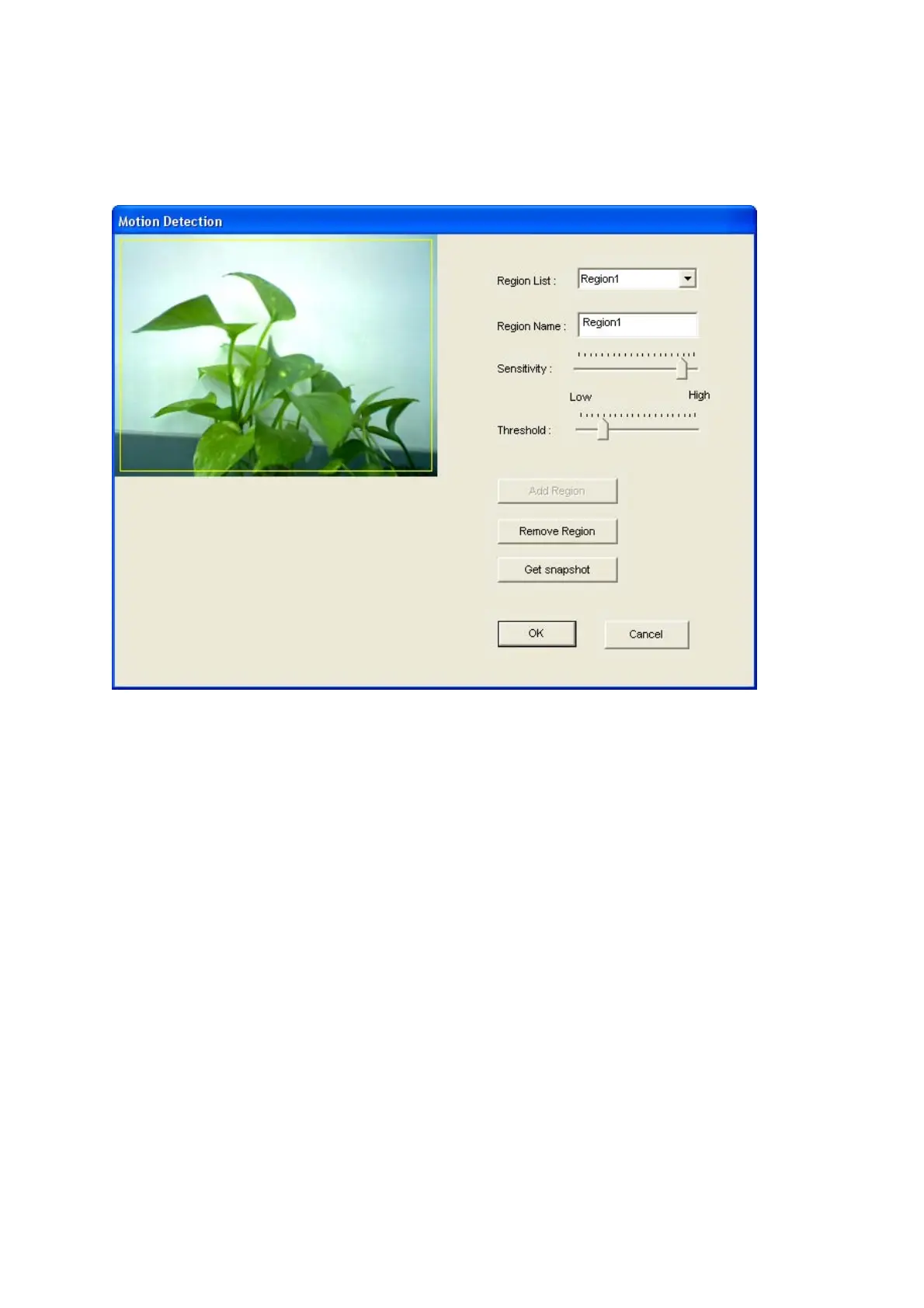
Please click ‘Motion Detection’ in pop-up menu, and a new setup menu will
appear:
The IP camera will display the image of the area that IP camera points to at the left.
The motion detection area must be rectangle, and cover the area you want to use
motion detection function.
You can define a new motion detection region by mouse cursor:
1. Click and hold left mouse button at the start point of rectangle on the image.
2. Drag the mouse cursor, to define a rectangle.
3. When you think the rectangle meets your needs, release left mouse button.
If you’re not satisfied with the area that covered by the rectangle you just drawn, just
repeat step 1 to 3 to establish a new rectangle. Then, click ‘Add Region’ to add a new
region to your motion detection region list.



 To Next Page