DCP 350 User Manual
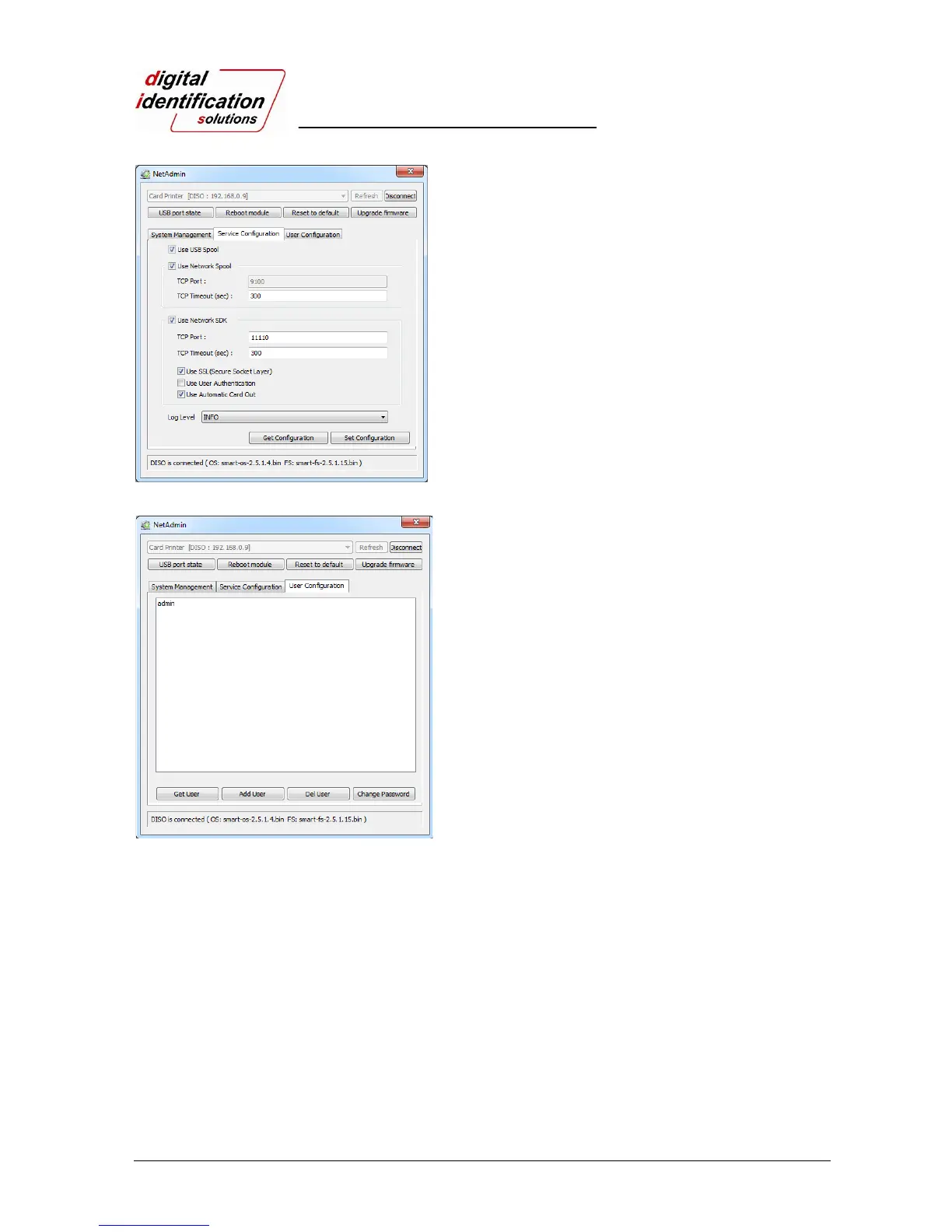
Pic.55 Network service configuration
You can change Service Configuration.
EDIsecure
®
DCP 350 network printer provides
3 kinds of service (change “USB Spool”,
“Network Spool” and “Network SDK”). You can
select and change the service according to the
need.
In “Network SDK”, you can control the printer
and print a card well, and the printer supports
SSL (Secure Sockets Layer) and User
Authentication for security.
Please use default and ask technician for
details.
Pic.56 Network user configuration
You can add, change, delete User and change
its password.
“admin” is the administrator and you can’t
delete this account. Please don’t forget the
password for “admin”
“Get User”: shows available users
“Add User”: makes new user
“Del User”: deletes selected user
“Change Password”: changes password



 To Next Page