ES-10B 4 Terminal Single Phase Residential Electricity
Meter - Product Guide
Copyright © 2019 EDMI Europe Ltd. All rights reserved
Version / Status: 1.1
Public
7 Under the Terminal Cover
7.1 Removing the Terminal Cover
Caution! Supply to the meter must be isolated or disconnected before access.
The terminal cover is secured with pozi drive screw. (Note: Early versions of the ES-10B
may use screws that require flat blade screw drivers).
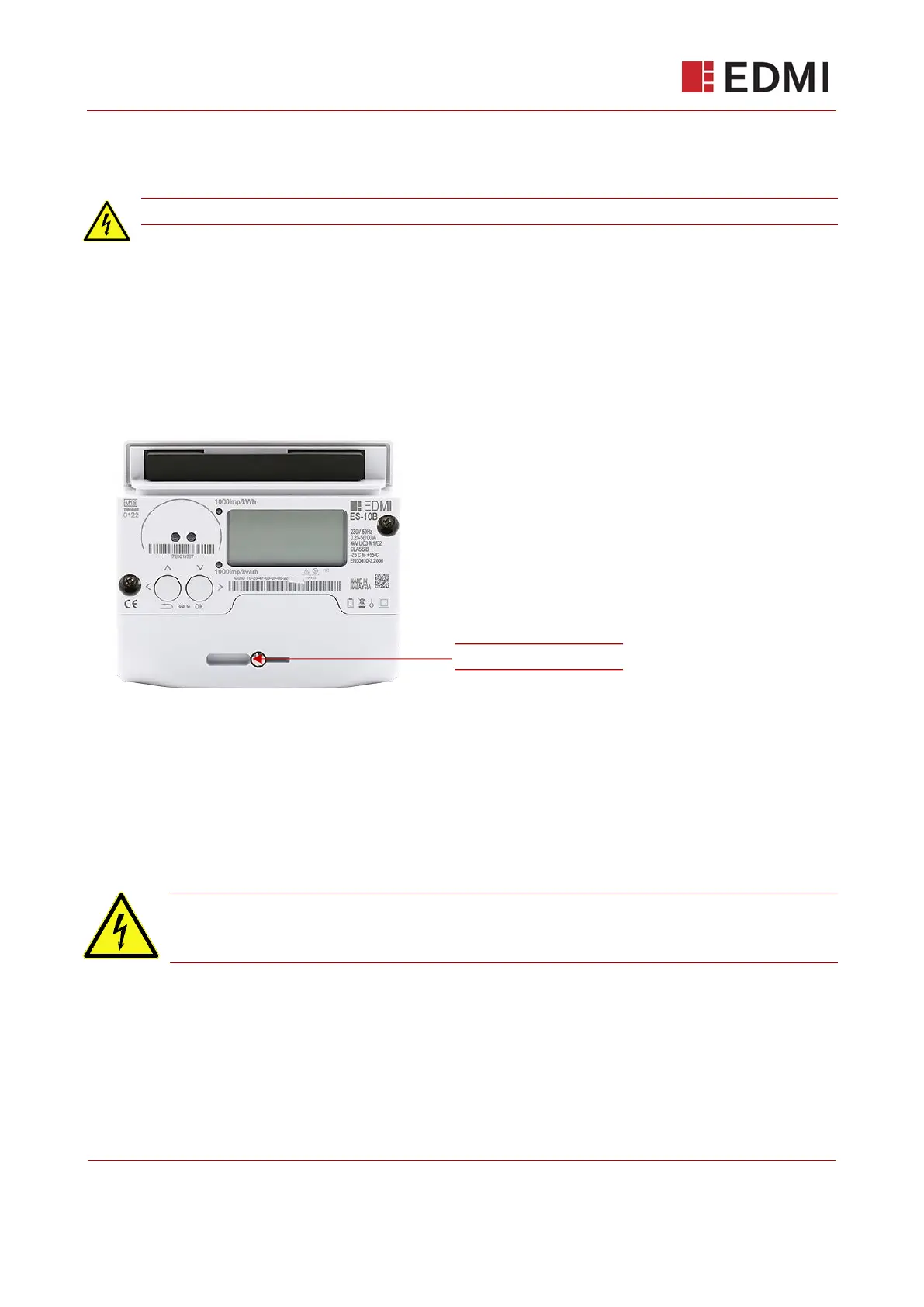
To remove the terminal cover:
1. Unscrew the central screw on the terminal cover.
2. Slide off the cover.
Figure 7-1: Terminal Cover Screw
7.2 Terminal Cover Tamper Detection
The ES-10B meter has an internal micro switch that detects the opening of the terminal cover. It is
located at the centre of the terminals. The meter generates an alert, which will be sent via the HAN
to the energy supplier and logged internally, when the switch is released. This switch also serves
to enable access to the meter’s Engineering menu.
Note: To access the Engineering menu, you do not need to completely remove the
terminal cover. The recommended practice is to simply loosen the terminal cover until
the tamper switch releases.



 To Next Page