ES-10B 4 Terminal Single Phase Residential Electricity
Meter - Product Guide
Copyright © 2019 EDMI Europe Ltd. All rights reserved
Version / Status: 1.1
Public
Enunciators. Please refer to section 11 for more detail
Main character array. Shows all figures for billing, information and content for messages
Load Limiting indicator. Icon is lit when site has a restricted maximum load
Power flow quadrants
+P = Import Kw
- P = Export Kw
+Q = Import kVar (Lag)
-Q = Export kVar (Lead)
11 Enunciators
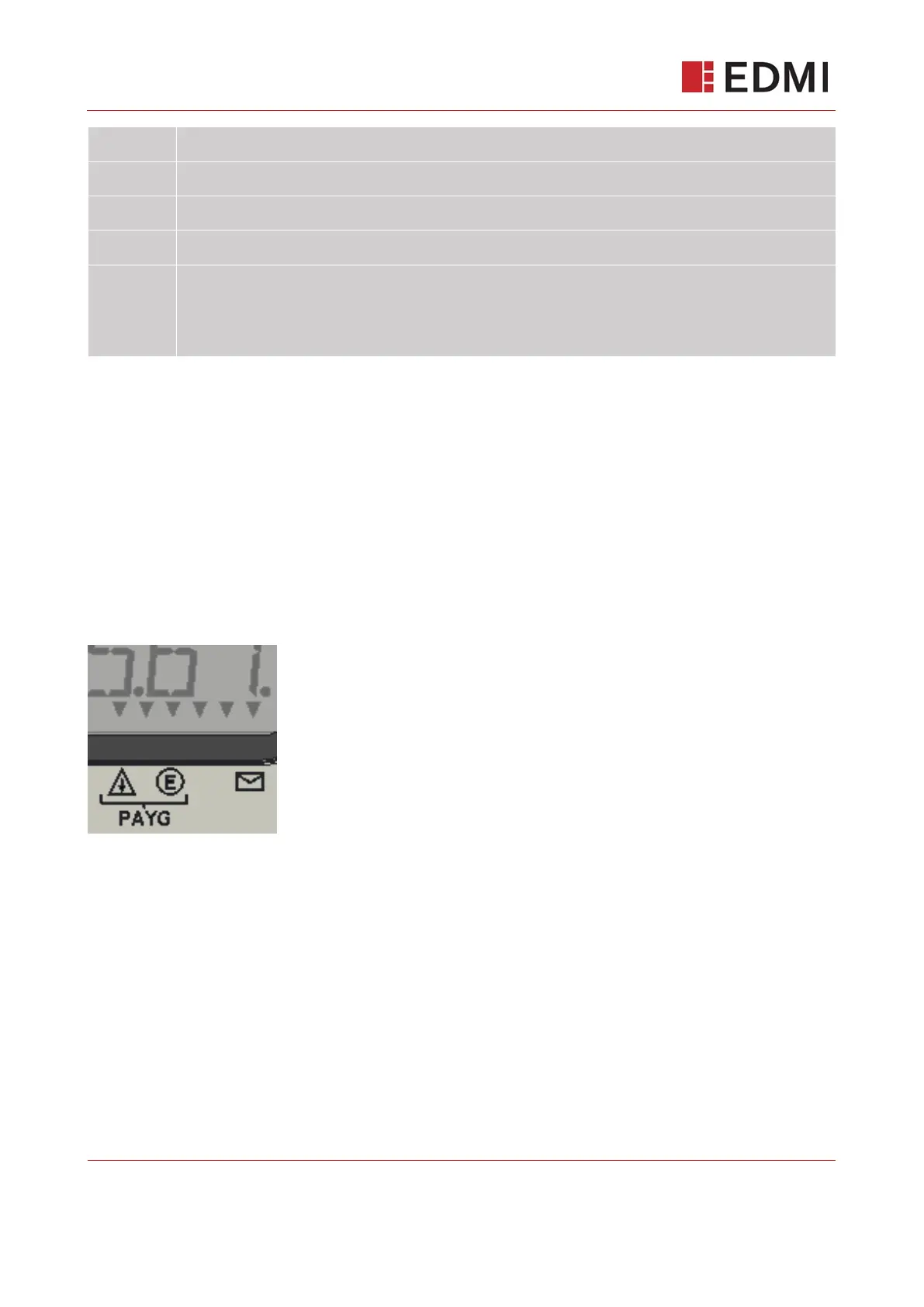
Located on the bottom right of the LCD are six downward facing enunciator arrows. They allow for
specific notifications to be printed on the main meter plastics, allowing for a wide variety of uses.
For SMETS, enunciator 1, 3 and 6 are used for the indication of low credit, emergency credit
available (both prepayment mode notifications) and supplier message available respectively.
Figure 11-1 shows the default layout of enunciators and their corresponding printed graphics.
Please note meters may vary over different suppliers.
Figure 11-1: Enunciators
12 The Pushbuttons & User Interface
The ES-10B has two pushbuttons for installers/customers to interact with the meter, and both are
multifunctional. Figure 12-1 shows the two buttons and labelling around them. The left button acts
as both as the ‘up’ and ‘left’ functions, and the right button acts as the ‘down’ and ‘right’ functions.
The two buttons have further functionality when held down for a period of 1 second. Holding the left
button acts as a ‘return’ function, holding the right button acts as an ‘OK’ function. The text
underneath ‘hold to’ is there to prompt the user to hold the buttons to perform these actions.



 To Next Page