ES-10B 4 Terminal Single Phase Residential Electricity
Meter - Product Guide
Copyright © 2019 EDMI Europe Ltd. All rights reserved
Version / Status: 1.1
Public
10 The Liquid Crystal Display (LCD)
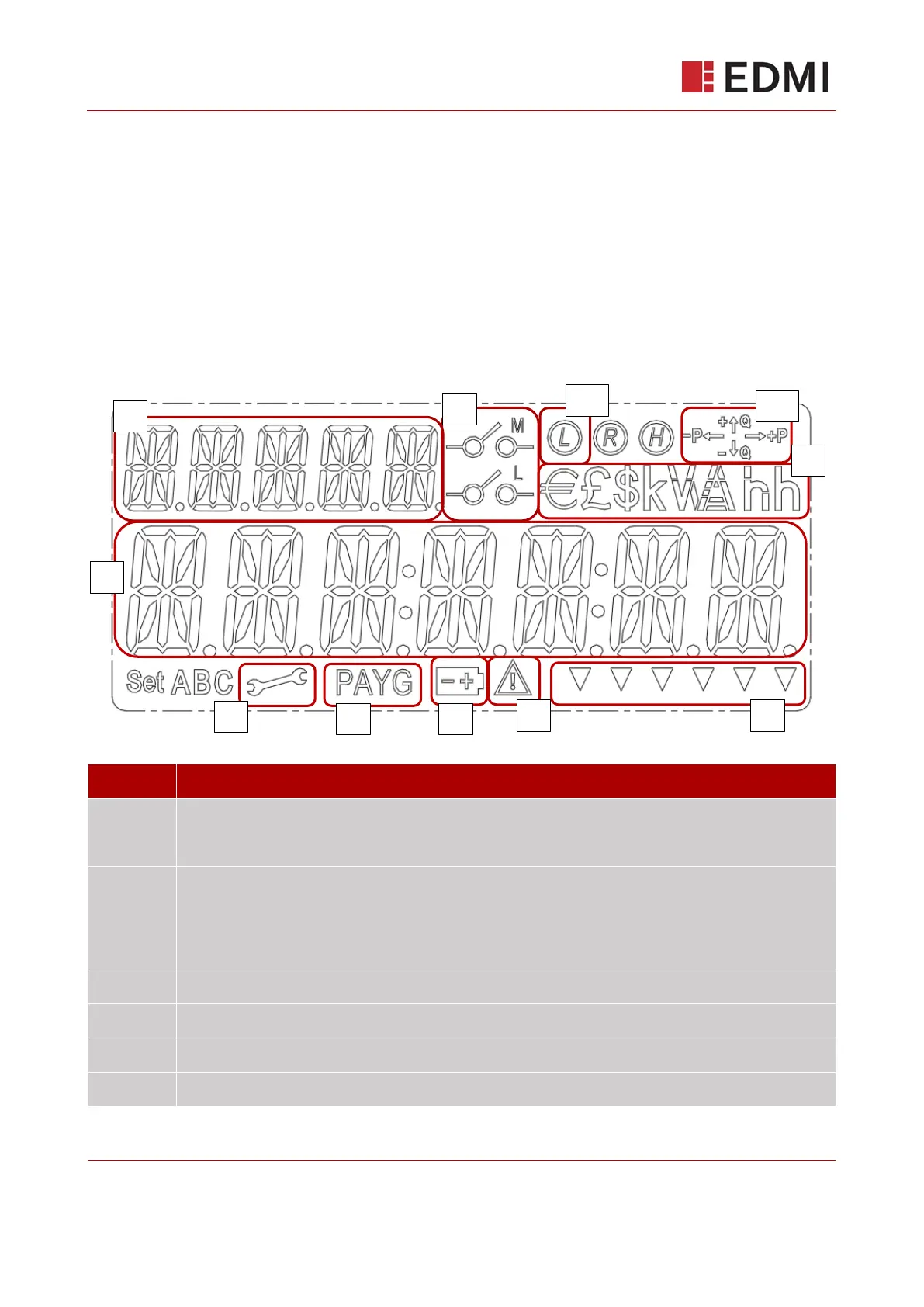
The LCD is the main user interface for the meter (Figure 10-1). Its purpose is to provide feedback
during installation, manufacture, calibration, diagnostics issues and simply for end user reference.
It has a central row of 7 ‘starburst’ type digits to display values/date/time/messages and 5 upper
left ‘starburst’ type digits to display a description/label.
The LCD has a number of fixed segments to indicate a range of functions. For low light conditions,
the LCD has a backlight, which comes on when a button is pressed, unless configured not to do so
at manufacture.
Figure 10-1: Liquid Crystal Display
5 character label, shows:
Description for main character array (9)
Current menu level
Relay state icons. M for main disconnect relay, L for ALCS. Operating states:
M icon ON: Main supply has been disconnected
L icon ON: ALCS is on
M & L icons ON: Meter is currently in a ‘Non-Disablement’ period
M & L icons OFF: Supply connected, ALCS off
Currency and unit symbols. Note only £ will be used in the UK.
Engineering menu activated
Pay As You Go (or Prepayment) mode is activated
Internal battery low indicator



 To Next Page