Chapter 1: Introduction
P/N 3102309-EN • REV 001 • ISS 18JUL19 9
Priority level [1] Operator alert signal pattern [2] Event type description
6 2 pulses every 4 seconds Events that signal controlled building equipment
such as dampers, ventilation fans, or temperature
controls are not operating correctly
7 1 pulse every 4 seconds Events that signal system inputs or system
outputs are disabled
8 1 pulse every 4 seconds Events that signal faults within the system
9 1 pulse every 4 seconds Events that signal ground faults within the system
10 1 pulse every 16 seconds Events that signal the operation of ancillary
equipment
[1] Priority levels shown are for US, Latin America, International, Middle East, and New Zealand markets.
[2] Operator alert signal patterns shown are for the US Market.
Event message lists
Event message lists allow you to view details of messages to help locate devices that are in an abnormal state.
When the system signals a status change, the control unit posts the event message in the appropriate event
message queue and generates a message list for the point that activated the event.
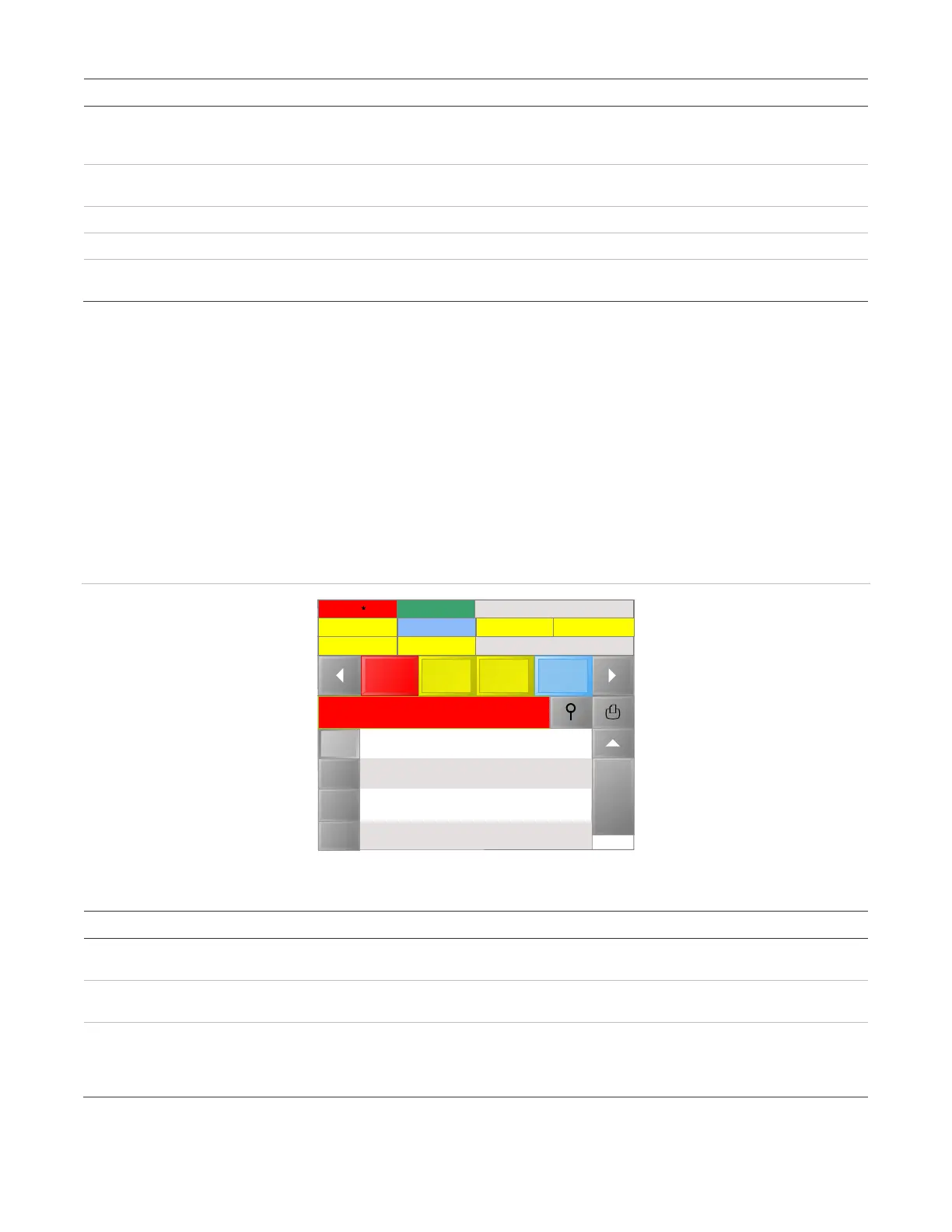
An event message consists of two lines of text, as shown in Figure 4 below. The first line displays the event type,
current status, and time of the event. The second line displays the message text, which is either the address of
the device that activated the event or, if programmed, a location description.
Figure 4: Event message
Table 4: Event message behavior for Local and Proprietary modes
Local mode Proprietary mode
No new events have activated since
the last time the control unit was silenced
The highest priority event queue
displays.
If all events have been acknowledged,
the highest priority event queue displays.
New events have activated since the
last time the control unit was silenced
The first new, highest priority event
displays.
The first unacknowledged event in the
highest priority queue displays.
An active event is restored
The event counter star that indicates
new events disappears.
The event counter star that indicates
new events disappears and a check
mark appears next to the event
message.
Control
Requests
08/21/2018 12:07:33
Disable 2
Alarm 3
Alarm
Trouble
Superv-
isory
Supervisory 4
Requests 3 Building 1
Trouble 1
Alarm Event List
Ground 2
Other 3
Alarm: Activate
SouthCampus, Building1, Zone2
Alarm: Activate
SouthCampus, Building1, Zone2
Alarm: Activate
SouthCampus, Building1, Zone2
15:11
11:13
11:13
1
2
3



 To Next Page